
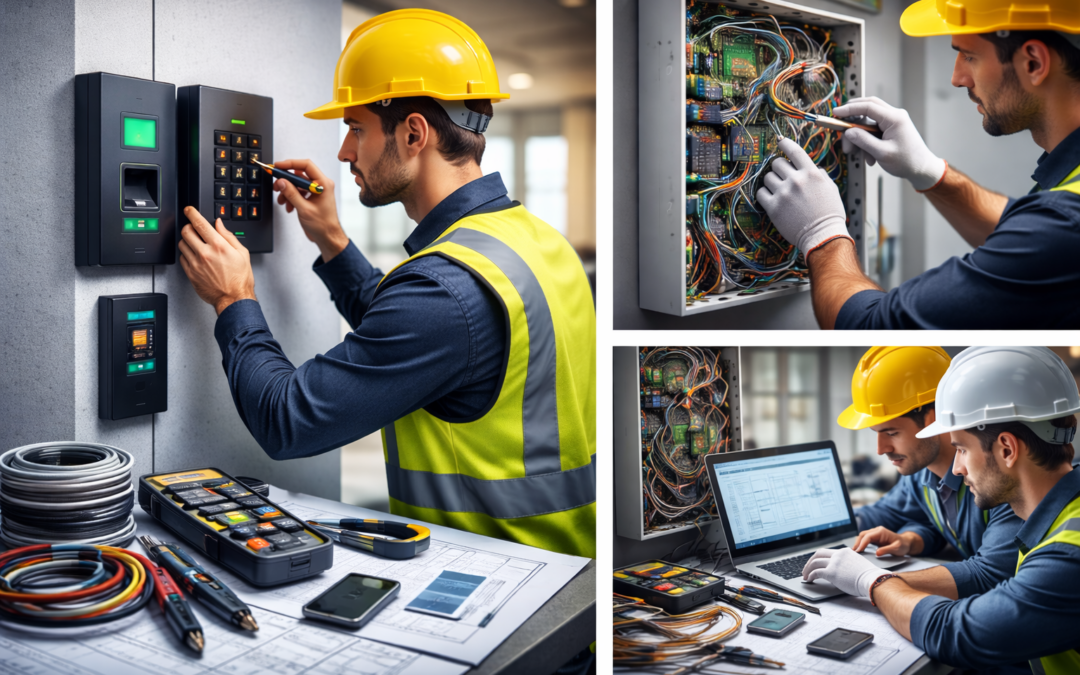
An access control system installation guide for businesses starts with understanding why this upgrade is critical to long-term security and operational efficiency. Installing an access control system is one of the most impactful steps a company can take to strengthen physical security, improve accountability, and gain better control over who enters sensitive areas.
Whether you manage a small office, warehouse, healthcare facility, or multi-location commercial property, proper access control system installation ensures that only authorized individuals can access restricted spaces.
This guide outlines the complete commercial installation process — from initial planning and hardware setup to software configuration and final system testing.
Understanding Access Control Systems
Access control systems regulate who can enter and exit specific areas of your building. These systems manage entry permissions and track who comes and goes. You’ll find several types on the market, including basic keypad systems, card readers, biometric scanners, and advanced setups that combine multiple technologies. Each system relies on credentials like PIN codes, access cards, fingerprints, or facial recognition to let the right people in and keep others out. Access control systems also log entry and exit times, giving you useful data for security reviews. Knowing how these components and technologies work together helps you secure your space and manage permissions effectively.
What Is an Access Control System?
An access control system restricts and monitors entry to buildings, rooms, or secure areas using credentials such as:
-
Keycards
-
Mobile credentials
-
PIN codes
-
Biometric scanners
-
Key fobs
Modern systems combine hardware (readers, locks, controllers) with software that allows administrators to manage permissions in real time.
Access Control Installation Checklist
Before beginning installation, confirm you have:
Door readers and credentials
Electronic door locks or magnetic locks
Access control panel (controller)
Power supply and backup battery
Cabling and wiring tools
Access control software platform
Network connectivity (if cloud-based)
Skipping planning is the most common installation mistake.
Step 1 – Plan Your Access Control System Layout
Start by identifying:
-
All entry points that require control
-
Areas with restricted access
-
User permission levels (employees, contractors, visitors)
-
Integration needs (video surveillance, alarms, HR systems)
A proper site assessment prevents costly rework later.
For larger facilities, mapping access zones is critical.
Step 2 – Install Hardware Components
Commercial access control installation typically involves:
-
Mounting card readers near entry points
-
Installing electric strikes or magnetic locks
-
Running low-voltage wiring to the control panel
-
Connecting door position sensors and request-to-exit devices
All wiring should comply with local building and fire safety codes.
If you’re unfamiliar with low-voltage electrical work, professional installation is strongly recommended.
Step 3 – Configure the Access Control Software
Once hardware is connected:
-
Install and configure the access control software
-
Create user groups and permission levels
-
Assign credentials to each user
-
Set schedules for restricted access hours
-
Enable logging and reporting features
Cloud-based systems simplify remote management and multi-location oversight.
H2: Step 4 – Test the System and Troubleshoot
Before going live:
-
Test every reader and door lock
-
Verify user permissions function correctly
-
Confirm fail-safe or fail-secure settings
-
Test backup power functionality
-
Review access logs
Testing prevents security gaps and operational disruptions.
DIY vs Professional Access Control Installation
Many business owners ask: Can I install my own access control system?
DIY installation may be suitable for:
-
Small offices
-
Single-door systems
-
Pre-configured cloud kits
Professional installation is recommended for:
-
Multi-door systems
-
Integrated security platforms
-
High-security facilities
-
Compliance-driven industries
-
Complex wiring environments
Improper installation can lead to security failures, system downtime, or code violations.
Installing Access Control Systems in Illinois: What You Need to Know
Installing an access control system in Illinois requires compliance with state and local regulations. Under the Private Detective, Private Alarm, Private Security, Fingerprint Vendor and Locksmith Act of 2004, individuals and companies that install or maintain security systems must be licensed through the Illinois Department of Financial and Professional Regulation (IDFPR).
While DIY equipment is available, hiring a licensed security contractor ensures your system meets legal and safety standards.
Key Considerations
Licensing Requirements
Security system installers must hold the proper Illinois private alarm contractor license. Always verify credentials through IDFPR.
Local Regulations
Municipalities like Chicago may require additional permits, inspections, and compliance with local building codes.
Fire and Electrical Codes
Access control systems must meet fire safety, egress, and electrical code requirements to ensure safe operation.
Insurance and Liability
Licensed contractors carry liability insurance and typically offer warranties, protecting your business from potential risks.
How Long Does Access Control Installation Take?
Installation time depends on:
-
Number of doors
-
Wiring complexity
-
Integration requirements
-
System type (on-premise vs cloud)
Single-door systems may take a few hours.
Multi-door commercial installations can take several days.
How Much Does Access Control System Installation Cost?
Costs vary based on:
-
Hardware quality
-
Number of entry points
-
Labor requirements
-
Software licensing
-
Ongoing monitoring or maintenance
While DIY kits may reduce upfront labor costs, professional installations often provide better long-term reliability and scalability.
Unified System Architecture
Experience the power of a cohesive security ecosystem that integrates video surveillance, access control, and alarm systems for maximum efficiency.
Scalable Technology
Our solutions are built to grow with your needs, ensuring long-term value and adaptability without the need for complete overhauls.
Interoperability Focus
Achieve seamless communication between different security components, enhancing your overall security posture and operational efficiency.
Need Professional Access Control System Installation?
Installing an access control system correctly the first time prevents costly mistakes, compliance issues, and future system failures.
Umbrella Security designs and installs commercial access control systems tailored to your facility, security requirements, and long-term growth plans. Whether you need a single-door setup or a fully integrated multi-location system, our team ensures reliable performance from day one.
Schedule a site assessment today and get a customized access control solution built for your business.
Common Access Control Installation Mistakes to Avoid
-
Poor door hardware compatibility
-
Inadequate power supply
-
Ignoring fire code requirements
-
Not planning for future expansion
-
Weak network security configuration
Planning for growth is just as important as securing today’s needs.
Final Thoughts on Access Control System Installation
Access control system installation is more than mounting readers and wiring locks — it’s about building a secure, scalable system that protects your business long-term.
If your organization requires multi-door security, regulatory compliance, or system integration, working with an experienced commercial security provider ensures proper installation and long-term performance.
Frequently Asked Questions About Access Control System Installation
What is access control system installation?
Access control system installation is the process of setting up hardware and software that restricts and monitors entry to a building or specific areas. It includes installing card readers, electronic locks, control panels, wiring, and configuring the management software that controls user permissions.
Can I install an access control system myself?
Some small, single-door systems are designed for DIY installation. However, most commercial access control systems require professional installation to ensure proper wiring, code compliance, secure configuration, and long-term reliability. Incorrect installation can lead to security vulnerabilities or system failures.
Do you work with multi-location businesses across Chicagoland?
Yes. If your company operates in Arlington Heights and other Chicago-area locations, we can standardize and manage security systems across multiple properties to ensure consistency, compliance, and centralized oversight.
How much does access control system installation cost?
Costs vary based on the number of doors, hardware quality, system type (cloud-based or on-premise), and labor requirements. Small installations may cost a few thousand dollars, while multi-door commercial systems can require a larger investment. A professional site assessment provides the most accurate estimate.
What equipment is required for access control installation?
A typical installation includes:
Door readers (card, mobile, or biometric)
Electronic locks or magnetic locks
Access control panel (controller)
Power supply with battery backup
Cabling and wiring components
Access control software
Network connection (for cloud systems)
Additional components may be required depending on building layout and security needs.
Is access control better than traditional locks?
Yes. Traditional keys can be lost or copied. Access control systems allow administrators to instantly add or revoke credentials, track entry activity, and control permissions remotely. This improves security, accountability, and operational control.
Does access control work during power outages?
Most commercial access control systems include battery backup to maintain operation during power outages. The system can be configured as fail-safe or fail-secure depending on safety and security requirements.
Can access control systems integrate with video surveillance?
Yes. Many modern systems integrate with video surveillance platforms, allowing businesses to link access events with recorded footage. This improves investigation capabilities and enhances overall security visibility.
Are cloud-based access control systems secure?
Cloud-based systems use encrypted communication and secure authentication protocols. When properly configured, they provide strong security along with the benefit of remote management and automatic updates.
What are the most common installation mistakes?
Common mistakes include:
Inadequate power planning
Incorrect door hardware compatibility
Poor wiring management
Failing to comply with fire codes
Weak network security configuration
Not planning for future system expansion
Professional installation reduces these risks.
Do access control systems require ongoing maintenance?
Yes. Regular maintenance ensures continued reliability. This includes testing door hardware, updating software, reviewing user permissions, and checking backup power systems.
Who should consider professional access control installation?
Professional installation is recommended for:
Multi-door facilities
Healthcare or regulated industries
Warehouses and industrial buildings
Schools and commercial offices
Businesses requiring system integration
If security, compliance, or scalability matters, professional installation is the safest choice.