
Commercial Security Camera Systems
This page is built for facility directors, IT managers, security leaders, and operations executives evaluating enterprise video surveillance systems — not consumer-grade camera kits.
If you are comparing architecture options, analytics capabilities, storage strategies, or integration requirements, the sections below will guide your evaluation.
Local Leaders in Business & Government that Rely on Umbrella












Commercial Security Camera System Design
Why Camera Placement Matters More Than Camera Count
High-quality commercial security camera systems are not just about adding more cameras. They are about designing for usable evidence: dependable facial identification, readable license plates, stronger incident documentation, and fewer blind spots that create liability.
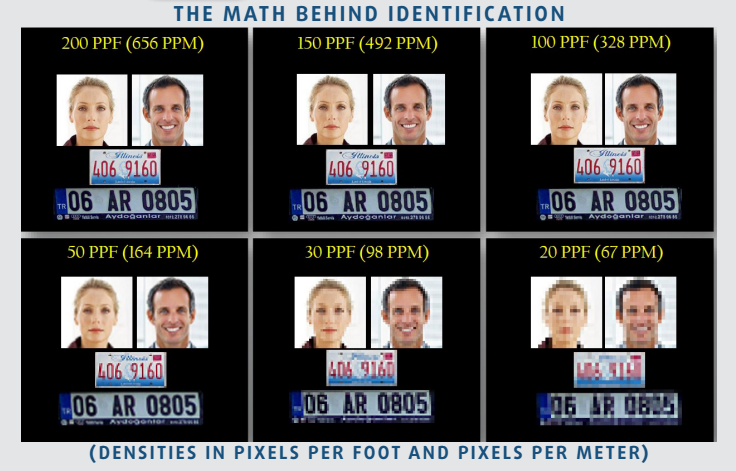
The math behind identification protects evidence quality.
Pixel density determines whether footage helps you identify a suspect, verify a vehicle, or simply confirm that something happened. When a system is designed around the right pixels per foot, mounting angle, and field of view, you get stronger evidence, cleaner investigations, and a better return on every camera you install.
Fixed Dome & Bullet
Best all-around fit for most commercial properties. Strong balance of coverage, dependable detail, and clean installation for doors, drive lanes, entries, and exterior approaches.
- Best locations: main entrances, loading doors, gates, reception approaches, cash handling areas, and parking lot entry/exit lanes.
- Best use cases: face capture at controlled choke points, plate capture when vehicles slow down, and reliable scene evidence where fixed coverage matters more than operator control.
Multi-Sensor Panoramic
Excellent for parking lots and broad outdoor scenes where you want fewer blind spots and stronger overview coverage, even if every inch is not optimized for ID-level detail.
- Best locations: building corners, parking lot edges, truck courts, school perimeters, storage yards, and large exterior walls that overlook broad open space.
- Best use cases: broad situational awareness, following movement across a wide area, and reducing camera count where one narrow lens would miss too much context.
360 Fisheye / PTZ
Best when you need operator control, active tracking, or specialty coverage across large open areas. Great tool, but not a substitute for a fixed identification view.
- Best locations: warehouse centers, lobbies with overhead mounting, large retail floors, gymnasiums, manufacturing bays, and open intersections where one camera needs to watch in every direction.
- Best use cases: operator-driven tracking, virtual dewarping from a central overhead point, and broad activity review when you need to see how an event unfolded across the full scene.
Why Modern Security Camera Systems Matter
Security cameras are no longer passive recording devices.
Commercial security camera systems today serve multiple functions:
🛡 Crime Deterrence | 🔍 Forensic Investigation | 📈 Operational Oversight | 📑 Compliance Documentation | 🚨 Real-Time Alerting | 🌐 Multi-Site Monitoring | ⚖ Liability Protection
For manufacturing facilities, distribution centers, campuses, healthcare properties, and government buildings, surveillance systems must perform under demanding environmental and operational conditions.
The difference between a “camera install” and a well-designed system is architecture.
The right system improves awareness.
The wrong one becomes expensive background noise.
What Makes a Commercial Security Camera System Effective?
An effective surveillance system is built on engineering principles — not product catalogs.
Cameras alone do not create security. Architecture, calibration, integration, and long-term scalability determine whether a system delivers operational value.
Let’s break down the core evaluation criteria serious buyers should consider.
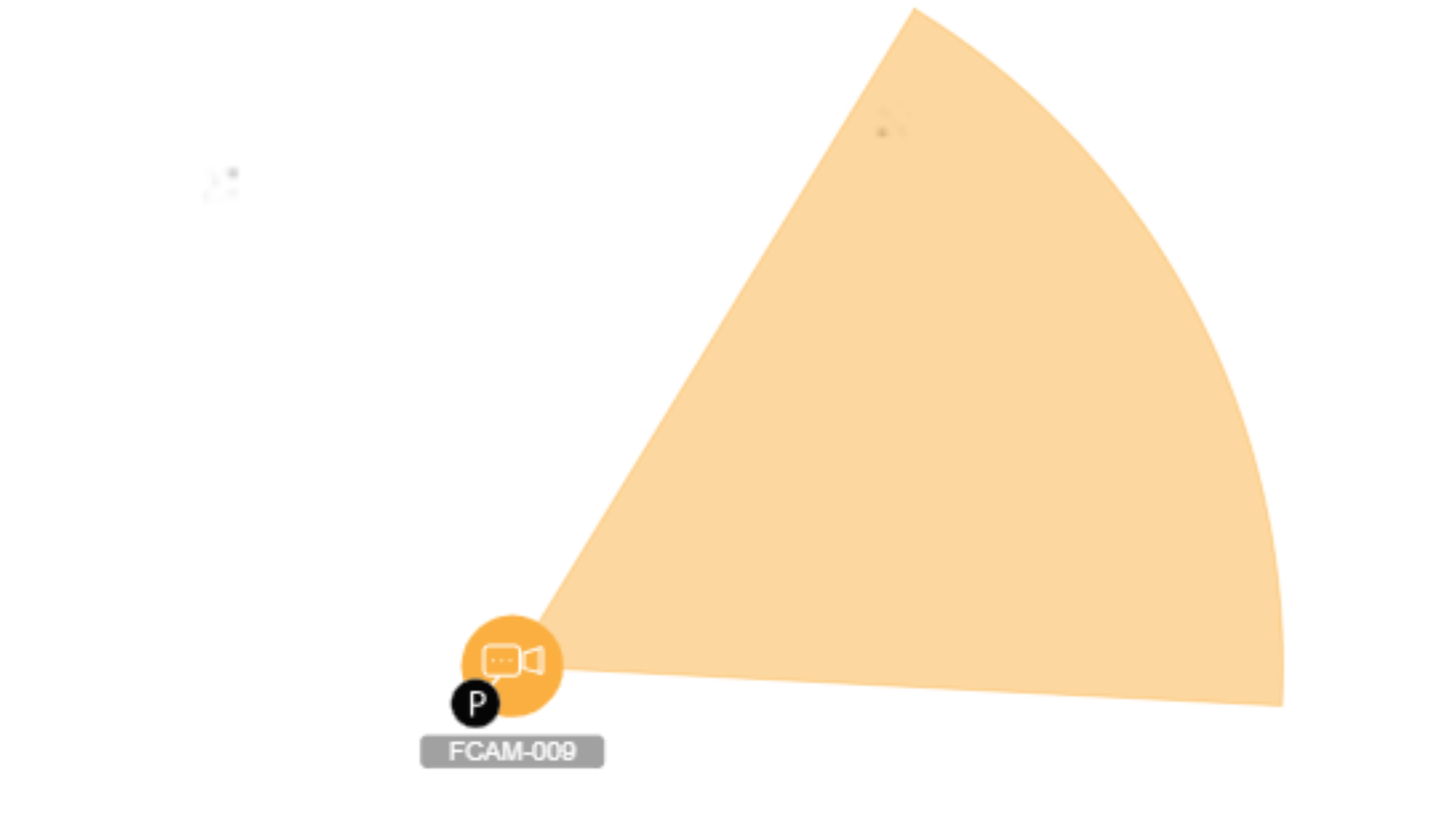
1. Coverage & Field-of-View Modeling
Effective surveillance begins with mathematical precision.
We conduct structured field-of-view modeling to determine optimal camera placement, lens selection, mounting height, and overlap zones. This eliminates blind spots while preventing over-saturation of devices that add cost without increasing coverage quality.
Factors considered include:
-
Pixel density requirements for identification vs. detection
-
Mounting elevation and angle of incidence
-
Target distances and movement patterns
-
Obstruction mapping (racking, machinery, walls, shelving)
-
Lighting direction and glare exposure
The goal is engineered coverage — not guesswork. Proper modeling reduces hardware redundancy while improving evidentiary clarity.
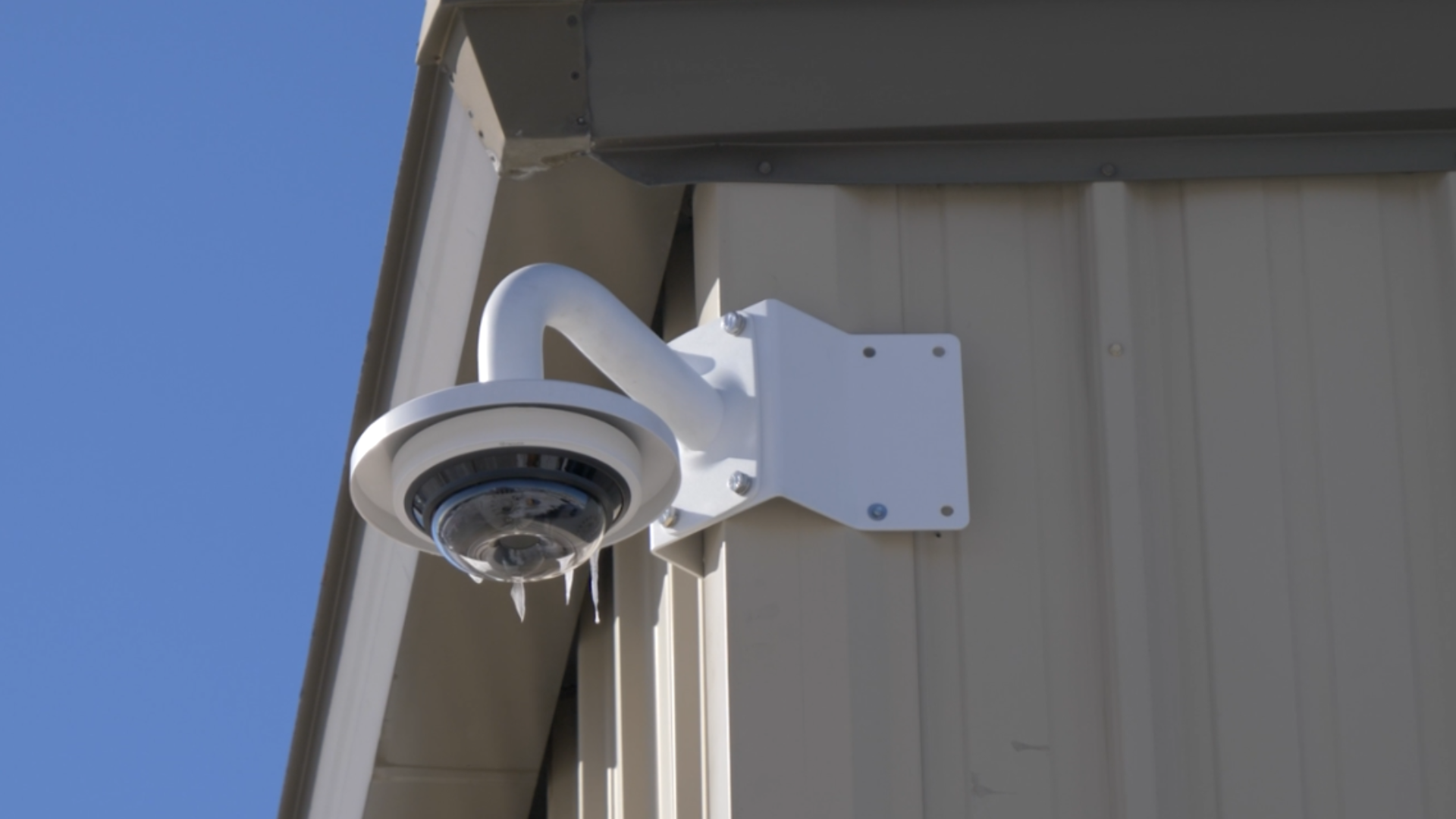
2. Environmental Performance
Commercial environments introduce variables that consumer-grade systems cannot withstand.
Lighting variability, airborne dust, vibration from machinery, temperature fluctuations, and weather exposure all influence camera and enclosure selection.
System design must account for:
-
Wide dynamic range (WDR) performance in mixed lighting
-
Low-light sensitivity and infrared optimization
-
Industrial-rated housings for dust and moisture protection
-
Vandal-resistant enclosures for public environments
-
Corrosion resistance in manufacturing settings
Selecting the wrong hardware for the environment leads to premature failure and degraded image quality. We evaluate environmental stress factors before finalizing equipment specifications.

3. Network & Cybersecurity Architecture
Modern commercial security camera systems operate on IP-based networks, making IT architecture foundational to performance and security.
Improperly designed networks can result in bandwidth congestion, latency, dropped frames, or cybersecurity exposure.
A properly engineered deployment includes:
-
Network segmentation and VLAN configuration
-
Bandwidth modeling based on resolution and frame rate
-
Redundant switching where required
-
Secure remote access protocols
-
Firmware lifecycle management
-
Compliance with organizational cybersecurity policies
Surveillance systems must be treated as critical network infrastructure — not peripheral devices.

4. Storage & Retention Strategy
Video storage design directly impacts system performance, compliance, and total cost of ownership.
Retention policies vary depending on industry standards, liability exposure, insurance requirements, and internal risk management practices.
Storage strategy considerations include:
-
On-premise vs hybrid vs cloud-managed architecture
-
RAID configuration and redundancy planning
-
Retention duration modeling based on camera count and resolution
-
Retrieval speed for investigative workflows
-
Disaster recovery and failover planning
A well-designed storage architecture ensures footage is accessible when needed — without overbuilding unnecessary capacity.
5. System Integration
Security systems deliver the greatest value when they operate as a unified platform.
Disconnected systems create investigative delays and operational friction.
Integration may include coordination between:
-
Video surveillance systems
-
Access control platforms
-
Intrusion detection and alarm systems
-
Intercom and visitor management systems
-
Centralized security operations centers
-
Multi-site enterprise management software
When properly integrated, access events can trigger video recording, alarms can automatically pull associated footage, and security teams can monitor multiple facilities from a centralized interface.
Integration transforms surveillance from passive recording into coordinated response infrastructure.
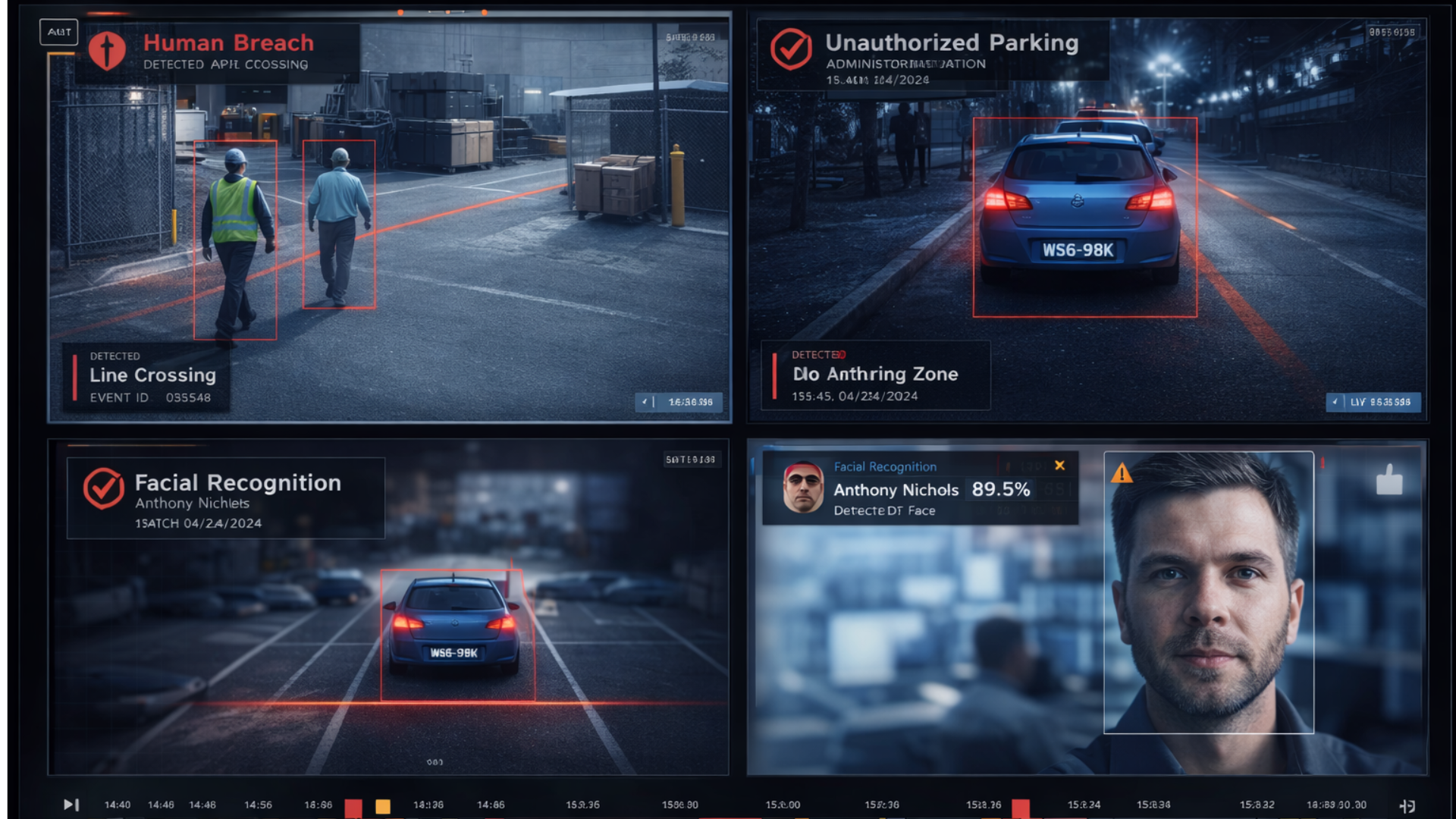
6. AI Video Analytics & Intelligent Detection
Modern commercial security camera systems increasingly rely on AI-powered video analytics to transform passive recording into proactive intelligence.
Advanced analytics may include:
-
Object classification (person vs. vehicle vs. animal)
-
Perimeter intrusion detection
-
Loitering detection
-
Line crossing alerts
-
License plate recognition (LPR)
-
Occupancy and people counting
-
Unusual activity detection
Properly implemented AI video analytics reduce false alarms, improve response times, and allow security teams to focus on real events rather than reviewing hours of footage.
However, analytics must be calibrated carefully. Poorly tuned AI can overwhelm teams with alerts and undermine system effectiveness. We evaluate analytics performance in real-world conditions before deployment to ensure measurable operational value.
“After we began working with Umbrella they created a long-term strategy to work within our budget while establishing security services for our modernized Video Surveillance System platform which not-only gave us a much more robust evidence search review but installed HD cameras on our exterior which was a night and day quality from what we had previously.”
Why Pick Us to do your Site-Survey
🏆 20+ Years Serving Chicago/Chicagoland Organizations
🛡️ IDFPR Licensed Private Alarm Contractor Agency (#127-001871)
⭐ BBB Accredited — A+ Rated
🏛️ Federal Government Approved Vendor (UEI/CAGE Listed)
🎓 IPVM-Trained + Enterprise Certified (VMS, Access Control, Fiber/Network)
📺 Featured on ABC & NBC
We design security infrastructure — not product packages.
Professional Surveillance Camera Types & Performance Environments
Different facilities demand different camera capabilities.
📷 Fixed Dome & Bullet Cameras (Corridors, Entry Points, Defined Zones) | 🌐 Multi-Sensor Panoramic Cameras (Warehouses, Loading Docks, Parking Areas) | 🔄 360° / Fisheye Cameras (Lobbies, Vestibules, Common Areas) | 🏗 Ruggedized Outdoor Cameras (Weather, Vibration, Dust Exposure) |
🌙 Low-Light & Infrared Cameras (Multi-Shift & Perimeter Security)
Commercial security camera systems must be evaluated based on environmental realities — not showroom demonstrations.

Multi-Sensor Panoramic Security Cameras
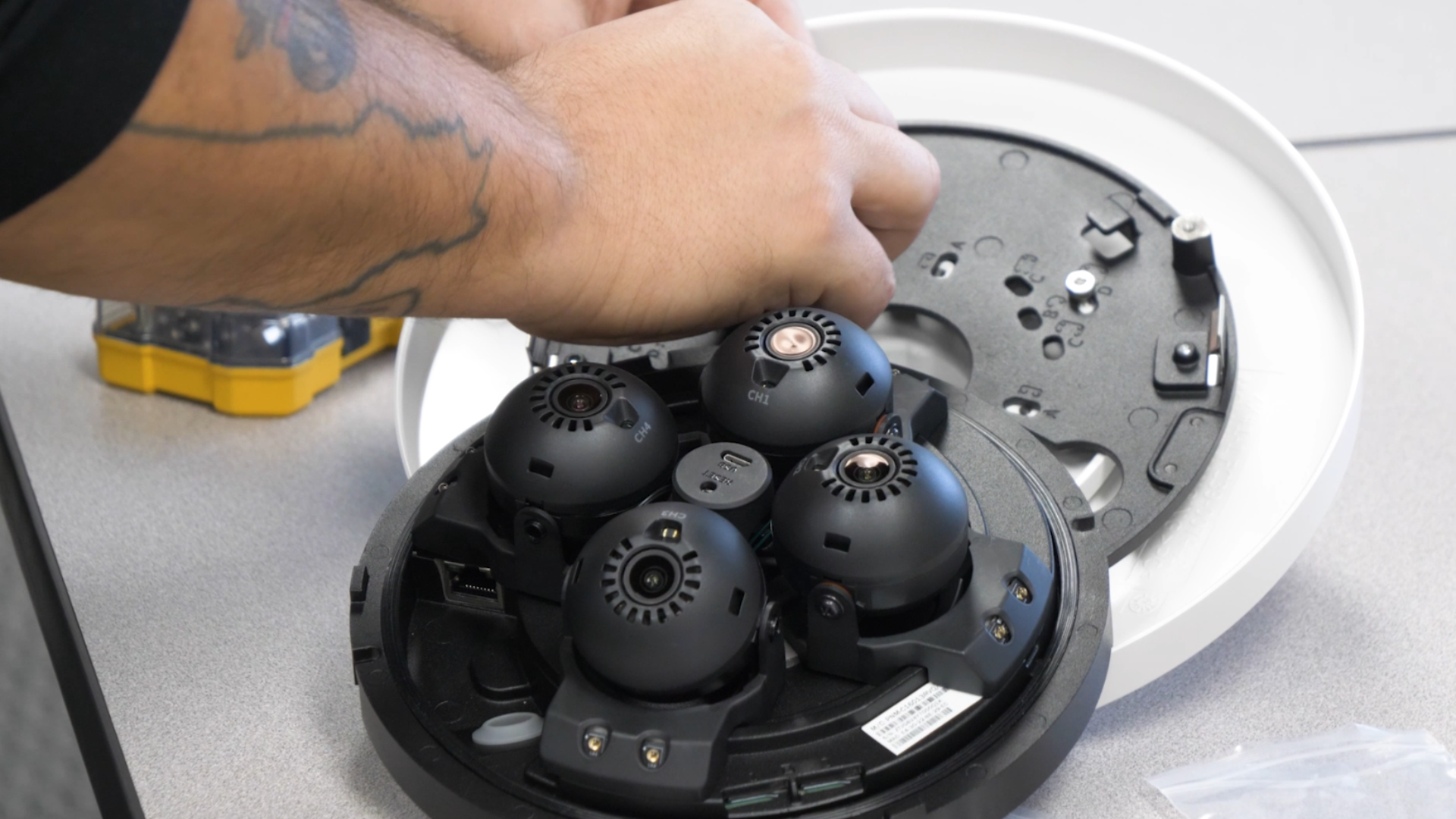
Multi-sensor panoramic cameras are engineered for wide-area commercial surveillance where traditional single-lens devices create blind spots or require excessive hardware.
These systems are ideal for:
-
Warehouses and distribution centers
-
Logistics hubs and fleet yards
-
Manufacturing production floors
-
Exterior perimeters and parking areas
-
Large open commercial environments

Unlike standard fixed-lens cameras, multi-sensor systems can support 2, 3, 4, or even 5 independent image sensors powered by a single network cable (PoE). Each sensor can be configured with:
-
Independent focal lengths
-
Optical zoom capability
-
Directional field-of-view adjustments
-
Varied pixel density for identification vs. detection zones
This allows a single mounted device to monitor multiple directions simultaneously while maintaining evidentiary-grade image clarity.
In many deployments, we mount multi-sensor panoramic cameras on:
-
Building corners
-
Light poles
-
Loading dock perimeters
-
Rooftop edges
-
High-elevation structural points
Strategic corner mounting enables overlapping coverage zones, reduces infrastructure complexity, and minimizes conduit and cabling requirements.
From an engineering perspective, multi-sensor surveillance systems offer several operational advantages:
-
Reduced hardware count without sacrificing coverage
-
Lower installation labor compared to multiple fixed cameras
-
Simplified network architecture
-
Centralized device management
-
Improved long-range situational awareness
When properly calibrated, multi-sensor cameras provide deep coverage across expansive commercial environments while maintaining the flexibility to zoom into specific operational zones.
For facilities requiring broad perimeter visibility and detailed investigative capability, multi-sensor panoramic systems are often a foundational component of a modern commercial video surveillance strategy.
License Plate Recognition (LPR) Camera Systems
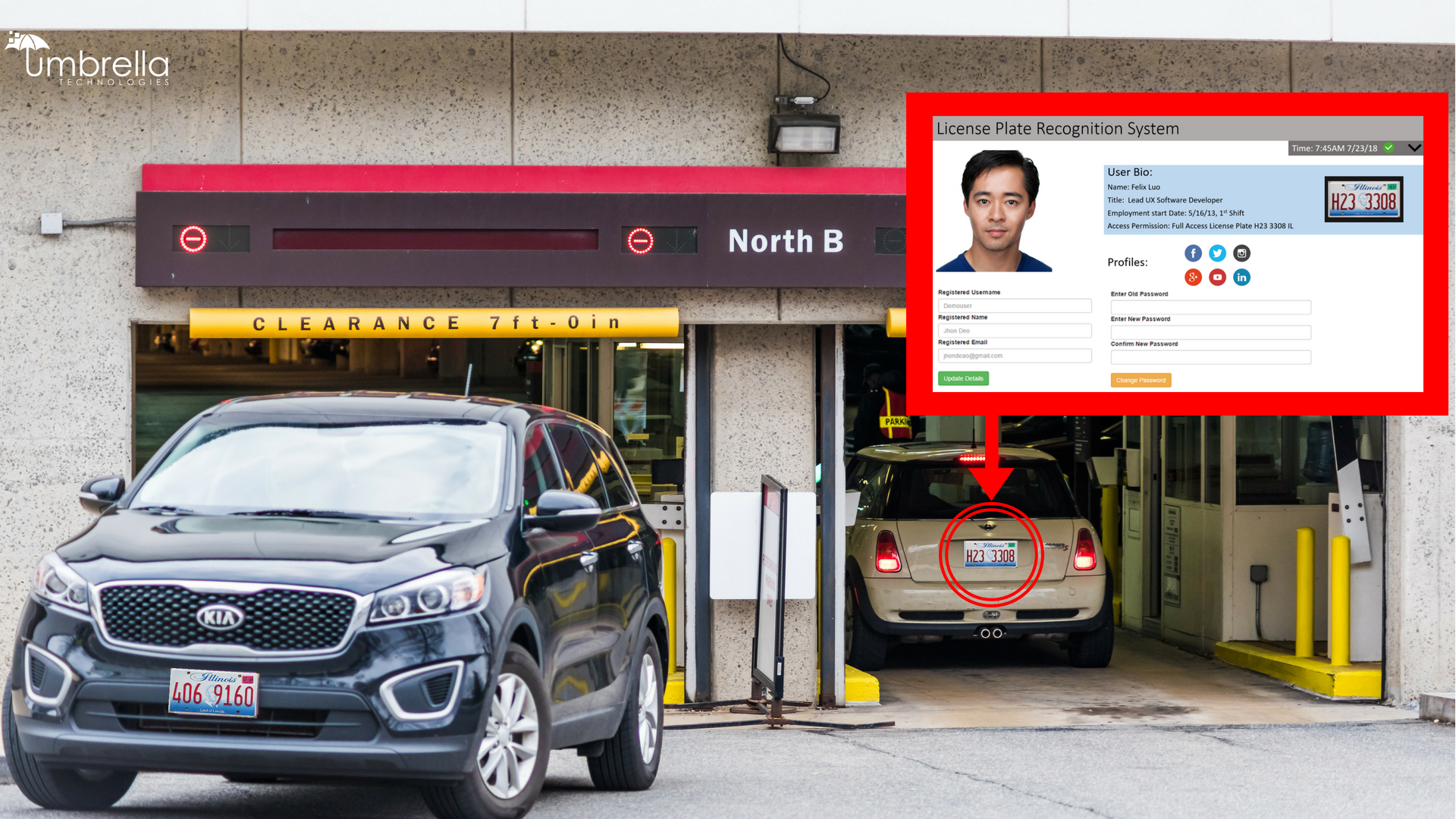
License Plate Recognition (LPR) cameras are purpose-built for controlled vehicle access, fleet monitoring, and perimeter enforcement across commercial and government facilities.
Unlike standard security cameras, LPR systems are optimized specifically for capturing plate data at varying speeds, angles, and lighting conditions.
These systems are commonly deployed in:
LPR cameras use specialized sensors, shutter speeds, and infrared illumination to ensure reliable plate capture during:
-
Day and night conditions
-
Headlight glare
-
High-contrast lighting environments
-
Moving vehicle traffic
In properly engineered deployments, LPR systems integrate with:
-
Access control platforms
-
Gate automation systems
-
Visitor management systems
-
Watchlist and deny-list databases
-
Centralized security operations centers
This allows organizations to automate vehicle access policies, log entry and exit activity, and receive real-time alerts for flagged plates.
For facilities with frequent vehicle movement, unmanaged entry points, or compliance requirements, LPR technology transforms passive video recording into controlled perimeter intelligence.
Low-Light & Infrared Security Cameras
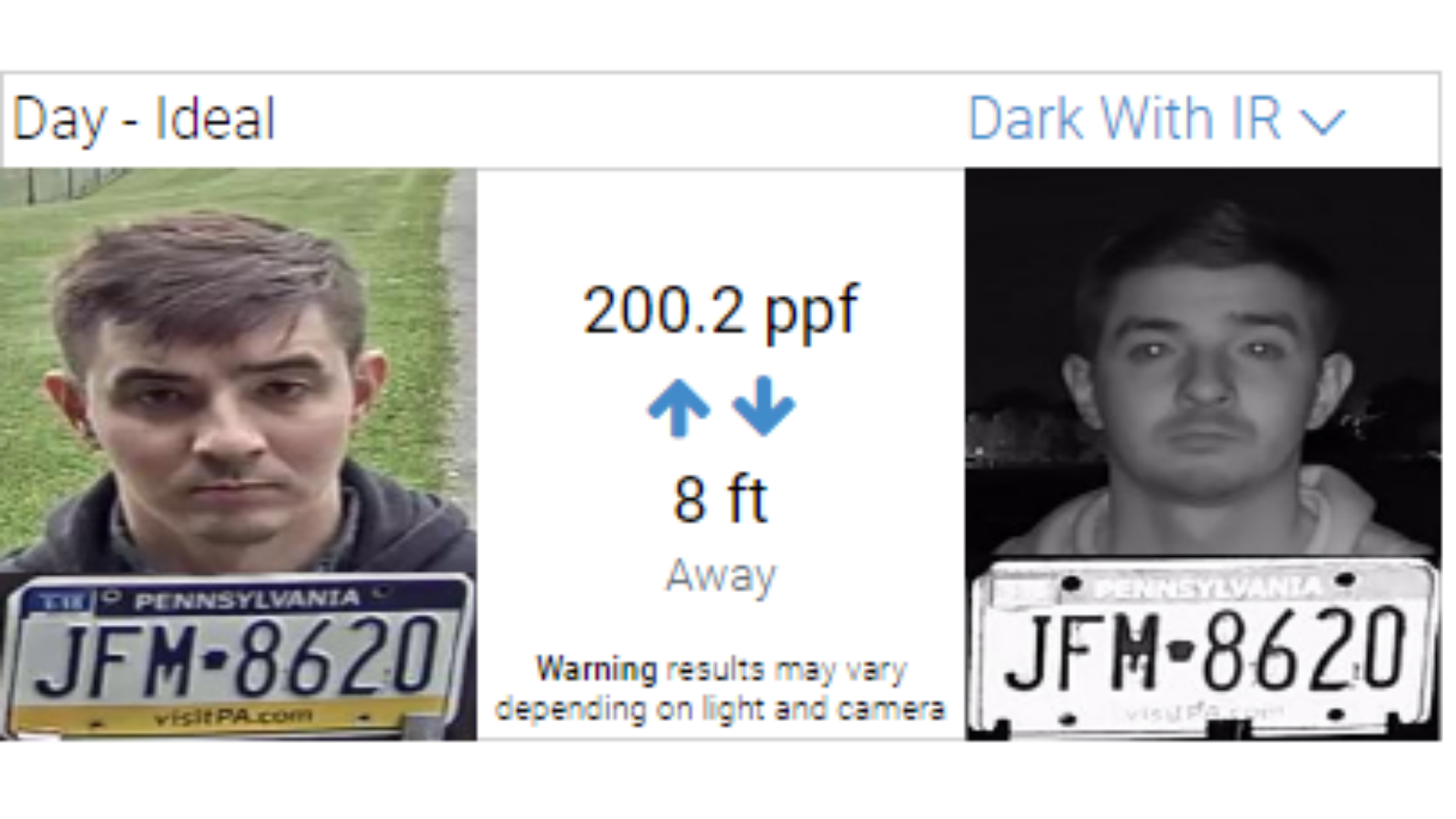
Lighting conditions are one of the most overlooked variables in commercial surveillance system design.
Warehouses operating multiple shifts, manufacturing facilities with uneven lighting, and exterior perimeters exposed to darkness or weather all require optimized low-light performance.
Low-light and infrared security cameras are designed to maintain image clarity in challenging environments, including:
-
Poorly lit production floors
-
Exterior yards and loading docks
-
Parking lots and storage areas
-
Power outages or emergency conditions
-
High dynamic range (bright/dark contrast) zones
Advanced low-light cameras may include:
-
Wide Dynamic Range (WDR) technology
-
Infrared (IR) illumination
-
Starlight or enhanced sensor sensitivity
-
Noise reduction optimization
-
Automatic exposure balancing
Proper deployment requires evaluating:
-
Ambient light levels
-
Reflective surfaces
-
IR range limitations
-
Mounting height and angle
-
Environmental obstructions
When engineered correctly, low-light and infrared surveillance systems ensure that nighttime footage remains evidentiary-grade — not grainy, overexposed, or unusable.
For facilities operating beyond standard business hours, these systems are critical to maintaining consistent security coverage.
360-Degree & Fisheye Cameras
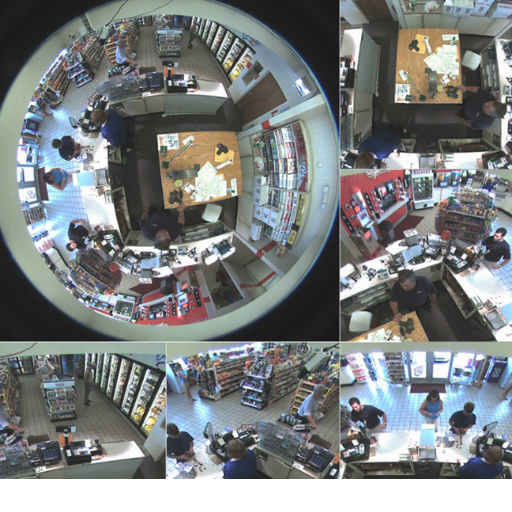
360-degree and fisheye cameras provide complete situational awareness in compact or high-traffic environments.
Rather than relying on multiple directional cameras, these systems capture panoramic views from a single mounting point, making them ideal for:
-
School hallways
-
Lobby areas
-
Elevator banks
-
Retail common spaces
-
Multifamily residential entrances
-
Administrative offices
-
Conference areas
Modern 360° security cameras allow for digital dewarping within the video management system (VMS), enabling operators to:
-
Isolate specific quadrants
-
Digitally pan, tilt, and zoom
-
Review multiple virtual views from a single device
-
Conduct post-incident forensic analysis
Benefits include:
-
Reduced hardware count
-
Simplified cabling
-
Lower installation impact in finished environments
-
Complete coverage of confined spaces
However, proper mounting height and pixel density calculations are essential. Without correct deployment, image distortion or identification limitations can reduce effectiveness.
When strategically placed, 360-degree surveillance systems provide comprehensive coverage while preserving architectural aesthetics and minimizing device clutter.

AI Video Analytics & Intelligent Detection
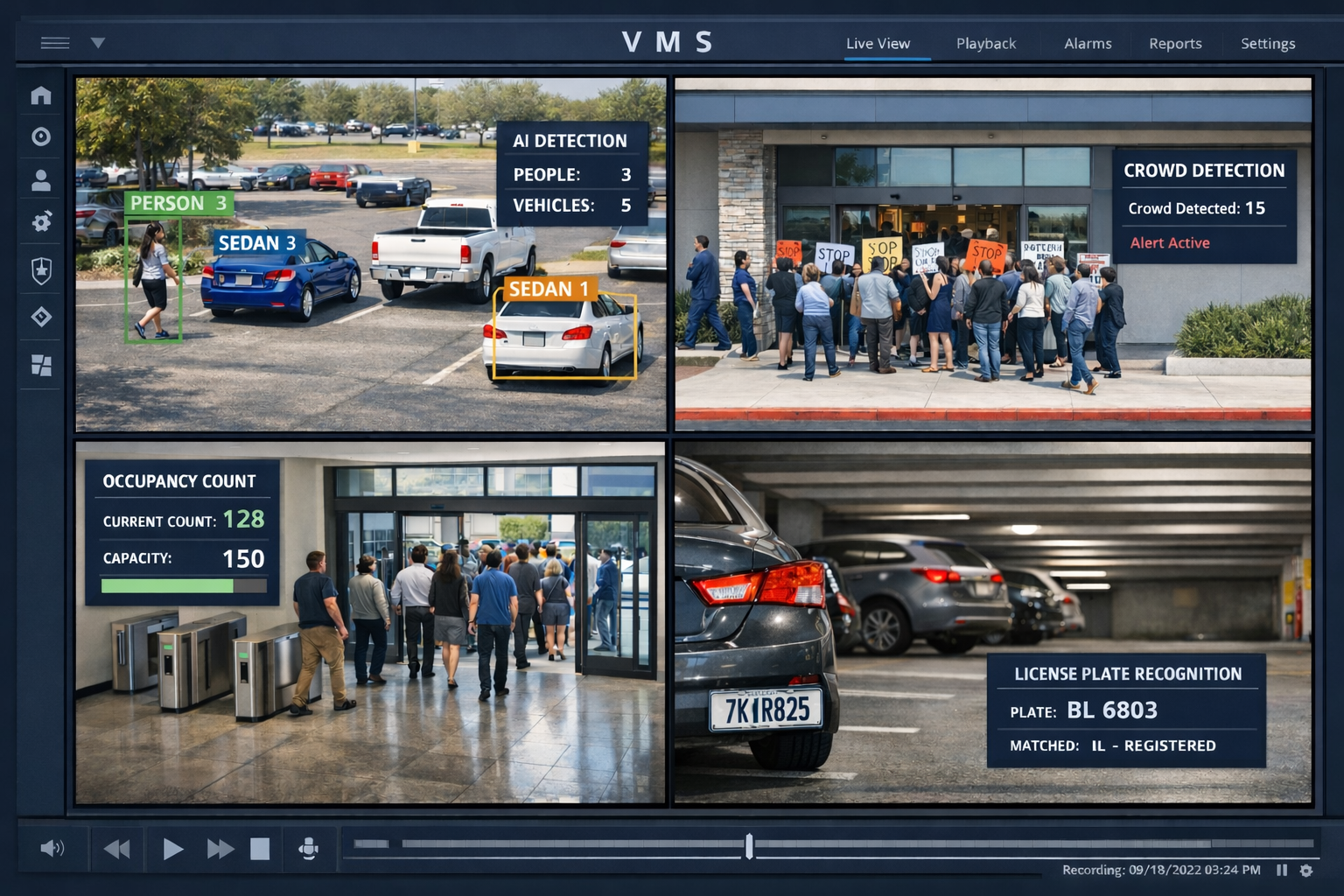
Modern commercial surveillance systems increasingly rely on AI-powered analytics.
Properly calibrated analytics can provide:
• Person vs vehicle classification
• Line crossing detection
• Loitering alerts
• Perimeter intrusion detection
• Occupancy counting
• Unusual activity alerts
• License Plate Recognition (LPR)
The value of analytics is not in having more alerts — it is in reducing false alarms and accelerating response times.
Calibration matters.
Poorly tuned analytics overwhelm security teams.
Well-tuned analytics create actionable intelligence.
AI-Powered Video Search & Intelligent Forensics
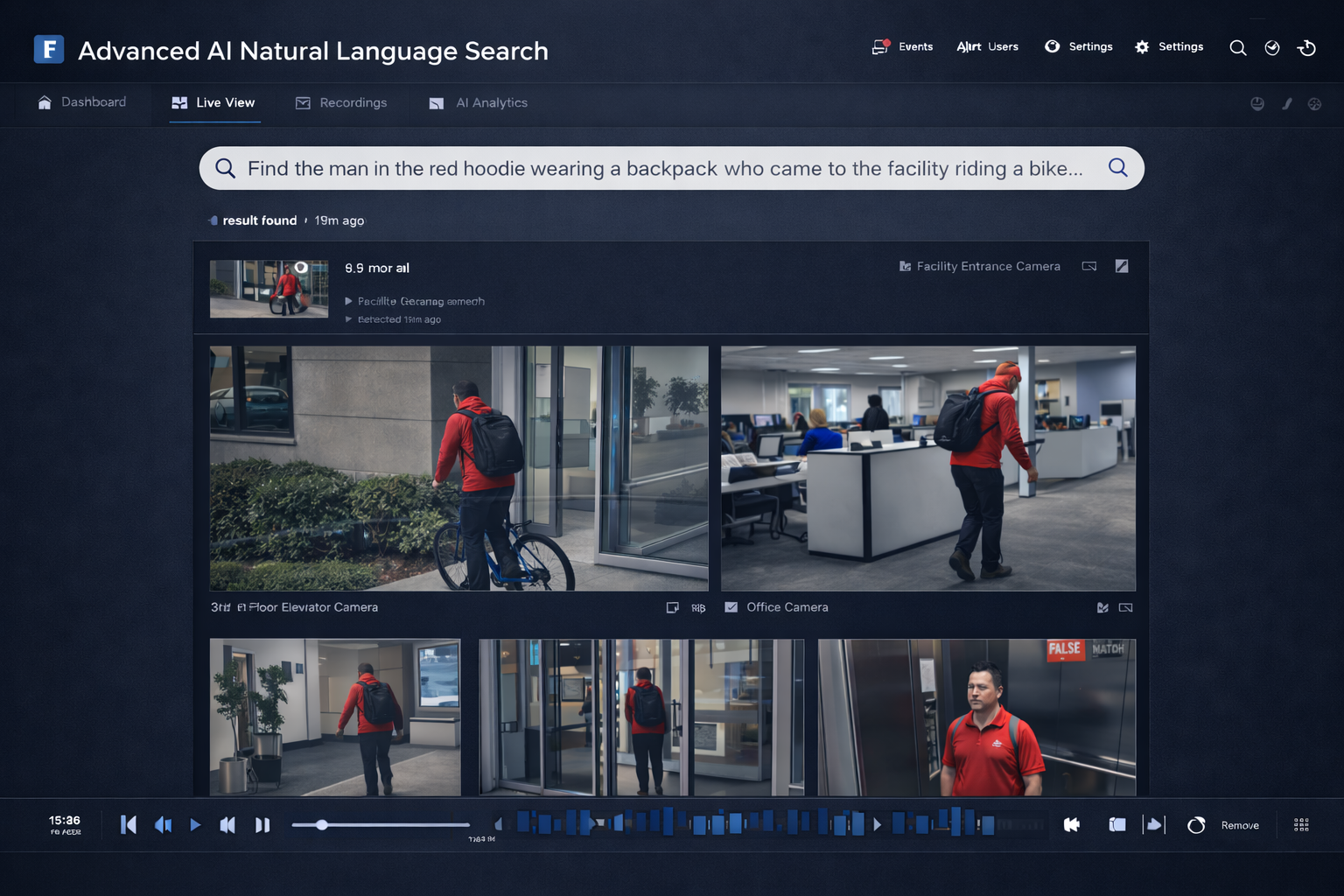
AI-powered natural language video search is becoming a defining feature of next-generation enterprise video surveillance systems.
%
Prompt: "Find the man in the red hoodie wearing a backpack who came to the facility riding a bike..."
Traditional CCTV and legacy surveillance platforms require manual searching.
You select the date.
Choose a time window.
Pick a camera.
Scrub through footage.
Repeat.
In large facilities, that process can take 30–60 minutes — sometimes longer.
Modern enterprise video surveillance systems are evolving beyond timeline-based review. AI-powered natural language search allows users to describe what they are looking for in plain terms:
• “Red truck entering loading dock after 9 PM”
• “Person in blue jacket near west entrance yesterday”
• “Forklift in aisle 3 this morning”
Instead of scrubbing footage, the system analyzes indexed metadata and returns relevant clips instantly.
For facilities with dozens or hundreds of cameras, this capability can significantly reduce investigation time and improve operational response.
If you’re evaluating advanced video analytics or planning a system upgrade, natural language video search is one of the most important emerging features to consider.
Learn More About AI Video Search → (links to blog post)
END-USER QUESTIONS
Video Surveillance Storage Architecture: Cloud vs On-Prem vs Hybrid
One of the most common questions facility directors ask:
“Should we move to cloud cameras?”
The answer depends on operational needs, bandwidth, retention policies, and regulatory considerations.

On-Premise Storage (NVR / Server Based)
Best for:
• High camera counts
• Long retention requirements
• Bandwidth control
• Sensitive environments
• Industrial facilities
Provides:
• Direct infrastructure control
• Customizable retention
• High reliability
Cloud-Managed Surveillance
Best for:
• Multi-location businesses
• Distributed operations
• Simplified IT oversight
• Lower hardware footprint
Provides:
• Remote accessibility
• Centralized management
• Reduced local hardware complexity
Hybrid Video Architecture
Many enterprise video surveillance systems combine:
• On-site recording
• Cloud backups
• Remote monitoring dashboards
Each environment requires tailored surveillance architecture, compliance awareness, and operational alignment.
Designed for Complex Environments
While this page focuses on commercial surveillance systems broadly, Umbrella Security supports a range of specialized environments:
Integrated Security Systems: Beyond Cameras
Security vulnerabilities often arise from disconnected systems.
Umbrella Security designs fully integrated security platforms that unify:
Advanced Security Integration
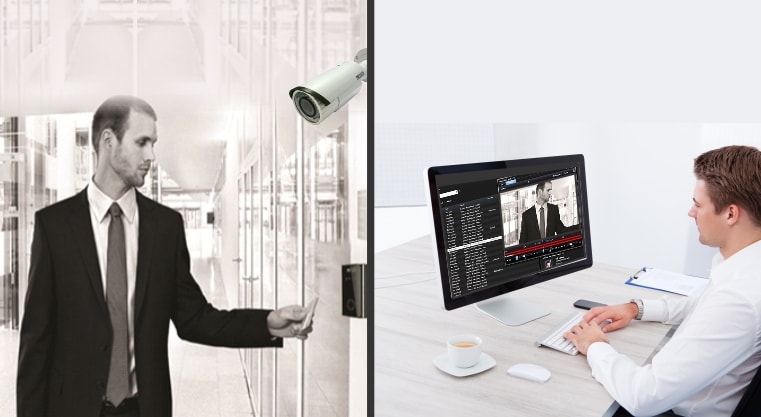
Unified Surveillance
Our integrated systems provide seamless video surveillance across all locations, ensuring comprehensive monitoring and rapid response capabilities.

Access Control Management
Enhance security with our sophisticated access control systems that allow for real-time monitoring and management of entry points.
Intrusion Detection Systems
Protect your premises with our cutting-edge intrusion detection technology, designed to alert you instantly to any unauthorized access attempts.

Remote Monitoring Services
Stay connected and in control with our remote monitoring services, offering you peace of mind and security oversight from anywhere in the world.
Integration allows for:
Serving multifamily communities across Chicagoland
Event-triggered video tied to access events
Faster incident investigations
Centralized multi-site management
Streamlined compliance reporting
For mid-to-large-scale organizations, integration is foundational.
“Our experience with the Umbrella team has been positive on all accounts. From quoting to install, and with continued tech support and training new hires, they are responsive and attentive to our needs.”
Why Organizations Choose Umbrella Security
We are not positioned as the lowest bidder.
We are positioned as the most technically capable partner.
Organizations choose Umbrella Security because we provide:

✔ Manufacturer-Neutral System Design
✔ Open-architecture surveillance platforms
✔ Integration expertise across access control & intrusion systems
✔ Certified technicians with enterprise deployment experience
✔ Scalable infrastructure for long-term growth
✔ Responsive service support across Illinois and the Midwest
We act as the devil’s advocate — ensuring the system serves the end user, not the manufacturer.
Expert Deployment & Long-Term Support
Umbrella Security not only designs commercial security camera systems — we professionally deploy and support them across industrial, institutional, and enterprise environments.
🛠️ Clean, Professional Installations 🔐 Secure Network Configuration 🧵 Structured Cabling & Infrastructure Integrity ✅ System Commissioning & Validation 🔄 Ongoing Firmware & Lifecycle
If you are ready to move from evaluation to implementation, visit our dedicated installation page below.
Our Comprehensive Services
Planning New Construction or Facility Upgrades?
Security planning is most effective when engaged early.
Early involvement ensures:
-
Proper conduit and infrastructure planning
-
Scalable network architecture
-
Elimination of costly retrofits
-
Alignment between operational workflow and surveillance coverage
For upgrades, we evaluate existing infrastructure and develop migration strategies that preserve investment while modernizing capability.
We collaborate with: Architects, Construction managers, Facility directors, IT leadership, Security directors

New Construction Security Planning
Ensure your new facility is secure from the ground up with our strategic planning services, designed to integrate seamlessly with your construction timeline.
Facility Upgrade Consultation
Modernize your existing security infrastructure with our tailored upgrade solutions, preserving your investment while enhancing capabilities.
Integrated Security Systems
We offer a range of integrated security systems, including surveillance, access control, and intrusion detection, customized to meet your specific needs.
IT and Security Collaboration
Our team works closely with your IT department to ensure your security systems are scalable, efficient, and aligned with your operational goals.
Secure Your Business Today
If you are:
🏗️ Planning a New Facility • 🎥 Replacing Legacy CCTV • 📍 Expanding to Additional Locations • 🤖 Evaluating AI Analytics • ☁️ Comparing Cloud vs On-Prem Storage • 🔐 Seeking Integration with Access Control or Alarms
Start with a design consultation.
We will review your facility layout, operational needs, environmental conditions, and compliance requirements — then provide a clear architectural recommendation aligned to long-term performance.
Frequently Asked Questions About Commercial Security Camera Systems
What is the difference between commercial and residential security camera systems?
Commercial systems use enterprise-grade hardware, scalable storage, advanced analytics, and open-platform integration.
What storage option is best for large facilities?
Many enterprise deployments use hybrid storage combining on-site NVR infrastructure with cloud-based remote management.
Do commercial camera systems support AI analytics?
Yes. Modern systems include AI video analytics such as object detection, line crossing, LPR, and natural language search.
How long is video footage stored?
Storage duration depends on compliance needs and system configuration. We design retention around your risk profile, but typicall commercial security camera systems are around 30 days.
Can video surveillance integrate with access control and alarm systems?
Yes. Integrated systems allow door events or alarm triggers to automatically pull associated video footage.