
Compare the Best Door Intercom Systems for Your Building
This guide compares the best door intercom systems for business environments, including 2N, Aiphone, ButterflyMX, Axis, and Avigilon. The right system is the one that fits the building, the entry workflow, the network, the door hardware, and the people who manage it after installation.
Built for architects, engineers, construction managers, IT teams, plant managers, property managers, business owners, and security directors who need a practical way to compare commercial door intercom options.
Want help comparing intercom options for a real building?
Send the project context and Umbrella can help review the entry workflow, access control needs, cabling assumptions, ownership model, and manufacturer fit before the wrong system gets specified or purchased.
Use this for early design, construction coordination, replacement planning, or a second opinion on 2N, Aiphone, ButterflyMX, Axis, Avigilon, or another commercial intercom platform.
Request an intercom planning review.
"*" indicates required fields
Most intercom mistakes happen before anyone buys the hardware.
Teams often compare devices before they agree on the workflow. Who answers the call? Who can unlock the door? What happens after hours? Does IT support the app or cloud platform? Does the system work with the access control platform already planned for the building?
Use this comparison of the best door intercom systems for business when your team needs to evaluate brands, ownership model, integration fit, and long-term support before a system is specified or purchased.
This guide is for the people who actually influence those decisions: architects, engineers, construction managers, IT managers, plant managers, facility teams, business owners, property managers, and security directors.
How this page supports the main intercom page
This page is a comparison and planning guide. If you are ready to look at system design, installation, and service options, use Umbrella’s primary page for commercial intercom systems for businesses.
That distinction matters. This page helps you evaluate brands. The pillar page explains the commercial solution and installation path.
Quick answer: what are the best door intercom systems for business?
There is no universal winner. The best commercial door intercom is the system that fits the building’s access workflow, ownership expectations, integration needs, and support model.
| Business situation | Usually needs | Better buying question |
|---|---|---|
| Office or headquarters entrance | Video verification, receptionist routing, remote unlock, clean visitor experience | Who answers the call when the front desk is busy or closed? |
| Multifamily or mixed-use building | Tenant directory, mobile app access, package/vendor workflows, resident turnover management | Can management update users without creating a long-term platform lock-in problem? |
| School or controlled public entry | Main entrance screening, office routing, camera visibility, access control integration | Does the system support the visitor policy, not just the door release? |
| Warehouse, plant, or industrial site | Durable exterior stations, gate and dock coverage, clear audio, shift/vendor access | Will the system work in the actual environment: noise, weather, trucks, and after-hours activity? |
| Enterprise or multi-site security environment | Centralized administration, cybersecurity review, audit logs, integrations, long-term control | Does the platform protect ownership and future flexibility? |
Start with the workflow, then pick the brand.
A good commercial intercom system should make the entry decision clear: who is at the door, why they are there, who can approve access, and what record is kept afterward.
For some buildings, that means a simple video intercom with a desk station. For others, it means mobile app calls, tenant directories, gate controls, SIP routing, cloud administration, access control integration, or camera system tie-ins.
The goal is not to buy the most complex system. The goal is to avoid buying a system that looks good on day one and creates administrative friction for years.
Field notes that matter more than the brochure.
A commercial intercom can look excellent in a demo and still frustrate the people who use it every day. These are the practical issues that usually decide whether the system succeeds after installation.
Camera angle beats camera spec. A high-resolution intercom camera still fails if it catches the top of a hat, misses faces at night, or sits where glare washes out the entry.
Access approval needs a backup path. If only one person can answer calls, deliveries, vendors, staff, and visitors start finding workarounds. Workarounds become security gaps.
Ownership matters after turnover. When staff, tenants, vendors, or property managers change, the owner needs a clean way to remove users, update permissions, and keep records accurate.
Commercial door intercom brand comparison
These are not equal recommendations. Some brands are better for open integration. Some are better for structured secure communication. Some are popular because their software is easy for property teams, but that does not always mean they protect long-term customer control.
| Brand | Strong fit | Strengths | Ownership and control concern | Umbrella’s practical read |
|---|---|---|---|---|
| 2N Strong commercial fit |
Offices, multifamily, modern commercial buildings, IP-based entry | Strong video intercom line, SIP support, reader options, access control integration potential | Requires proper design, network planning, and integration validation before purchase | Often a strong choice when the project values flexibility, professional integration, and scalable commercial entry control. |
| Aiphone Reliable hardware |
Schools, offices, healthcare, controlled public entrances, reception-based workflows | Reliable secure communication hardware, broad product line, familiar commercial use cases | Some systems are more hardware-station dependent, and mobile/app experience varies by model | A good fit when reliability and structured communication matter more than an app-first experience. |
| Axis Communications Enterprise IP ecosystem |
Enterprise facilities, warehouses, security-camera-heavy environments, IP security deployments | Strong video ecosystem, cybersecurity focus, SIP support on many devices, good surveillance integration | Best value usually comes when the broader security stack supports Axis-style IP architecture | A smart option when the intercom should behave like part of a larger IP video and access security environment. |
| Avigilon Ecosystem-specific |
Facilities already using Avigilon or Motorola Solutions video/access control | Commercial-grade security positioning, durable options, strong fit inside Avigilon-centered environments | Can be less flexible if the site uses a mixed manufacturer environment | Worth evaluating when the site already has Avigilon infrastructure or wants a tightly connected enterprise stack. |
| ButterflyMX Use caution |
Multifamily buildings and property managers that prioritize app-based resident and directory management | Well-known multifamily software experience, remote directory updates, convenient property management dashboard | Highly proprietary. Long-term lock-in can limit customer control, integration flexibility, service options, and future platform choice | It belongs in the comparison because buyers will see it. We would not treat it as the default recommendation for owners who care about control, interoperability, and long-term optionality. |
Have a shortlist already?
Send the options to Umbrella before the team standardizes on hardware. A quick review can catch lock-in, cabling, network, access control, and support problems before they turn into expensive rework.
Where ButterflyMX fits, and why we would be careful with it.
ButterflyMX is widely recognized in multifamily residential buildings. Property managers often like the software experience because directory updates, resident management, and app-based entry workflows can be handled remotely.
That does not automatically make it the best long-term choice. The issue is control. Proprietary systems can create years of dependency on one platform, one service model, one app ecosystem, and one vendor path. That may be acceptable for some ownership groups, but it should be an intentional decision.
Umbrella’s position
List ButterflyMX because it is real in the market. Do not oversell it. Buyers should understand the tradeoff between convenient property management software and long-term ownership flexibility.
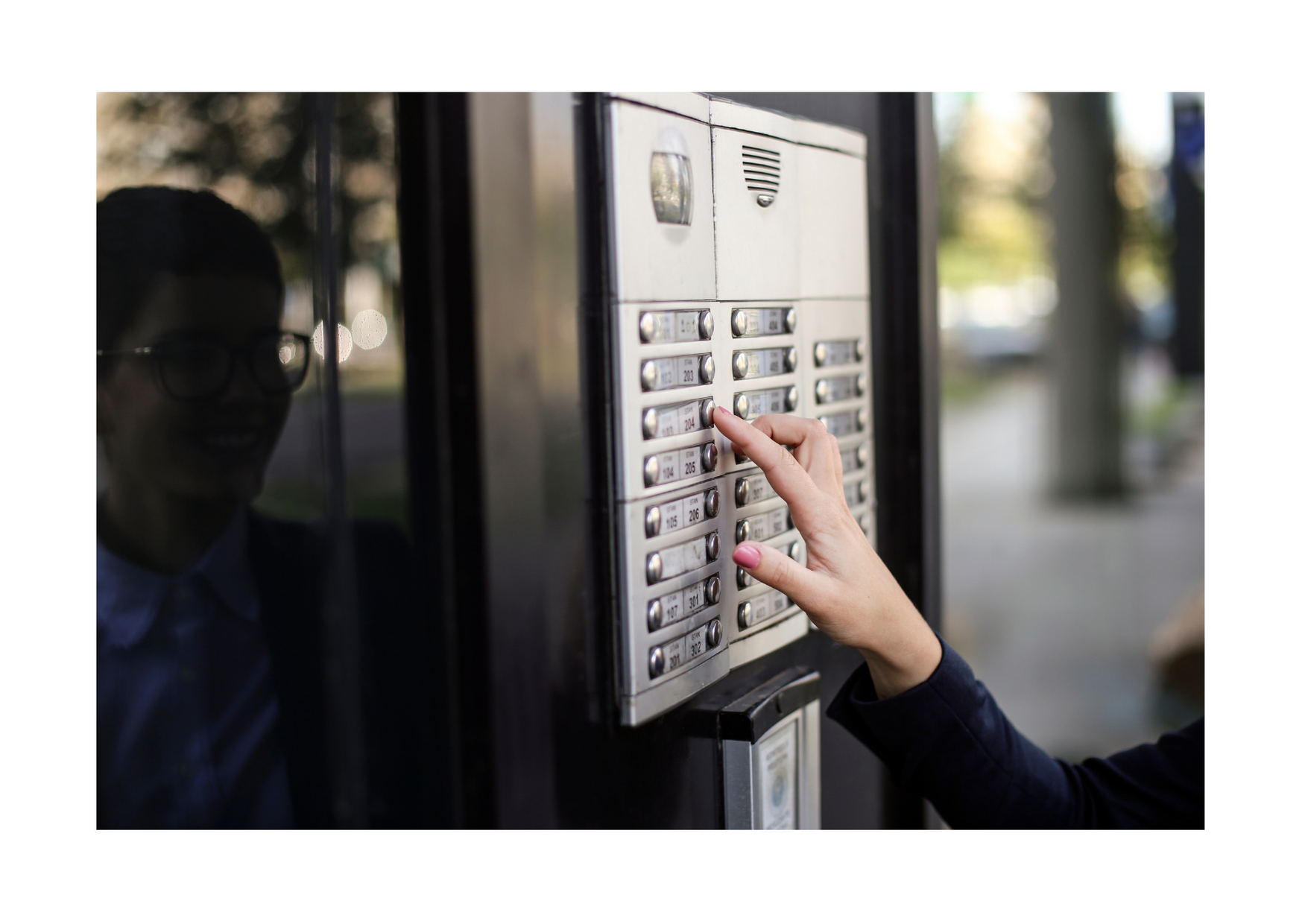
Multi-tenant entry is not just about resident convenience.
Directory management, package delivery, turnover, remote unlock, service access, and ownership control all need to be part of the buying decision.
Ownership control matrix
This is the part buyers often miss. The easiest app experience is not always the best ownership model. Before standardizing on any intercom platform, ask how much control the customer keeps after installation.
| Decision factor | Why it matters | Better question to ask |
|---|---|---|
| Admin control | The customer should know who can add users, remove users, change directories, and review access events. | Can our team manage users without waiting on the manufacturer or a locked vendor path? |
| Integration flexibility | Intercoms often need to work with access control, cameras, visitor management, phones, gates, and door hardware. | What platforms does this system integrate with today, and what happens if we change systems later? |
| Subscription dependency | Cloud and app-based tools may be worth paying for, but the cost and dependency should be visible before approval. | Which features stop working if the subscription, app, or cloud service changes? |
| Service flexibility | Owners should understand whether one vendor controls support, replacement parts, configuration, and future expansion. | Can another qualified integrator support this system if our needs change? |
| Data and event access | Security teams may need call history, unlock records, visitor images, and administrative logs. | Can we export or retain the records we need for operations and investigations? |
What usually drives the cost of a commercial door intercom system?
We would avoid publishing a generic price because it can mislead buyers. The real cost depends on the building, wiring, door hardware, network, app licensing, integrations, and support model.
| Cost driver | Why it changes the project | Question to settle before approval |
|---|---|---|
| Number of doors, gates, or entries | Each controlled opening may require hardware, cabling, configuration, testing, and user workflow decisions. | Which entries truly need visitor calling, video, or remote unlock? |
| Existing cabling and pathways | New conduit, low-voltage cable, trenching, or finished-wall work can change project scope more than the intercom device itself. | Are pathways available before walls, doors, ceilings, or exterior finishes are complete? |
| Door hardware and locking method | Electric strikes, maglocks, gates, operators, ADA doors, and life-safety requirements affect design and labor. | What unlocks when access is approved, and does it meet code and safety requirements? |
| App, cloud, or subscription model | Some platforms shift cost from hardware to recurring software, mobile app, directory, or management fees. | Which features depend on an active subscription or proprietary cloud platform? |
| Integration requirements | Connecting intercoms with access control, cameras, visitor management, phones, or tenant directories requires validation and configuration. | Which systems must work together on day one? |
| Long-term service model | A cheaper install can become expensive if support, parts, admin access, or future expansion are locked to one path. | Who can service and support the system after turnover or expansion? |
When a simpler intercom system may be enough
Not every building needs the most advanced app-based or enterprise platform. A smaller office, single controlled entrance, or staffed reception area may be better served by a reliable commercial video intercom with clear audio, controlled door release, and straightforward administration.
The goal is not to buy the most complicated system. The goal is to choose the simplest system that still supports the building’s security policy, visitor workflow, and long-term ownership needs.
Good buying discipline
If a feature sounds impressive but nobody owns it operationally, it may become clutter. If a feature prevents a security gap, reduces admin work, or supports a required workflow, it belongs in the design conversation.
Source-backed buying notes
A comparison page should not ask buyers to trust opinion alone. These official resources help validate what each platform is built around, while keeping the final recommendation focused on your building requirements.
Aiphone
Useful for commercial real estate, intercom, and access control ecosystem review.
Aiphone commercial systemsAxis
Useful for IP video intercoms, SIP support, remote entry control, and open-interface planning.
Axis network video intercomAvigilon
Useful when the intercom needs to sit inside an Avigilon or Motorola Solutions video environment.
Avigilon H4 Video IntercomButterflyMX
Useful for understanding the property-management software and remote access workflow.
ButterflyMX property managementOSDP
Useful when reader/access control interoperability and secure device communication matter.
SIA OSDP standardONVIF
Useful when video, access control, and IP security product interoperability need to be verified.
ONVIF profilesUmbrella proof
Useful for owners who want to see commercial security experience before starting a project.
Umbrella testimonialsWhat each stakeholder should care about before approving an intercom system
The best projects bring the right people into the decision early. A door intercom touches architecture, low-voltage, IT, security, operations, property management, and daily user experience.
Architects
Plan the entry experience, mounting locations, aesthetics, ADA considerations, vestibule flow, device visibility, and how the intercom fits with doors, gates, and public-facing spaces.
Engineers
Confirm power, PoE, pathway, conduit, network drops, relay needs, door hardware coordination, and integration constraints before walls close or specifications are finalized.
Construction managers
Use the intercom scope to avoid rework. Rough-ins, cabling, door hardware, and access control requirements should not become late-stage change orders.
IT managers
Review network segmentation, device management, app access, cloud dependency, admin permissions, firmware updates, SIP, cybersecurity posture, and remote support rules.
Plant managers
Design for gates, docks, shift changes, vendor traffic, noise, exposed environments, and the operational reality of people moving through a facility all day.
Business owners
Look beyond first cost. A cheaper system can become expensive if it is hard to support, difficult to change, or frustrating for the people who use it every day.
Security directors
Focus on policy, audit trail, call history, unlock accountability, camera context, after-hours access, and incident response.
Facility managers
Think about turnover, maintenance, vendor access, practical support, tenant or employee changes, and how quickly permissions can be updated.
Features that matter in a business door intercom system
Instead of a long checklist, evaluate each feature by the problem it solves. That keeps the conversation practical and prevents the team from buying features nobody will use.
| Feature | Why it matters | Question to answer before buying |
|---|---|---|
| Video verification | Lets staff see who is requesting entry before unlocking a door or gate. | Does the camera angle actually show the person’s face and the surrounding entry context? |
| Two-way audio | Supports clear communication with visitors, vendors, delivery drivers, staff, and responders. | Will audio still be usable near traffic, docks, machinery, wind, or busy lobbies? |
| Remote door unlock | Allows approved staff to release a door from a desk, phone, browser, or security station. | Who is allowed to unlock the door, and is that action logged? |
| Mobile app access | Useful for distributed teams, property managers, after-hours access, and owners who are not always on site. | Does IT approve the app model, user administration, and cloud dependency? |
| Multi-door management | Supports front entries, gates, employee doors, delivery doors, restricted areas, and tenant entrances. | Can the platform scale without creating separate systems for every entry point? |
| Access control integration | Connects visitor entry with credentials, schedules, doors, locks, and audit history. | Will the intercom work with the current or planned access control systems? |
| Video surveillance integration | Adds better event context and helps teams review what happened after an incident. | Does the entry point have camera coverage that supports the intercom decision? |
| Visitor workflow support | Improves how visitors, vendors, contractors, and deliveries are managed. | Should the intercom connect with visitor management systems? |
| Long-term serviceability | Determines how easy the system is to support, repair, expand, or replace later. | Does the customer retain practical control, or does the platform force long-term dependency? |
The best intercom system usually connects to the rest of the security stack.
A commercial intercom becomes more valuable when it is not isolated. The strongest designs connect entry communication with access control, video surveillance, visitor procedures, and the operating rules of the building.
That does not mean every project needs an enterprise platform. It means the team should know where the system needs to connect before selecting hardware.
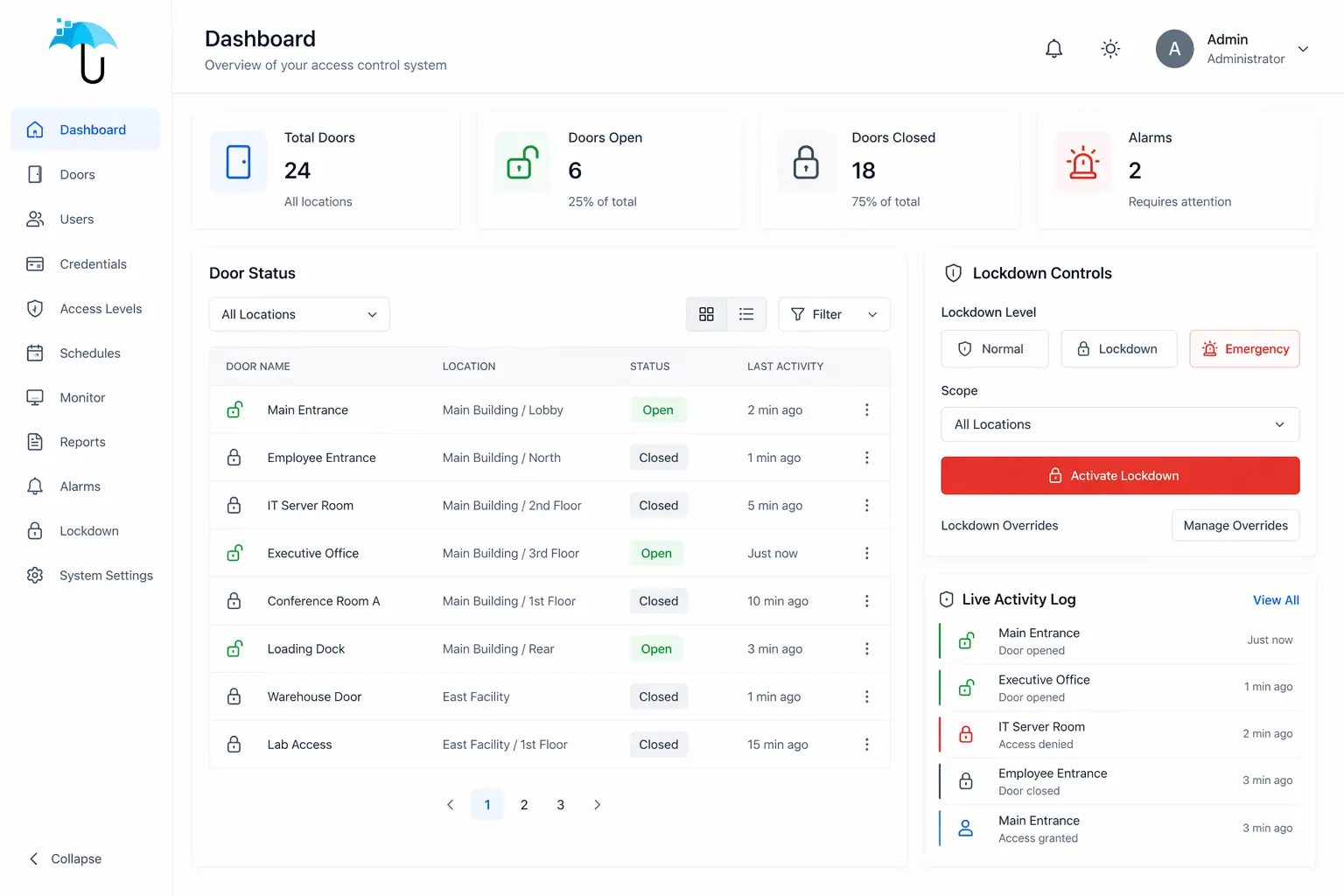
Integration changes the decision.
If the intercom needs to unlock doors, record events, or support lockdown workflows, it has to be evaluated as part of the access control environment, not as a standalone device.
Best intercom direction by building type
Different buildings fail in different ways. The right system should match how the site actually handles people, vehicles, deliveries, staff, tenants, contractors, and vendors.
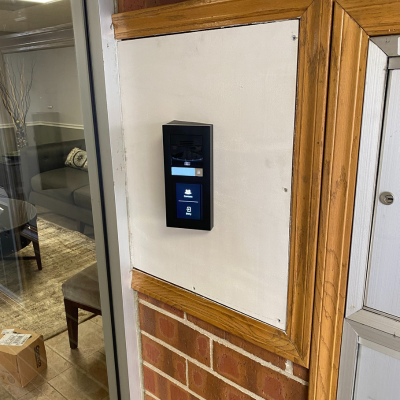
Multifamily buildings
Directory-based video intercoms, mobile access, tenant turnover, package delivery, vendor rules, and platform ownership all matter. This is where ButterflyMX often enters the conversation, but proprietary lock-in needs to be evaluated honestly.
Multifamily security systems ->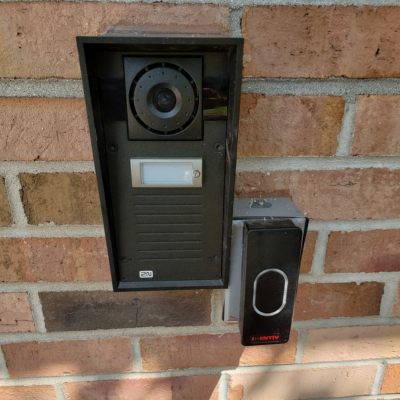
Schools and campuses
School intercom decisions should support front-office response, visitor policy, controlled entry, cameras, access control, and emergency procedures. The hardware is only one part of the safety workflow.
School security systems ->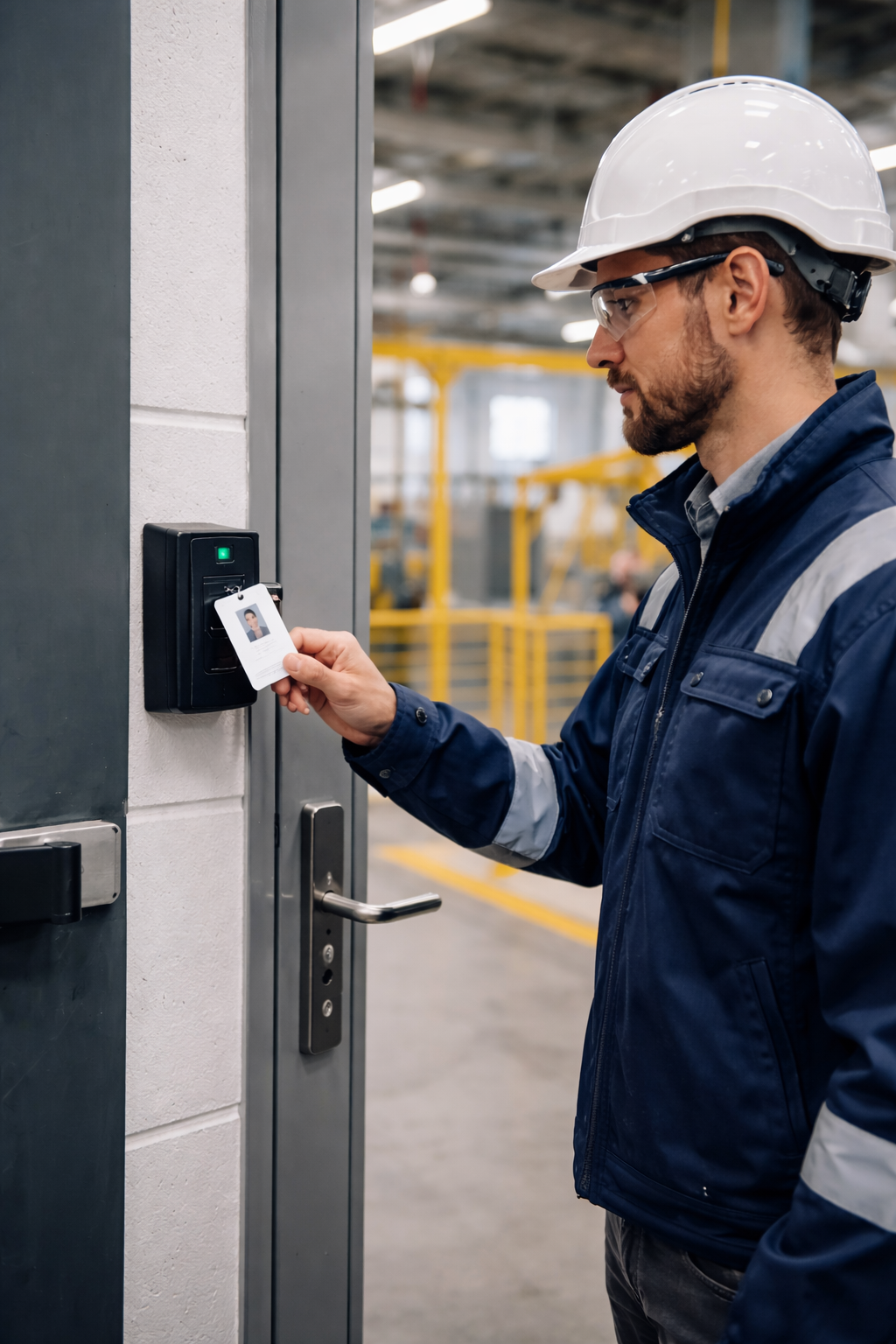
Manufacturing and plants
Plants need rugged access workflows for gates, docks, restricted rooms, shift movement, contractors, and vendors. Intercoms should be designed around noise, safety, and operational pace.
Manufacturing security systems ->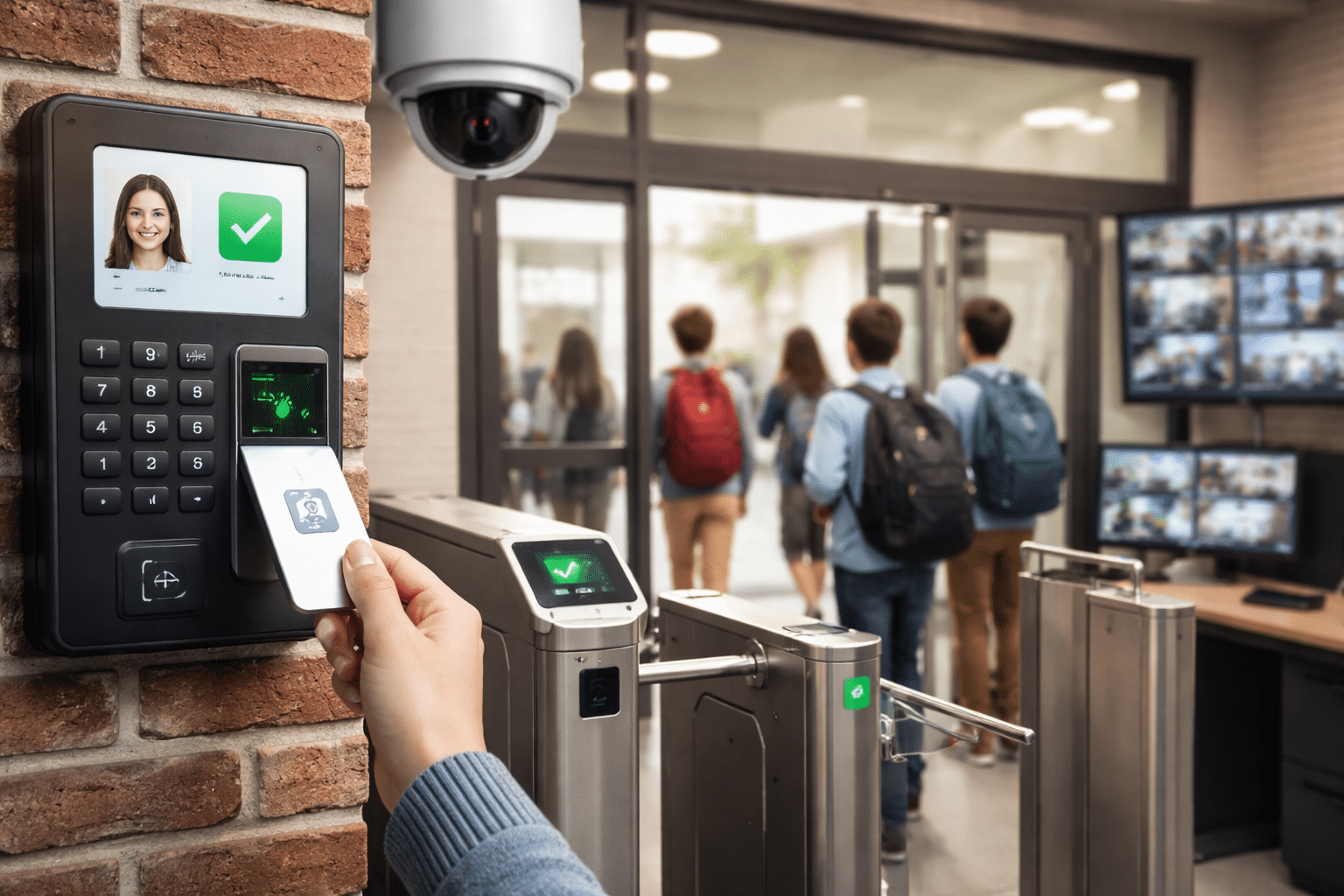
Office and public entry
Office and public-facing facilities usually need simple visitor screening, receptionist routing, remote unlock, after-hours rules, and enough camera context to make a confident access decision.
Commercial video intercom systems ->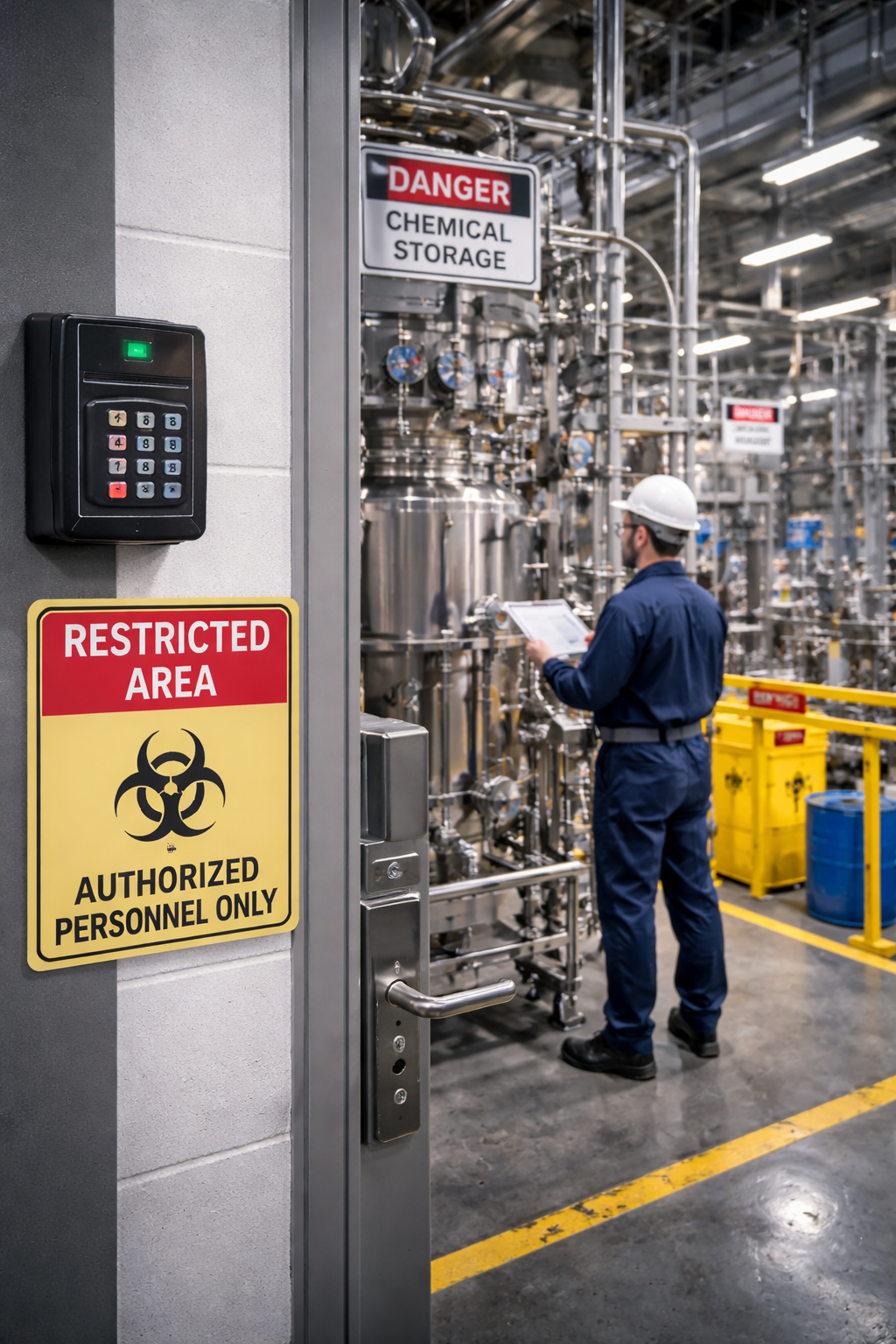
Restricted areas
Labs, storage rooms, equipment areas, and secure corridors require tighter access rules. A door intercom should support verification and release policy without weakening access control.
Access control systems ->
Remote teams
Property managers, business owners, and distributed teams often need mobile visitor calls and remote unlock. IT should still review user control, cloud dependency, permissions, and support access.
Visitor management systems ->What to include before this becomes a spec or budget number
Intercom cost is not just the device. The real budget is shaped by doors, cabling, mounting, network, licensing, integrations, lock hardware, and support. This section is for architects, engineers, construction managers, owners, and IT teams trying to avoid change orders.
Door and opening details
Confirm door type, frame conditions, lock hardware, strike or maglock requirements, ADA considerations, mounting height, weather exposure, and whether the opening needs camera visibility.
Low-voltage and network scope
Confirm conduit, cable pathway, PoE needs, switch capacity, VLAN/security requirements, wireless limitations, SIP routing, cloud access, and remote support requirements before walls close.
Software and service model
Confirm app licensing, admin permissions, tenant or staff turnover workflow, support responsibility, warranty path, replacement hardware, and what happens if the owner changes vendors later.
Want the cleaner path?
Use a project review before the intercom is specified. It is cheaper to catch door, network, and platform issues before the schedule reaches rough-in or closeout.
Commercial intercom planning sequence
This is the cleaner way to make the decision. It prevents the team from choosing a brand before the requirements are clear.
Map the entries
Identify front doors, employee doors, gates, docks, tenant entries, delivery points, restricted doors, and after-hours access paths.
Define the calls
Decide who receives calls, where they answer from, what happens when nobody answers, and who can unlock the door.
Validate infrastructure
Confirm cabling, PoE, network, door hardware, relays, mounting conditions, and cloud or on-prem requirements.
Choose the platform
Compare brands only after workflow, integration, support, cybersecurity, ownership, and future flexibility are understood.
Image and UI recommendations for this page
The old page leaned on heavy bullets, checkmarks, logo graphics, and mixed image quality. This version uses images as supporting evidence, not as text-heavy graphics.
| Image | Use | Reason |
|---|---|---|
| Best Door Intercom Systems for Business WebP feature image | Hero image / featured image / OG image candidate | Uses the focus keyword in the visual asset while keeping the page H1 and CTA text in readable HTML. |
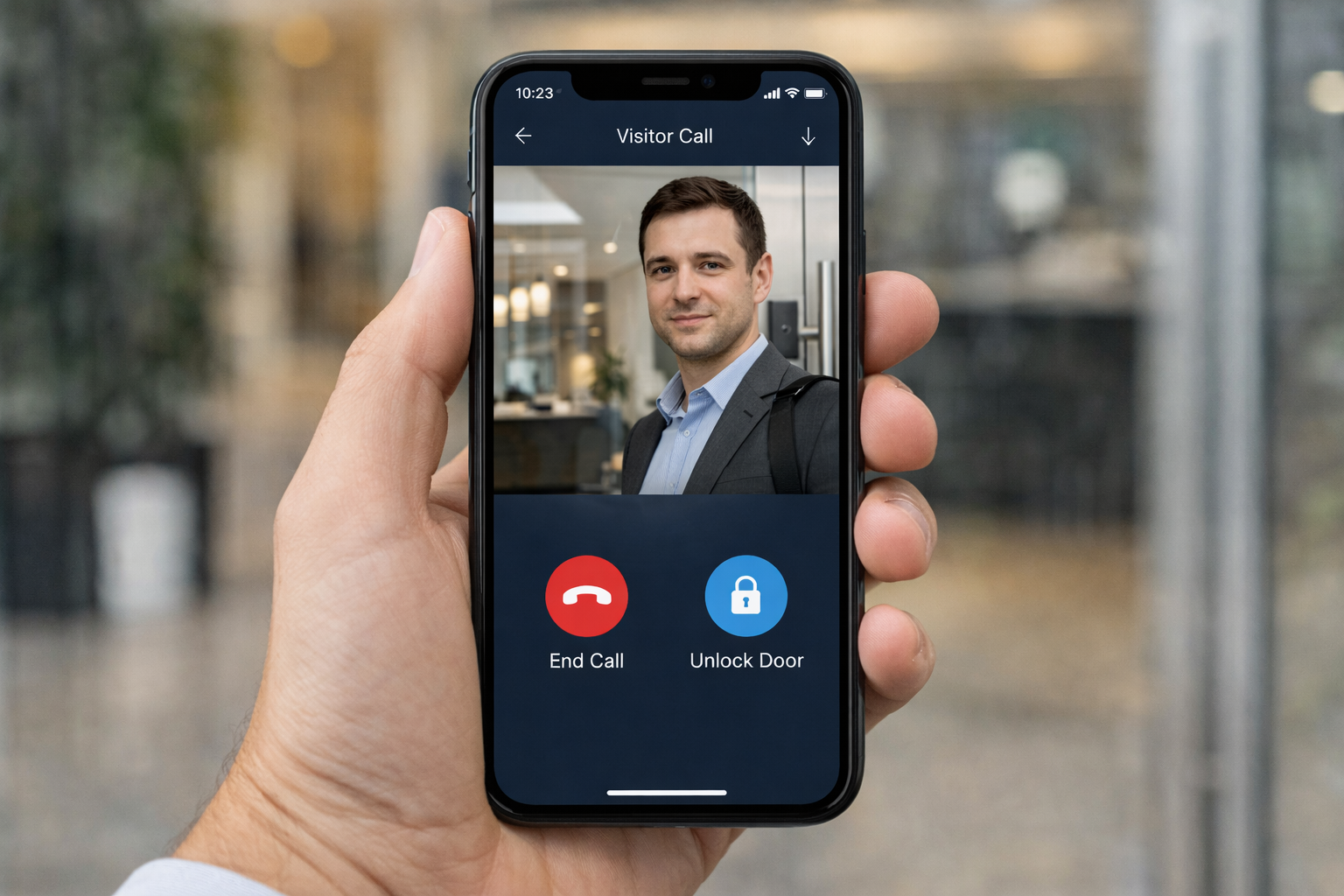
| Mobile app visitor call | Workflow section | Clearly shows remote visitor verification and unlock decision without needing extra labels. |
| Multi-tenant directory intercom | ButterflyMX / multifamily context | Shows the use case without promoting any single proprietary platform. |
| School intercom installation | Industry card | Adds contextual relevance for administrators, facility teams, and safety committees evaluating front-entry control. |
| Manufacturing access control image | Industry card | Shows the plant/industrial use case for restricted doors, shift movement, docks, and vendor access. |
| Access control dashboard | Integration section | Supports the larger message that intercoms should be evaluated with access control and operational visibility. |
Common mistakes when choosing a business door intercom system
These are the decisions that usually create frustration after installation.
Choosing the brand before the workflow
A strong product can still be wrong if it does not match who answers calls, who approves access, and how the building operates after hours.
Ignoring access control compatibility
If the intercom and access control platform do not work together, the team may end up managing duplicate users, inconsistent permissions, and incomplete records.
Underestimating IT review
Cloud access, mobile apps, SIP, firmware updates, user permissions, remote support, and network segmentation need to be reviewed before approval.
Buying for today only
A system that works for one door today may not scale to more doors, more tenants, more locations, or more complex user roles later.
Accepting unnecessary lock-in
Some platforms make management simple by controlling the whole ecosystem. That convenience can reduce future flexibility and bargaining power.
Treating installation as an afterthought
Mounting, cabling, door hardware, power, network, and camera coverage can make or break the real performance of the system.
FAQ: best door intercom systems for business
What are the best door intercom systems for business?
The best system depends on the building type, number of entry points, security policy, network infrastructure, and integration needs. Many businesses are best served by a commercial video intercom with remote unlock and access control integration.
Is 2N better than Aiphone?
2N is often strong for modern IP-based and app-supported intercom workflows. Aiphone is known for reliable secure communication hardware. The better choice depends on the building, workflow, and integration requirements.
Is ButterflyMX the best intercom system for multifamily buildings?
ButterflyMX is widely known in multifamily and is often praised for its property management software and remote directory tools. It should still be evaluated carefully because its proprietary model can create long-term lock-in and reduce customer control.
Are Axis intercoms good for commercial buildings?
Yes, especially when the property already uses Axis cameras or wants an IP-based security ecosystem with strong video and cybersecurity alignment.
When should a business consider Avigilon intercoms?
Avigilon can make sense when the facility already uses Avigilon or Motorola Solutions video/access control products and wants intercom functionality inside that same environment.
Can commercial intercom systems integrate with access control?
Yes. Many commercial intercom systems can integrate with access control, electronic locks, card readers, mobile credentials, gates, and audit logs. Compatibility should be verified before selecting the system.
Who should be involved in choosing a commercial intercom system?
Architects, engineers, construction managers, IT managers, facility teams, security directors, owners, and property managers should all be involved when their responsibilities touch the entry workflow, infrastructure, user administration, or long-term support.
How much does a commercial door intercom system cost?
Cost depends on the number of doors, existing cabling, door hardware, network requirements, app or cloud subscriptions, integrations, and support model. A project should be priced around the building workflow instead of a generic device-only estimate.
When is a simpler intercom system enough?
A simpler commercial video intercom may be enough when the building has one controlled entrance, a staffed reception workflow, limited user turnover, and no complex tenant directory or platform-integration needs.
Integrated access control proof from a public-sector security project.
This Lisle Township project is broader than a door intercom installation, but it is directly relevant to commercial intercom decisions because it shows the systems that intercoms usually need to work with: access control, video surveillance, alarm response, credential management, audit trails, and long-term facility administration.
For buyers comparing the best door intercom systems for business, the lesson is simple: an entry system should not be selected as a standalone device. It should be evaluated as part of the building’s access-control strategy, visitor workflow, IT environment, and security operations.
Trust proof matters because intercom projects touch real operations.
The wrong intercom decision can affect visitor access, shipping doors, tenant turnover, school entrances, IT administration, and after-hours response. Umbrella’s public testimonials and project proof show experience with access control, video surveillance, municipal, education, manufacturing, and commercial security projects that share the same integration questions behind commercial intercom selection.
Public testimonials reference electrified doors, access control process improvement, and secure facility work.
Testimonials from education and institutional projects speak to design planning, system handoff, and ongoing support.
Municipal and commercial references highlight integrated systems, future growth, and avoiding proprietary dead ends.
Need help comparing commercial intercom options?
Umbrella Security Systems helps businesses, property teams, schools, industrial facilities, and commercial building owners compare door intercom systems around real-world workflow, integration, support, and long-term control.
Whether you are evaluating 2N, Aiphone, ButterflyMX, Axis, Avigilon, or another platform, the right choice should come from the building requirements, not from a product brochure.