
Panoramic cameras for commercial buildings
Panoramic security cameras
Know what you'll see. Can one panoramic camera cover your lobby, loading area or building corner? See the different designs—and where a closer view still matters.
Camera planning and installation
Chicago & Northern Illinois

Originally published · Updated
Start with the job
What needs to be visible?
Watching activity across a room and identifying someone at a doorway are different jobs. Your system may need both.
A panoramic view may help
Keep the surrounding activity in view.
An overview can help your team follow movement through an open lobby, shared area or exterior approach. Check walls, shelving, vehicles and other obstructions before assuming one camera covers the space.
If the incident happens at a doorway or loading point, a separate close view may still be needed.
See how an overview becomes usable views ↓Check the detail at the target
Seeing a person isn't the same as identifying them.
Review the recorded image where the face or plate will actually be—not just a sharp live view near the camera. Distance, angle, lighting, movement and compression all matter.
A dedicated camera aimed at that location may be a better answer than enlarging a wide view.
Use the pre-purchase checks ↓Compare a shared mount with separate cameras
Point each view where it needs to look.
A multidirectional camera can aim separate sensor views toward different approaches. A dual-sensor model may suit two directions. Confirm the lens choices, mounting position and recorder support for the exact model.
Separate cameras give you more freedom over placement. Compare the full installation and what happens if a shared device fails.
Compare the four designs ↓See the difference
One lens or several?
Look beyond the dome.
Similar-looking cameras can produce very different views. A fisheye uses one wide-angle lens. A multisensor camera uses several sensors; the model determines whether their views are joined together or aimed separately.
One wide-angle lens
Fisheye
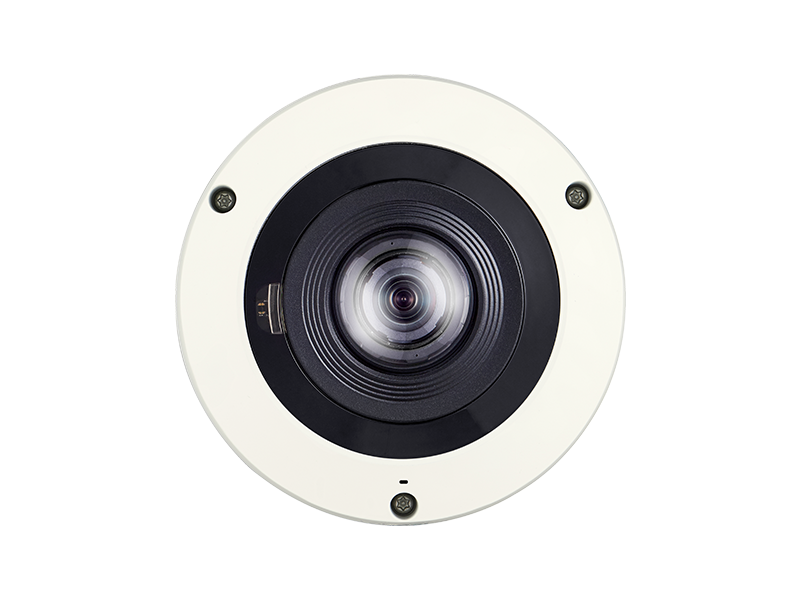
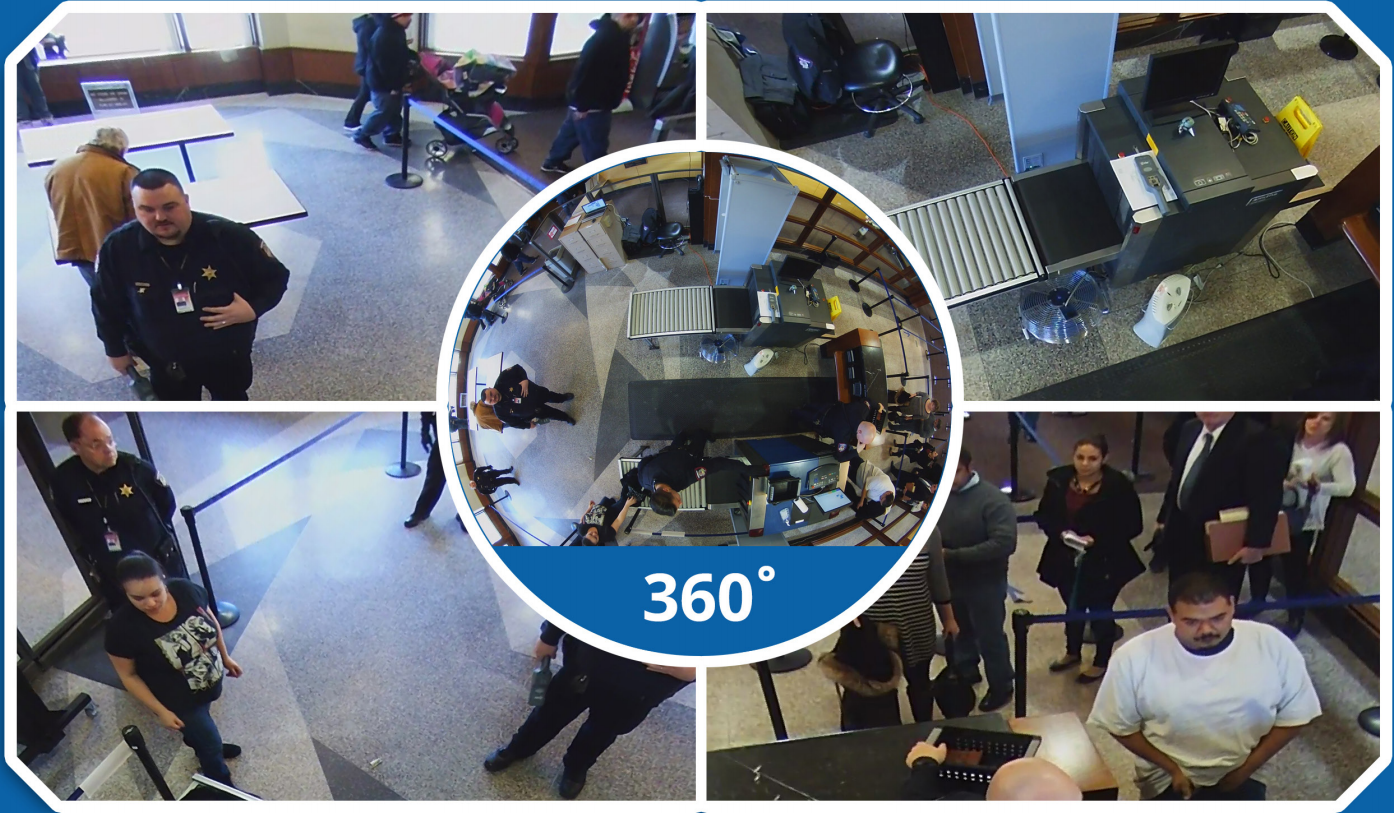
A circular overview can be corrected into more familiar views. That correction is called dewarping.
Ask to see: the recorded view and an exported clip from your recorder.
Several sensors in one housing
Multisensor
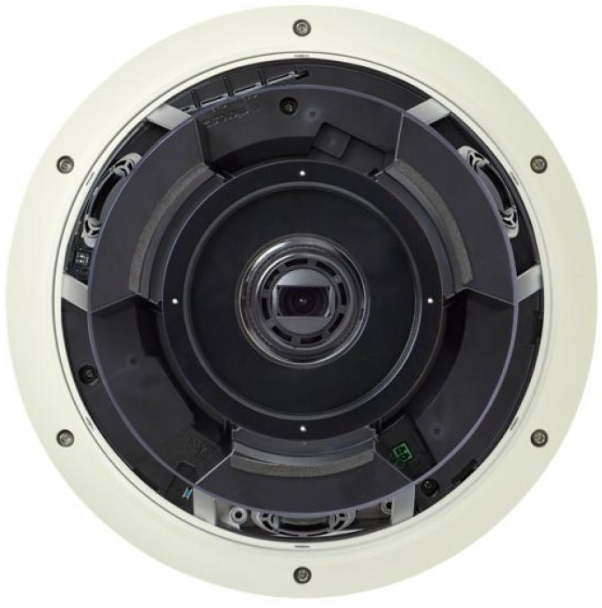
Several sensors may create a joined panorama or separate views in different directions. Check the exact design.
Ask to see: each view at the locations that matter, plus any joins in a stitched image.
Compare the design, then confirm the specifications for the model you are considering.
See the sensors inside another dome design

One housing does not mean one view.
This product photograph makes the separate camera modules easier to see. Their arrangement differs by model.
Before choosing a shared mounting point, compare what each view can see with what you would get from cameras placed separately.
Enlarge the product photograph ↗Stitched panorama
Several images are combined into one broad scene, often across 180°. Check: how people and objects look where the images meet.
Multidirectional
Separate sensor views look toward different approaches from one mounting location. Check: the angle and detail at each target.
A different job: two directions
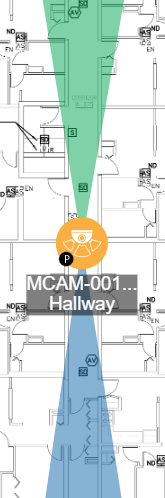
Check both ends of the corridor.
A dual-sensor camera may suit a hallway where each view needs to face a different way. The diagram shows two views from one mounting point.
Door recesses, intersections and people near the camera can change the result. Review the actual mounting position and confirm whether the model provides separate views or one joined image.
What to check before orderingCompare recording, access and support requirements in our commercial security camera systems guide.
Make the view useful
One overview. Different ways to review it.
“Dewarping” is the correction that makes a curved fisheye image easier to read. It can help an operator look around the scene. It doesn't add detail that the camera never captured.
Check the recording.
Ask whether the recorder saves the full source view, selected corrected views or both. Test what your team can review later.
Check the exported file.
Open a sample on the equipment the recipient will use. Confirm which views are included and whether another player is needed.
Match the view to the space
Four layouts.
Four different placement questions.
A parking area, production floor and hallway don't need the same camera plan. Explore how each layout changes the camera position.
Parking area
Follow activity across the lot.
An overview can help your team follow vehicles and people. For an entrance or plate, check whether you also need a dedicated view aimed at that point.
Check the detail you need ↓Production floor
See the work area around an event.
A broad view can show movement along a line. Equipment, racks and changing layouts may block parts of the scene. Test the task you need to review, not just an empty floor.
Review the pre-purchase checks ↓Hallway intersection
Look along each approach.
Separate views can look in several directions from an intersection. Check door recesses, ceiling height and how people appear as they pass underneath.
Compare the camera designs ↑Building corner
Work around the building—not through it.
A corner mount may allow views along more than one side. The structure still blocks sightlines. Check the near wall, the approach and the area below the camera.
See an exterior mounting example ↓Illustrative layouts, not guaranteed coverage. Aiming limits and usable detail depend on the model, position and space. View the complete layout illustration ↗
Y.O.U.’s operations manager describes using panoramic cameras at its Evanston headquarters and the planning and training around the installation. Read Y.O.U.’s customer statement.

Placement changes the view
A corner bracket is a starting point.
The camera sits clear of the outside corner. Check the recorded views along each approach, including the area below the mount.
Plan the camera placementBefore equipment is ordered
Ask to see the result you need.
A specification sheet can narrow the choice. A test at the intended location tells you far more about whether the system will do the job.
- 1Choose the event and location.
Decide what must be visible: movement across a yard, someone at a door, a delivery or a vehicle at an entrance.
- 2Check the difficult lighting.
Look at daylight, backlighting and the hours when the area is least well lit. Include movement where it matters.
- 3Review recorded footage.
Use the intended recording settings. A clear live image doesn't establish the quality of the saved clip.
- 4Open an exported clip.
Confirm the useful views remain available and the recipient can play the file.
- 5Confirm recorder compatibility.
Check the exact camera, recorder or VMS version, required channels, licenses and dewarping support.
- 6Compare the complete installation.
Include mounts, cable routes, power, storage, maintenance and the loss of views if a shared device fails.
For a project in our service area, see how we approach camera installation in Chicago and Northern Illinois.
Put the camera choice in context
Plan the space and the system together.
Questions that come up
Before you choose a panoramic camera.
Can one panoramic camera replace several cameras?
Sometimes, if the mounting position and views suit the job. It may reduce the number of devices or cable runs, but that does not establish the right detail at every location or a lower total cost. Compare the proposed views, recording requirements and installation.
Will a 360° camera eliminate blind spots?
No camera can see through walls, shelving, vehicles or other obstructions. Its mounting position also affects the view. Check the actual space rather than relying on the advertised angle.
Can we keep our existing recorder?
Possibly. Check the exact recorder or software version against the camera's streams and features. Confirm recording, playback, dewarping, export, channel capacity and licensing before ordering.
Is a panoramic camera the same as a PTZ camera?
No. A fixed panoramic camera captures a wide scene or several views. A physical PTZ camera moves to look in a chosen direction and may use optical zoom. Some systems combine those functions. Digital movement within a recorded wide view is different from moving the camera.
Not sure what one camera can cover?
Tell us about the space and what you need to see. Umbrella can help you compare camera placement, recording options and the equipment you already have.
Tell us about your camera project.
Share the type of facility, its location and what you need the cameras to show.