The technology that runs our lives has finally transformed how we protect our workplaces. Gone are the days of clunky, isolated security hardware. Today, artificial intelligence, cloud computing, and mobile apps have made smart office security more powerful and accessible than ever. These systems learn the normal rhythm of your business, proactively flagging unusual activity before it becomes a problem. You can manage everything from your phone, from unlocking a door for an employee to checking a live camera feed. This article breaks down the essential technologies and how they come together to create an intelligent security posture.
Key Takeaways
- True Smart Security is an Integrated System: The most effective solutions connect everything—from cameras to door locks—into a single, intelligent platform. This unified approach simplifies management and turns security data into actionable business insights.
- Your Security Plan Should Be Custom-Built: A one-size-fits-all system doesn’t work. Start by assessing your specific vulnerabilities, compliance requirements, and future growth plans to build a solution that fits your business perfectly and can scale with you.
- Technology is Only Half the Battle: A successful security strategy depends on people and processes. Ensure a smooth rollout with a detailed plan, establish clear security protocols, and provide thorough training so your team can confidently use the system and act as your first line of defense.
What Makes a Smart Office Security System?
According to CISA’s physical security guidelines, modern commercial facilities benefit most from security systems where components are integrated into a unified platform — where cameras, access control, sensors, and notification systems communicate with each other rather than operating as independent tools.
A “smart” office isn’t just about having the latest gadgets. When it comes to security, it means your systems are interconnected, responsive, and intelligent. Think of it as a central nervous system for your building. Instead of having a standalone camera system, a separate alarm, and a key for every door, a smart office integrates these elements into one cohesive network. This network uses technology to automate tasks, gather data, and give you a complete picture of what’s happening at your facility, whether you’re there or not.
The real power of a smart security system is its ability to connect physical security technology with operational intelligence. For example, your smart office access control systems can communicate with your lighting and HVAC systems, automatically adjusting the environment when the first person arrives or the last person leaves. Your commercial smart office security cameras can do more than just record; it can analyze footage to identify unusual activity and send an alert directly to your phone. This level of integration creates a security posture that is proactive rather than reactive, helping you address potential issues before they become serious problems. It’s about creating an environment that is not only safe but also efficient and responsive to the needs of your organization.
The Building Blocks of Smart Security
At its core, smart security is built from familiar components that are designed to work together. This includes devices like biometric scanners, smart locks, and high-definition surveillance cameras. What makes them “smart” is their ability to communicate with each other and a central hub. For instance, when an employee uses their keycard to enter a restricted area, the system doesn’t just unlock the door. It also logs the entry, verifies their credentials against a schedule, and can even trigger a camera to record the event. This integration creates a comprehensive security solution that protects both your physical property and your sensitive digital assets.
How AI and Machine Learning Fit In
If smart devices are the building blocks, then artificial intelligence (AI) and machine learning are the brains of the operation. These advanced algorithms analyze the constant stream of data from your security devices to learn what’s normal for your office. Over time, the system can identify patterns and flag anything out of the ordinary. For example, it can distinguish between a delivery truck arriving during business hours and an unauthorized vehicle parking in the lot overnight. This allows the system to generate intelligent alerts for suspicious activities, giving your team the ability to respond to genuine threats proactively instead of wasting time on false alarms.
Managing Security from the Cloud
One of the biggest advantages of a smart office is the ability to manage everything from a single, cloud-based platform. Instead of being tied to a specific computer in a security office, you can wirelessly link, program, and control your entire system from anywhere with an internet connection. This centralized approach is a game-changer for operational efficiency. You can update access permissions for an entire team, review security footage from last week, or check the status of all your sensors through one interface. This makes managing security simpler and more effective, especially if you oversee multiple locations.
Controlling Security from Your Phone
Modern smart security systems put complete control right in the palm of your hand. With user-friendly mobile apps, you can manage your office’s security settings from your smartphone or tablet. Did an employee forget their access card? You can unlock the door for them remotely. Worried you forgot to arm the commercial alarm systems? You can check its status and arm it with a single tap. These intuitive interfaces allow you to easily handle daily security tasks and respond to alerts immediately, no matter where you are. This level of accessibility ensures you’re always connected to your facility’s safety.
Monitoring Your Office in Real-Time
A smart office provides a live, detailed view of your environment. Technologies like Wi-Fi and badge swipes can monitor the movement of people throughout the building, giving you a clear picture of who is where and when. This real-time data is invaluable for both security and operational planning. During an emergency, for example, you can quickly identify which areas are occupied and direct first responders accordingly. This information also helps you understand how your space is being used, allowing you to optimize layouts and improve workflow. It transforms security from a passive function into an active source of business intelligence.
Must-Have Smart Office Security System Features
A truly smart office security system is more than just a collection of gadgets; it’s an integrated network designed to protect your people, property, and data. When you’re evaluating your options, there are several key features that separate a basic setup from a comprehensive, intelligent solution. These components work together to provide layers of protection that are both powerful and easy to manage. From controlling who comes and goes to proactively identifying threats, these are the features that should be on your checklist.
Smart Access Control
Think beyond the traditional key card. Modern smart office access control systems give you precise control over who can enter your facility—and specific areas within it. This can include everything from key fobs and mobile credentials to advanced biometric scanners that use fingerprints or facial recognition. A smart system lets you grant or revoke access instantly from a central dashboard, create schedules for employees or visitors, and generate detailed logs of all entry activity. This not only secures your physical space but also protects sensitive areas and digital assets by ensuring only authorized personnel can get near them.
Intelligent Video Surveillance
Today’s security cameras do much more than just record footage. Intelligent commercial smart office security cameras uses AI-powered analytics to actively monitor your space. These systems can distinguish between people, vehicles, and animals, reducing false alarms. They can also be configured to send real-time alerts for specific events, like someone loitering after hours or a vehicle entering a restricted zone. With user-friendly interfaces, you can easily search for specific footage and view live feeds from any device. This transforms your cameras from a passive recording tool into a proactive security measure that helps you stay ahead of potential issues.
Environmental and Sensor Monitoring
A secure workplace is also a safe one. Smart security systems can integrate environmental sensors that monitor for more than just intruders. These devices can detect changes in temperature, humidity, air quality, and even unusual sounds like breaking glass. For example, an air and sound detection sensor can alert you to a potential HVAC failure before it causes major damage or detect a gas leak that could endanger your team. This level of monitoring helps protect your assets from environmental threats and contributes to a healthier, more comfortable, and more productive workplace for everyone.
Integrated Emergency Alerts
In a crisis, clear and immediate communication is critical. A smart security system should include emergency mass notification solutions that can instantly alert everyone in your facility to a threat. This goes beyond a simple fire alarm. An integrated system can send alerts through multiple channels simultaneously, including text messages, emails, desktop pop-ups, and overhead speakers. Whether it’s a fire, an active threat, or a severe weather event, you can ensure your team receives consistent, actionable information right away, helping to keep everyone safe and minimize confusion during a stressful situation.
Predictive Alerts and Analytics
The most advanced security systems don’t just react to threats—they help you anticipate them. By using machine learning, these platforms analyze data from your cameras, access points, and sensors to learn the normal patterns of activity in your office. When the system detects an anomaly, like someone trying to access a server room in the middle of the night, it can generate an intelligent alert for your security team to investigate. This proactive approach allows you to address suspicious activities before they escalate into serious security breaches, giving you a powerful advantage in protecting your business.
Protecting Your Data
In our connected world, physical security and cybersecurity are deeply intertwined. Your smart security system collects a vast amount of data, and that data needs to be protected. Look for systems that offer robust cybersecurity features like end-to-end encryption to keep your video feeds and access logs private. Multi-factor authentication should be standard to prevent unauthorized users from accessing your security dashboard. A secure system ensures that the technology you use to protect your office doesn’t become a vulnerability itself, safeguarding both your physical premises and your sensitive business information.
Why Umbrella Security Systems for Smart Office Security in Chicago
Smart office security requires a partner who understands both the technology and the environment. Umbrella Security Systems has been designing and installing commercial security systems in Chicago for over 15 years — with specific expertise in integrating commercial camera systems, access control, emergency notification, and visitor management into unified smart office security platforms.
We work with commercial businesses, healthcare organizations, government facilities, and manufacturing operations throughout the Chicago metropolitan area. Our approach starts with a professional security assessment and ends with a system your team knows how to operate — not a vendor handoff and a manual. Contact us to discuss your smart office security requirements.
How to Choose the Right Smart Office Security System
Picking the right security system for your office can feel like a huge task, but it doesn’t have to be overwhelming. The key is to think of it less as a single purchase and more as a long-term strategy for protecting your people, property, and data. A smart security system should feel like a natural extension of your business operations—working quietly in the background to keep things safe without causing daily headaches.
The best approach is to break the decision down into manageable steps. Instead of getting caught up in specific brands or flashy features right away, start with the fundamentals of what your business actually needs. Think about your physical space, your team’s workflow, and your plans for the future. A system that works for a bustling downtown retail shop will have different requirements than one for a quiet suburban healthcare clinic. By focusing on a few core principles, you can confidently select a solution that not only meets your current needs but also grows with you.
Assess Your Unique Security Needs
Before you even look at a single camera or keycard reader, take a walk through your office. Where are your most vulnerable points? What are your most valuable assets? Selecting the ideal system starts with a clear-eyed assessment of your specific security needs, budget, and the nature of your business. Consider everything from the number of entry points and the flow of foot traffic to the type of work you do. A business that handles sensitive client data has different priorities than one that stores high-value physical inventory. A thorough security consultation can help you identify risks you might have overlooked and create a tailored plan that makes sense for your unique situation.
Check for Seamless Integration
A truly smart security system is one where all the components talk to each other. Compatibility issues are a common frustration for businesses, especially when their security cameras and access control systems operate in separate silos. Your video surveillance should work hand-in-hand with your access control systems, for example, so you can instantly pull up footage of a specific door entry. A unified platform not only simplifies management but also provides a more complete and actionable picture of your security. Look for solutions designed to integrate smoothly, creating a single, powerful system rather than a patchwork of disconnected gadgets.
Meet Industry Compliance
Depending on your industry, security isn’t just a good idea—it’s a requirement. Fields like healthcare, finance, and government contracting have strict regulations governing data protection and physical security. Failing to meet these standards can lead to serious penalties and damage your reputation. Your security system should be a tool that helps you maintain compliance, not a liability that puts you at risk. When evaluating options, make sure they meet or exceed the specific requirements for your industry. Prioritizing a system that addresses physical access, cybersecurity, and compliance helps you mitigate risks and protect your entire operation.
Plan for Future Growth
The security system you choose today should be able to support your business tomorrow. Your company isn’t static, and your security infrastructure shouldn’t be either. Think about your growth plans. Will you be hiring more employees, expanding to a new floor, or opening another location? A scalable system allows you to easily add new cameras, doors, or users without having to replace the entire setup. Investing in flexible, forward-thinking solutions like fiber network technology can provide the bandwidth and reliability you need to expand your security infrastructure as your business evolves, saving you significant time and money down the line.
Understand the Total Cost of Ownership
The sticker price of a security system is only one part of the equation. To get a true sense of the financial commitment, you need to consider the total cost of ownership. This includes the initial hardware and installation, but also ongoing expenses like software subscriptions, cloud storage fees, system maintenance, and potential future upgrades. It’s helpful to think of the cost as an investment in your business’s safety and continuity. Plus, many insurance providers offer discounts for businesses with robust commercial smart office security cameras, which can help offset the initial investment and provide a tangible return over time.
Prioritize a User-Friendly Interface
The most advanced security system in the world is ineffective if your team finds it too complicated to use. A system with a clunky, confusing interface will likely go underutilized, leaving you with security gaps. Smart office security systems should feature user-friendly interfaces that are intuitive and easy to manage. Your team should be able to perform key functions—like granting or revoking access, reviewing footage, or responding to alerts—without needing a specialized degree in IT. A clean, simple dashboard empowers your staff to take an active role in maintaining a secure environment every day.
Implementing and Managing Your Smart Office Security System
Choosing the right smart security system is a huge step, but the work doesn’t stop there. To get the most out of your investment, you need a solid plan for implementation and ongoing management. A great system is only effective when it’s installed correctly, used properly, and maintained consistently. Think of it as a living part of your organization—one that needs attention to perform at its best. By focusing on a smooth rollout and clear long-term strategy, you can ensure your new technology truly protects your people and assets.
Plan Your Deployment
A successful installation starts long before the first camera is mounted. The key is to create a detailed deployment plan that maps out the entire process. This involves more than just picking a date; it means assessing your facility to determine the optimal placement for every camera, sensor, and access point. Work with your security partner to create a timeline that minimizes disruption to your daily operations. A well-thought-out plan ensures your new commercial smart office security cameras cover all critical areas and that every component works together seamlessly from day one.
Train Your Team
Your new security system is only as effective as the people who use it. Even with the most intuitive interface, your team needs proper training to feel confident and capable. Schedule dedicated sessions to walk employees through their roles, whether it’s using a new key card, understanding visitor protocols, or responding to an alert. Ensure managers and key personnel receive more in-depth training on system administration and monitoring. When your team understands how the technology works and why it’s important, they become your first line of defense and an active part of your security culture.
Keep Your System Maintained
Like any technology, your smart security system needs regular upkeep to function reliably. The good news is that many modern systems come with predictive maintenance alerts that notify you of potential issues before they become serious problems. Your maintenance plan should include routine equipment checks, software updates, and system tests. Staying on top of these tasks prevents unexpected downtime and ensures your system is always ready to perform when you need it most. Partnering with a security expert for ongoing maintenance can take this responsibility off your plate and guarantee everything stays in top shape.
Set Clear Security Protocols
Technology alone can’t create a secure environment; you also need clear rules and procedures that everyone understands. Develop straightforward protocols for everything from visitor management to emergency response. For example, who is authorized to access sensitive areas? What is the step-by-step process if an mass emergency notification system is activated? Document these protocols and make them easily accessible to all employees. When your team knows exactly what to do in any given situation, they can act quickly and decisively, turning your security hardware into a cohesive and effective strategy.
Monitor Performance Regularly
Once your system is up and running, it’s important to check in on its performance. This goes beyond simply watching a live video feed. Regularly review access logs, analyze alert patterns, and look at the data your system generates. These insights can help you spot unusual activity or identify potential vulnerabilities you might have missed. For instance, frequent alerts in one area could indicate a faulty sensor or a recurring security issue that needs to be addressed. Proactive monitoring allows you to fine-tune your system and make data-driven decisions to strengthen your overall security posture.
Secure Ongoing Support
The world of security is constantly changing, with new technologies and new threats emerging all the time. That’s why having a long-term relationship with a security expert is so valuable. Ongoing support ensures you have someone to call for troubleshooting, software updates, and expert advice as your business grows and your needs evolve. A dedicated partner like Umbrella Security Systems can help you adapt to new challenges and make sure your access control systems and other security measures remain effective for years to come, giving you lasting peace of mind.
Related Articles
- Top Office Building Security Systems: Features & Comparison – Umbrella Security Systems
- Remote Security Monitoring Systems: A Business Buyer’s Guide – Umbrella Security Systems
- Your Access Control System Upgrade: A Complete Guide – Umbrella Security Systems
- Perimeter Security for Your Business: A Complete Guide – Umbrella Security Systems
- Modern Campus Security by Umbrella Security
Frequently Asked Questions
How is a “smart” security system really different from the alarm and camera system I have now? The biggest difference is communication. In a traditional setup, your camera system records video and your alarm system makes noise, but they don’t talk to each other. A smart system integrates all your security components into one intelligent network. This means your access control system can tell your camera to record when a specific door is opened, and AI can analyze that footage to determine if it’s a threat, sending a specific alert directly to your phone instead of just sounding a generic alarm. It’s the difference between having a collection of separate tools and having a coordinated team working together.
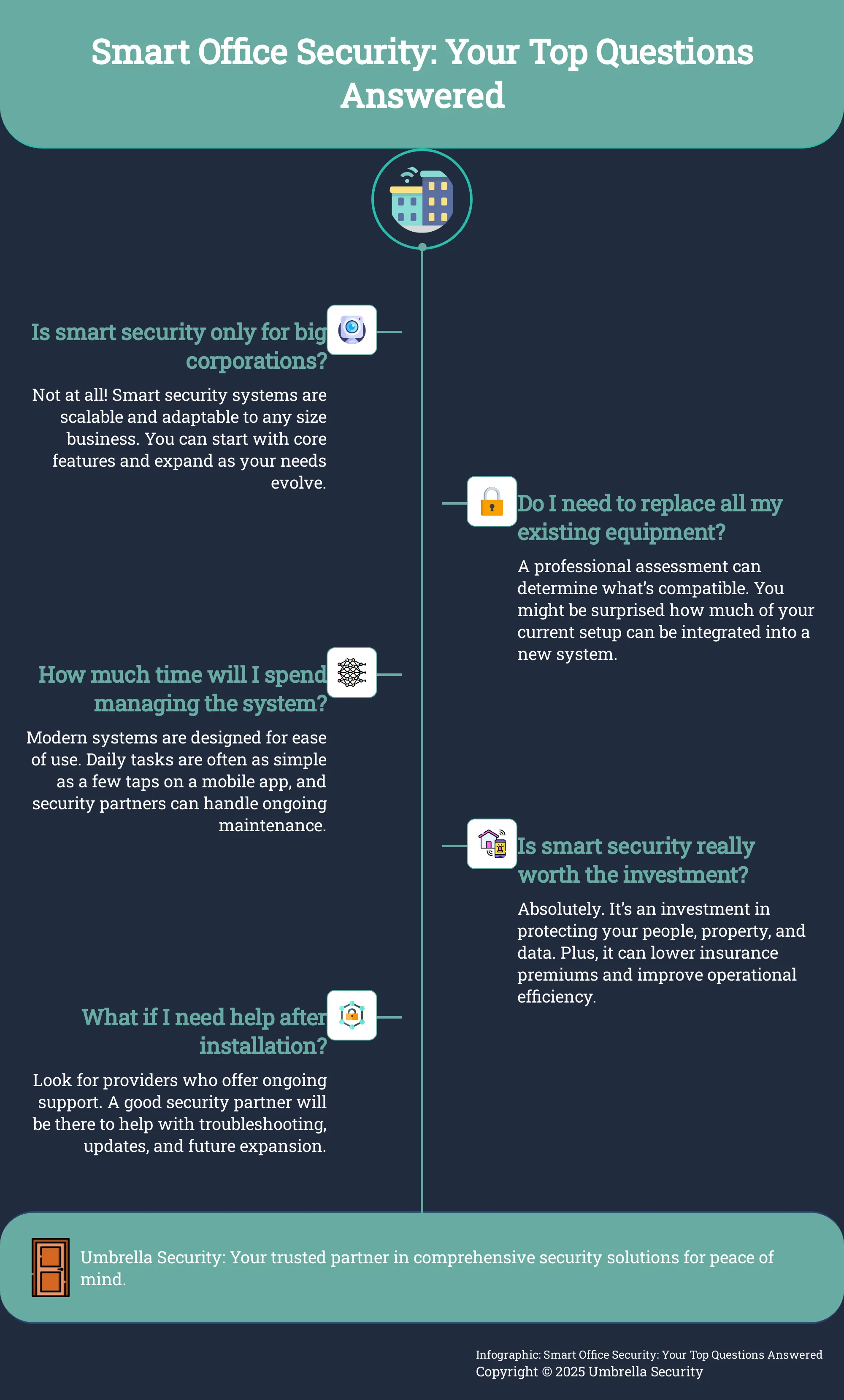
My business is small. Do I really need all these advanced features? Not necessarily, and that’s the beauty of a modern system. Smart security isn’t an all-or-nothing package. You can start with a foundation that solves your most immediate problems, like smart access control and intelligent video surveillance. The key is to choose a scalable platform. This allows you to add more features, like environmental sensors or emergency notification systems, as your business grows and your needs change, without having to start over from scratch.
Can I integrate a new smart system with my existing security hardware? This is a common question, and the answer really depends on your current equipment. Some newer cameras and sensors can be integrated into a modern platform, while older, analog technology might not be compatible. This is where a professional security consultation is invaluable. An expert can assess your existing hardware and determine what can be incorporated, helping you create a seamless, unified system and potentially saving you from making unnecessary new purchases.
What’s more important: protecting the physical office or our company’s data? In a connected workplace, you can’t separate the two. A smart security system recognizes that physical security and cybersecurity are deeply intertwined. Someone gaining unauthorized physical access to your server room is a major data breach risk. A truly comprehensive system protects both. It controls who can physically enter sensitive areas while also using features like data encryption and multi-factor authentication to protect the security network itself from digital threats.
How much ongoing work is required to manage a smart security system after it’s installed? Modern systems are designed to be incredibly user-friendly, so the day-to-day management is much simpler than you might think. Tasks like granting or revoking employee access can often be done in a few taps on a mobile app. For the more technical side, like software updates and hardware maintenance, having a relationship with a security partner is key. They can handle the upkeep, ensuring your system runs smoothly and stays current, which lets you focus on running your business.