
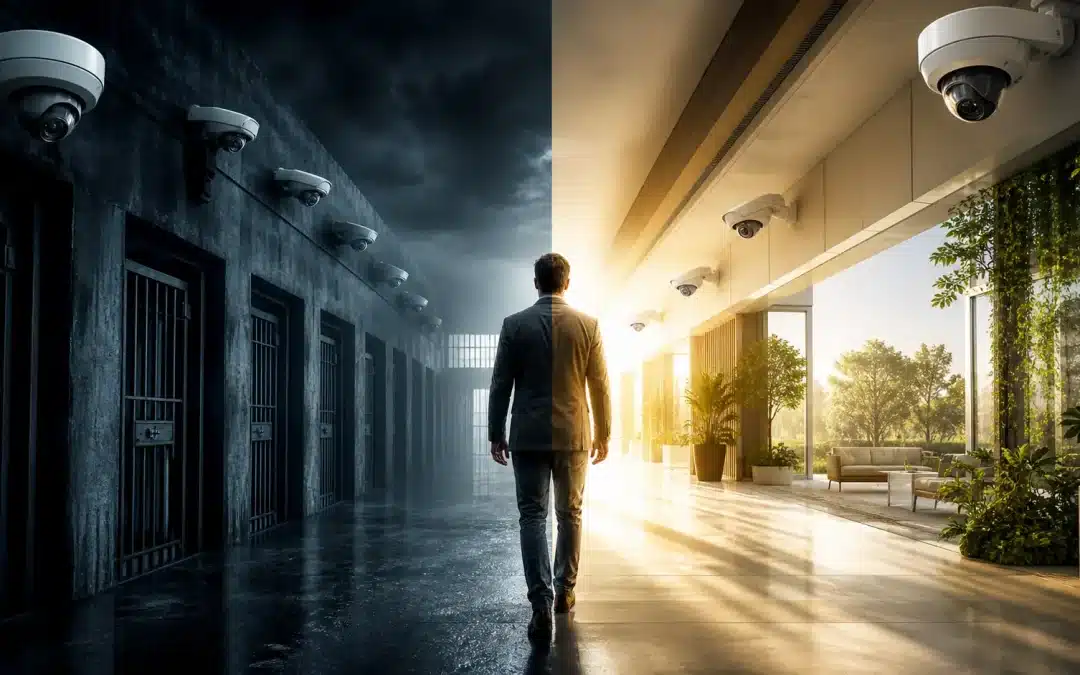


Verkada Alternatives: Why Open Architecture Security Systems Beat Closed Camera Platforms
A practical, experience-led guide for commercial buyers evaluating closed cloud platforms, vendor dependency, ONVIF compatibility, privacy governance, and long-term security system ownership.
Verkada is popular for a reason. The platform is clean. The interface is simple. Deployment is fast compared with many older camera systems.
For organizations tired of outdated NVRs, clunky software, complicated remote access, and disconnected access control, Verkada’s cloud-managed model can feel like a breath of fresh air.
That is the appeal.
But simplicity is not the same thing as long-term control.
For schools, healthcare facilities, retailers, enterprise offices, government agencies, manufacturing sites, and commercial properties, the real question is not simply:
Does Verkada work?
The better question is:
What do we give up when our cameras, licensing, analytics, access control, cloud management, firmware updates, integrations, and future migration path all depend on one closed ecosystem?
This article is not an argument against modern security technology.
It is an argument for buyer control.
For buyers comparing Verkada alternatives, the goal should not be to find another platform with a nicer demo. The goal should be to understand which camera system architecture gives your organization the strongest long-term position.
At Umbrella Security Systems, we believe commercial security systems should be designed around ownership, interoperability, privacy, lifecycle value, and long-term flexibility — not just ease of deployment on day one.
For organizations comparing camera system options, our commercial security camera systems page explains how we approach design, installation, and long-term system planning across commercial facilities.
Considering Verkada or another closed cloud camera platform?
Umbrella can review the architecture before you commit, including licensing dependency, camera flexibility, ONVIF compatibility, cloud reliance, and long-term cost.
Request a Camera System ConsultationWhat Verkada Gets Right
A fair critique has to start with the obvious: Verkada solved real problems in the physical security market.
Many legacy camera systems are difficult to use. They often require local servers, complicated networking, inconsistent mobile access, and fragmented software. Verkada’s cloud-managed model simplified many of those pain points.
| Verkada Strength | Why Buyers Like It |
|---|---|
| Clean user interface | Easier for non-technical teams to use. |
| Fast deployment | Less local infrastructure than traditional NVR/server-based systems. |
| Cloud access | Centralized visibility across multiple sites. |
| Unified platform | Cameras, access control, alarms, sensors, and visitor management can live in one environment. |
| AI-assisted search | Faster review of people, vehicles, motion events, and incidents. |
| Centralized administration | Helpful for multi-site organizations. |
| Modern product experience | Often feels more intuitive than legacy enterprise systems. |
Verkada has scaled quickly. In 2024, the company said it supported 25,000 customers, with more than 1 million devices online across 85 countries. Verkada also stated those devices helped protect more than 13 million students, 5.9 million manufacturing employees, 1.9 million retail workers, and 1.4 million healthcare workers. Source: Verkada
That growth matters.
Verkada is not a fringe product. It is one of the clearest examples of the modern cloud-first physical security model.
And that is exactly why buyers should evaluate it carefully.
Verkada’s Own Messaging Shows This Is an AI Platform Strategy
Recent Verkada messaging reinforces why this decision should not be reduced to a camera refresh. In a Future of Marketing interview, Idan Koren, CMO of Verkada, described the company’s updated positioning as “AI to protect the world” and explained that Verkada is bringing a consumer-style cloud and AI experience into enterprise, commercial, state, and eventually federal environments. Source: Future of Marketing
Verkada has made a similar point in its own public materials. In an article about leading the VSaaS market, Verkada describes its platform as an “operating system for the physical world” and says products from cameras to access control are built to get smarter over time. Source: Verkada
That framing matters for any buyer comparing Verkada alternatives. A school district, hospital, manufacturer, retailer, corporate campus, or government facility is not only choosing cameras. It is choosing a cloud-managed, AI-enabled operating environment that can expand across video, access control, alarms, sensors, analytics, search, alerts, administration, and future integrations.
| Verkada Platform Direction | Buyer Implication |
|---|---|
| AI-first positioning | Buyers should evaluate how analytics, search, alerts, and automation affect privacy, governance, and operational reliance. |
| Cloud-managed experience | Buyers should understand which workflows depend on cloud connectivity, licensing, vendor APIs, and account administration. |
| Unified physical security platform | Cameras may become only one layer of a larger ecosystem that also includes access control, alarms, sensors, and workflows. |
| Expansion into enterprise, state, and federal environments | Organizations should think beyond day-one convenience and evaluate procurement, records, cybersecurity, data ownership, and long-term exit options. |
The issue is not whether AI or cloud tools can be useful. They can be. The issue is whether the customer keeps practical control over the system after the initial purchase, especially when the same vendor controls the hardware, software, licensing, analytics, user administration, updates, support path, integrations, and roadmap.
That is why open architecture remains central to this discussion. ONVIF, standards-based camera selection, flexible VMS design, and verified interoperability give buyers more ability to modernize in phases, negotiate over time, and change direction without starting over.
Buyer takeaway
Verkada should be evaluated as an AI-enabled physical security platform, not merely as a camera vendor. That makes interoperability, governance, cybersecurity, lifecycle cost, and exit strategy more important — not less.
The Core Problem: Simplicity Can Become Dependency
The main concern with Verkada and similar closed platforms is not that they are unusable.
The concern is that they can make organizations dependent on a single vendor’s camera hardware, cloud platform, licensing model, analytics tools, firmware update process, access control ecosystem, support permissions, data retention rules, integration options, and future roadmap.
That dependency may be acceptable for some organizations.
But it should be a conscious decision — not something discovered five years later when the buyer wants to change platforms, reduce licensing costs, reuse hardware, integrate with another VMS, or modernize in phases.
A security camera system is not just an app.
It is building infrastructure.
And infrastructure should not be designed like a disposable subscription.

Security architecture decisions often look simple during procurement, then become expensive when licensing, integrations, and migration limits appear later.
I’ve Seen the Cost of Bad Security Architecture
I originally wrote about this issue on LinkedIn after seeing the same pattern repeat itself across schools, government agencies, commercial properties, and smaller businesses.
The response to that post confirmed something I already see in the field: many buyers are worried about vendor lock-in, ownership, privacy, and what happens after the demo.
I’ve been in this industry long enough to see this pattern repeat itself.
A school district, government agency, commercial facility, or small business makes a decision that looks smart at the time. The system seems simple. The demo looks clean. The deployment sounds easy. Everyone wants the problem solved, and the vendor makes the path forward feel obvious.
Then a few years pass.
The costs do not shrink. They grow.
The options do not expand. They narrow.
The organization wants to adjust, integrate, replace, or renegotiate — and suddenly they realize the system was not just a tool. It was a commitment to an architecture they may not have fully understood.
I’ve seen the anguish that creates.
Not because people were careless. Usually, they were trying to do the right thing. They were trying to protect students, employees, visitors, patients, tenants, customers, and the public.
But when security architecture is built around dependency instead of ownership, the regret can be real.
A camera system may help reduce theft, document incidents, and defend against liability claims. Those things matter. But they do not automatically erase the long-term cost of poor design.
Bad architecture compounds.
It shows up in licensing, service limitations, vendor lock-in, integration problems, replacement costs, and operational frustration.
That is why I care so much about this issue.
Security should make an organization stronger over time — not more trapped.
What Is an Open Architecture Security System?
An open architecture security system is designed to preserve flexibility.
Instead of locking the customer into one manufacturer’s hardware and software stack, open systems are built around interoperability, standards, and long-term serviceability.

Open architecture security systems are designed around interoperability, flexible hardware choices, and long-term system control.
| Open Architecture Principle | Why It Matters |
|---|---|
| Multi-manufacturer camera support | Buyers can choose the best camera for each location. |
| ONVIF compatibility | Devices are more likely to work across supported VMS platforms. |
| Flexible VMS options | Organizations can change software without replacing every camera. |
| Phased upgrades | Sites can modernize over time instead of doing full rip-and-replace projects. |
| Better vendor leverage | Buyers are less dependent on one manufacturer. |
| Integration flexibility | Access control, alarms, analytics, and monitoring can be designed around the site’s needs. |
| Lifecycle control | Hardware decisions can last longer than software contracts. |
Open architecture does not mean “anything works with anything.”
That is lazy sales language.
Real interoperability still has to be verified. Buyers should confirm supported devices, ONVIF profiles, firmware versions, VMS compatibility, licensing requirements, and feature limitations before choosing equipment. ONVIF describes itself as an open industry forum that promotes standardized interfaces for interoperability of IP-based physical security products and services, and its conformant product resources can help buyers verify compatibility claims. Source: ONVIF
A commercial security system should give the customer more options over time, not fewer.
Why Buyers Look for Verkada Alternatives
Most organizations do not look for Verkada alternatives because they hate technology.
They look because they want to understand the tradeoffs before committing to a closed cloud security platform.
| Concern | What Buyers Should Evaluate |
|---|---|
| Vendor lock-in | What happens if the organization wants to change platforms later? |
| Subscription dependency | What functions require active licensing? |
| Hardware reuse | Can cameras or controllers be repurposed with another VMS or recorder? |
| Cloud dependency | What still works during an internet outage or vendor service disruption? |
| Interoperability | Is RTSP, ONVIF, or third-party VMS support available, limited, model-specific, or licensed separately? |
| Security history | How has the vendor handled breaches, privileged access, internal controls, and third-party scrutiny? |
| Privacy governance | Can the organization control retention, masking, exports, admin access, and audit logs? |
| Enterprise IT controls | Can IT manage update windows, IP restrictions, MFA, SSO, logs, and network policy? |
| Analytics accuracy | How often do tailgating, people-search, badge, and alert features create false positives? |
| Lifecycle cost | What is the real 5-year and 10-year cost? |
The right question is not: Is Verkada bad?
The right question is: Is a closed cloud platform the right long-term architecture for this organization?
Sometimes the answer may be yes. Often, an open architecture system deserves a serious look.
Enterprise Verkada Alternatives to Evaluate
When people search for Verkada alternatives, they are often looking for one replacement brand. That is understandable, but it can be the wrong starting point.
The better approach is to compare architectures. Some Verkada alternatives are camera manufacturers. Some are video management software platforms. Some are unified security platforms that combine video, access control, analytics, and operations. The right answer depends on whether you want a closed cloud experience, a hybrid design, or a more open architecture security system.
For commercial and enterprise buyers, these are some of the brands and platforms worth evaluating as part of a serious camera system review:
| Alternative | Category | Why Buyers Consider It |
|---|---|---|
| Axis Communications | Network cameras and IP-based security products | Axis is often the first Verkada alternative to evaluate when buyers want high-quality IP cameras, broad product depth, and open-platform flexibility. Axis states that many of its products are ONVIF conformant and designed for integration into multi-vendor IP-based systems. |
| Hanwha Vision | Commercial and enterprise video surveillance | Hanwha Vision is frequently considered for commercial camera deployments, AI-enabled video, NVR/VMS compatibility, and multi-site surveillance environments. |
| i-PRO | Professional security cameras and analytics | i-PRO can be a fit for buyers who want professional camera options, edge analytics, and integration-friendly deployments rather than a single closed camera ecosystem. |
| Avigilon | Enterprise video security and access control | Avigilon is often reviewed for enterprise video, analytics, access control integration, and larger commercial or institutional deployments. |
| Genetec Security Center | Unified security platform | Genetec is a major option for buyers who want a unified platform for video surveillance, access control, ALPR, communications, and other security operations in one environment. |
| Milestone XProtect | Open-platform VMS | Milestone is often evaluated when buyers want open-platform video management software with broad camera, sensor, analytics, and IoT device choice. |
The important point is that Verkada alternatives should not be judged by brand name alone. A stronger review compares camera quality, VMS flexibility, ONVIF support, access control integration, licensing, cybersecurity, serviceability, and whether the organization can change direction later without replacing the entire system.
That is why Umbrella usually starts with the facility, not the product. A good commercial security camera system should be designed around the building, risk profile, budget, user permissions, privacy requirements, and long-term ownership goals.
Security History Matters in Physical Security
Any system that manages cameras, access control, alarms, sensors, and sensitive video should be evaluated through a security-history lens.
In 2024, the FTC announced action against Verkada over allegations that the company failed to use appropriate information security practices and that those failures allowed a hacker to access customer security cameras and other sensitive customer information. The FTC also alleged that Verkada violated CAN-SPAM requirements. Source: FTC
The Department of Justice announced a related settlement requiring Verkada to pay a $2.95 million civil penalty and implement extensive data security measures, resolving allegations involving unlawful commercial emails, data security failures, and deceptive practices. Source: DOJ
That distinction matters.
This is not about exaggerating the issue. It is about asking whether a vendor’s architecture, access controls, internal permissions, privacy practices, and breach history are appropriate for the environment being protected.
This article is not legal advice, and it is not a claim that every Verkada deployment is inappropriate. It is a buyer’s framework for evaluating architecture, ownership, privacy, interoperability, and long-term system control.
Surveillance footage is not ordinary data.
It can involve students, patients, employees, visitors, law enforcement areas, healthcare spaces, manufacturing floors, private offices, and public facilities.
None of this automatically means every Verkada deployment is unsafe today.
But it does mean buyers should ask hard questions.
- Who can access live and archived video?
- Are vendor support sessions permissioned, logged, and time-limited?
- Are internal admin privileges tightly controlled?
- Are logs retained and reviewable?
- Does the system support SSO and MFA?
- Can footage be restricted by role, site, camera, or policy?
- How are exports controlled?
- What happens during a vendor-side security incident?
- What contractual responsibilities does the vendor accept?
For high-trust environments, those questions are not optional.

In high-trust environments, security design should protect people while preserving privacy, dignity, and clear access governance.
Cloud-Managed Cameras vs. Local Control
Cloud-managed cameras can be useful.
Remote access, centralized administration, and fast search are valuable — especially for multi-site organizations.
But cloud-first design also creates dependencies.
Even when cameras have local onboard storage, buyers still need to understand which workflows depend on cloud connectivity.
| Workflow | Buyer Question |
|---|---|
| Live remote viewing | Does this require cloud access? |
| Centralized search | Does search still work during internet outages? |
| Alerts and analytics | Are they processed locally, in the cloud, or both? |
| Firmware updates | Can IT schedule or approve update windows? |
| User management | What happens if cloud management is unavailable? |
| Third-party integrations | Do integrations depend on vendor cloud APIs? |
| Emergency response | Can local staff still retrieve critical video quickly? |
| Exports | Can video be accessed and exported if the platform is degraded? |
This is where local VMS, hybrid systems, and open architecture designs can offer more control.
The goal is not to reject cloud technology. The goal is to avoid designing a critical security system where too many operational functions depend on a single vendor-controlled environment.
Not sure which architecture fits your facility?
Umbrella Security Systems can compare closed cloud platforms and open architecture options against your real site conditions, existing infrastructure, privacy requirements, and long-term budget.
Compare My Camera System OptionsOpen Architecture vs. Closed Cloud Camera Platforms
| Decision Factor | Closed Cloud Platform | Open Architecture Security System |
|---|---|---|
| Ease of deployment | Usually strong. | Depends on design partner. |
| User interface | Often simple and polished. | Varies by VMS. |
| Camera choice | More limited. | Broader manufacturer choice. |
| VMS flexibility | Platform-centered. | More flexible. |
| Hardware reuse | More constrained. | Better odds of reuse. |
| ONVIF strategy | Must verify support carefully. | Often central to design. |
| Subscription dependency | Usually higher. | Variable. |
| Cloud dependency | Usually higher. | Can be local, cloud, or hybrid. |
| Lifecycle control | Lower. | Higher. |
| Vendor leverage | Lower. | Higher. |
| Integration flexibility | Usually vendor-controlled. | More design flexibility. |
| Best fit | Buyers prioritizing simplicity and single-vendor management. | Buyers prioritizing ownership, flexibility, and lifecycle value. |
The tradeoff is real.
Closed platforms can be easier. Open systems can be more durable.
The right choice depends on the organization’s risk tolerance, IT maturity, budget model, privacy requirements, and long-term plans.
Where This Matters Most by Industry
Verkada’s growth is not limited to one vertical. Its own customer announcement references deployments across education, manufacturing, retail, and healthcare. Its products are also available through government procurement vehicles through Carahsoft, including GSA MAS, NASA SEWP V, ITES-SW2, NASPO ValuePoint, OMNIA Partners, E&I, and other contracts. Source: Carahsoft
That makes the open-vs-closed decision relevant across many commercial environments.
Education: Schools and Higher Education
Schools need security. That is not up for debate.
But school security systems involve minors, public accountability, parent trust, board oversight, and long-term budget constraints. Those factors make vendor dependency more serious.
Schools need safety, but they should not have to surrender future control to get it.
Healthcare: Hospitals, Clinics, and Medical Facilities
Healthcare security is not just about cameras. It is about protecting patients, staff, pharmacies, restricted areas, entrances, waiting rooms, and sensitive workflows.
Healthcare organizations should be careful with any product claim that sounds like “HIPAA-compliant surveillance.” HIPAA compliance is not a simple camera feature. It depends on policies, permissions, contracts, retention, access logs, training, and how the system is actually used.
In healthcare, security design has to protect people without weakening dignity or privacy.
Retail: Loss Prevention and Multi-Site Operations
Retailers are drawn to cloud-managed platforms because they need centralized visibility across many sites.
Loss prevention, queue management, incident review, and operational analytics are real needs.
But retail also has a scaling problem: subscriptions multiply quickly.
Enterprise and Corporate Real Estate
Enterprise buyers often want standardization.
A single cloud dashboard across offices, warehouses, campuses, and global facilities can be attractive.
But enterprise environments also change constantly. Offices open and close. Tenants change. Companies acquire other companies. IT standards evolve. Cybersecurity requirements tighten.
Government and Public Sector
Government and public-sector buyers face a different level of accountability.
They are spending public money, managing public facilities, and often dealing with records, retention, procurement rules, and cybersecurity requirements.
Government buyers need more than procurement convenience. They need long-term public accountability.
Manufacturing and Industrial Facilities
Manufacturing and industrial security often blends physical security with operations, safety, compliance, and environmental awareness.
Industrial sites need systems designed for the environment, not just the dashboard.
What Buyers Should Ask Before Choosing Verkada or Any Closed Platform
Before committing to Verkada or another closed cloud security platform, ask these questions.
Ownership and Lifecycle
- What happens if we stop paying for licenses?
- Can we still access live video?
- Can we still access recorded video?
- Can cameras be used with another VMS?
- Can hardware be reused if we change platforms?
- What is the 5-year and 10-year cost?
- Can the system be upgraded in phases?
Interoperability
- Does the system support ONVIF?
- Which ONVIF profiles are supported?
- Is ONVIF support available on all models or only certain products?
- Is RTSP available?
- Is third-party VMS support practical or limited?
- Are integrations open, documented, and stable?
- Are APIs included or separately licensed?
Cloud Dependency
- What works during an internet outage?
- What does not work without cloud connectivity?
- Are alerts processed locally or in the cloud?
- Can local staff retrieve video quickly?
- Can remote users still access emergency footage during platform issues?
- What happens during vendor service disruptions?
Privacy and Governance
- Who can access footage?
- Are admin actions logged?
- Can access be restricted by role, camera, location, and department?
- Can sensitive areas be masked?
- Can retention policies be enforced?
- Are exports logged?
- Can vendor support access footage?
- Is vendor access permissioned and time-limited?
Enterprise IT Controls
- Does the system support SSO?
- Does it support MFA?
- Can IP restrictions be configured?
- Can update windows be scheduled?
- Can firmware updates be reviewed before deployment?
- Are logs exportable?
- Does it meet internal cybersecurity standards?
- Can the system be segmented properly on the network?
Real-World Performance
- How does the camera perform in backlit entrances?
- How does it perform at night?
- How does it perform in parking lots?
- How does it perform in weather?
- How accurate are people, vehicle, and tailgating alerts?
- How many false positives occur during a pilot?
- How fast can staff find and export usable footage?
These questions do not only apply to Verkada.
They apply to every closed cloud-managed security platform.
When Verkada May Be the Right Fit
There are situations where Verkada may be a reasonable choice.
| Verkada May Fit When... | Why |
|---|---|
| The organization values simplicity over customization. | Verkada’s interface and deployment model are strong. |
| IT wants less local infrastructure. | Cloud management reduces server/NVR burden. |
| The buyer accepts subscription dependency. | Predictable licensing may be acceptable. |
| Sites are standardized. | A single ecosystem may be easier to manage. |
| The organization has limited technical staff. | Simpler administration can matter. |
| The deployment does not require complex integrations. | Closed ecosystems are less painful when needs are simple. |
A fair evaluation does not pretend Verkada has no strengths.
It clearly does.
The question is whether those strengths outweigh the long-term tradeoffs.
When Open Architecture Is the Better Long-Term Choice
Open architecture is usually worth serious consideration when the organization cares about flexibility, ownership, and long-term control.
| Open Architecture Is Stronger When... | Why |
|---|---|
| The buyer wants multiple camera options. | Different areas need different hardware. |
| The system must integrate with existing infrastructure. | Open design gives more paths. |
| Long-term cost control matters. | Avoids all-in dependency on one licensing model. |
| The buyer wants phased upgrades. | Easier to modernize over time. |
| Privacy governance is complex. | More control over design and permissions. |
| The organization may change vendors later. | Reduces rip-and-replace risk. |
| IT needs more network control. | Local/hybrid designs may offer more flexibility. |
| The site has specialized environments. | Better camera selection matters. |
The best security system is not always the easiest one to buy.
The best system is the one that still makes sense five and ten years later.
What Verkada Renewal Costs Look Like in Practice
Most buyers do not go looking for alternatives on day one. They go looking at renewal.
Here is the arithmetic that starts the conversation. At public June 2026 MSRP, one hundred Verkada CD43 cameras cost $119,900. The ten-year camera licenses that keep them working cost $219,900. Hardware plus required licenses is $339,800, and in that subtotal the licensing costs nearly twice the cameras.
That is before installation, mounts, switches, UPS capacity, viewing stations, training, bandwidth, cloud storage, replacement labor, or exit.
The number itself is not the problem. Every platform costs money. The problem is what the number buys you: a recurring obligation attached to hardware you already own, on a schedule the vendor sets.
| WHAT CHANGES AT RENEWAL | WHAT IT MEANS FOR YOUR OPTIONS |
|---|---|
| Licenses co-terminate across the deployment | One expiration date governs the whole system, not individual cameras |
| List prices have moved repeatedly since 2022 | Your renewal is quoted at current pricing, not the pricing you budgeted |
| Expired licensing restricts platform access | Cameras may keep recording, but recorded video is only useful if you can reach it |
| Replacement hardware is bought from one source | No competitive bid on the components you depend on |
This is the point where the architecture question stops being theoretical. An open platform lets you renew a VMS, replace a camera, or change an integrator without replacing the system. A closed platform ties those decisions together.
For the full pricing breakdown, the licensing mechanics, and a modeled ten-year comparison against open-platform alternatives, see Verkada pricing and the real cost of ownership.
Ask any vendor to put the renewal terms in writing before you sign. If the answer is comfortable, the contract will say so.
The Real Cost of Vendor Lock-In
Vendor lock-in rarely feels like a problem on day one.
It shows up later.
- Licensing costs increase.
- A buyer wants to change VMS platforms.
- A camera model is discontinued.
- A facility needs an integration the platform does not support.
- The organization acquires another site with different hardware.
- IT wants more control over updates and network behavior.
- A public-sector buyer faces budget cuts.
- A school wants to modernize one building at a time.
- A healthcare facility tightens privacy access rules.
- A retailer realizes per-device licensing has multiplied across hundreds of locations.
That is why the architecture decision matters.
A camera system is not just a purchase.
It is a long-term operating model.
Umbrella’s Position
Umbrella Security Systems is not against modern cloud security.
We are against customers losing control of critical infrastructure because a product looked simple during the demo.
For organizations ready to compare design options, Umbrella Security Systems provides commercial security camera systems and commercial security camera installation for businesses, schools, healthcare facilities, government buildings, and commercial properties across Chicago, Naperville, and the surrounding Midwest.
The right system should be selected based on site conditions, risk profile, privacy requirements, existing infrastructure, IT standards, budget model, integration needs, lifecycle cost, serviceability, and long-term ownership. For organizations unsure where the current system is creating exposure, a practical security assessment can help identify architecture, coverage, access, and lifecycle gaps before they compound.
For some organizations, a closed cloud platform may be acceptable.
For many others, an open architecture design provides a better foundation.
Especially when the system protects students, patients, employees, tenants, customers, visitors, government facilities, or high-liability commercial spaces.
Final Takeaway
Verkada’s strength is simplicity.
Its risk is dependency.
Before choosing Verkada or any closed cloud camera platform, commercial buyers should evaluate what they are giving up in exchange for convenience.
The better question is not:
Which platform has the cleanest dashboard?
The better question is:
Which system gives us the right balance of security, privacy, cost control, interoperability, and long-term ownership?
For many organizations, that answer will not be another closed platform.
It will be an open architecture security system designed around the building, the people, the policies, and the future — not just the vendor’s ecosystem.
Before you commit, review the architecture.
Umbrella Security Systems can review your current system, compare open architecture alternatives, and help you understand the long-term cost, privacy, interoperability, and ownership tradeoffs.
Request a Camera System ConsultationFAQ
What is the best Verkada alternative?
The best Verkada alternative depends on your environment. A school, healthcare facility, retailer, enterprise office, government facility, and manufacturing site may all need different camera hardware, VMS features, access control integrations, retention policies, and cloud requirements. Common enterprise Verkada alternatives to evaluate include Axis, Hanwha Vision, i-PRO, Avigilon, Genetec, and Milestone. In many cases, the best alternative is not a single brand. It is an open architecture system designed around your actual needs.
What does open architecture mean in security cameras?
Open architecture means the security system is designed to support interoperability instead of locking the customer into one vendor’s hardware and software ecosystem. This often includes multi-manufacturer camera support, ONVIF compatibility, flexible VMS options, and the ability to modernize systems in phases.
Is Verkada a closed platform?
Verkada is generally understood as a cloud-managed, vendor-centered physical security platform. Buyers should verify what functionality depends on Verkada licensing, cloud access, supported hardware, RTSP availability, ONVIF support, APIs, and third-party integrations before committing.
Why do some buyers look for Verkada alternatives?
Common reasons include concerns about vendor lock-in, subscription dependency, interoperability, cloud reliance, lifecycle cost, privacy governance, enterprise IT controls, and long-term hardware flexibility.
Does Verkada work without internet?
Verkada cameras include local onboard storage, but buyers should evaluate which workflows depend on cloud connectivity, including remote viewing, centralized search, alerts, analytics, user management, firmware updates, and integrations. The issue is not only whether the camera records locally. The issue is what operational functions remain available during degraded connectivity.
Why does ONVIF matter?
ONVIF matters because it can help verify whether cameras and video systems support recognized interoperability standards. Buyers should not rely on vague claims of compatibility. They should confirm specific ONVIF profiles, device support, VMS compatibility, firmware versions, and feature limitations.
Are cloud security cameras bad?
No. Cloud security cameras can be useful, especially for remote access and multi-site management. The concern is not cloud technology itself. The concern is excessive dependency on one vendor’s cloud platform, licensing model, hardware ecosystem, and roadmap.
Is Verkada only a camera company?
No. Verkada is better evaluated as a cloud-managed physical security platform that extends across cameras, access control, alarms, sensors, analytics, AI-assisted search, administration, and workflow. Buyers should evaluate the full platform architecture, not only the camera hardware.
What should commercial buyers ask before choosing Verkada?
Commercial buyers should ask what happens if licensing ends, whether cameras can work with another VMS, which functions require cloud access, whether ONVIF or RTSP support is available, how footage access is logged, what the 10-year cost looks like, and whether the system can be modernized in phases.
Choose security architecture with your future in mind.
Before you standardize on a closed platform, Umbrella can help you compare the real tradeoffs: cost, control, interoperability, privacy, and what happens when your needs change.