
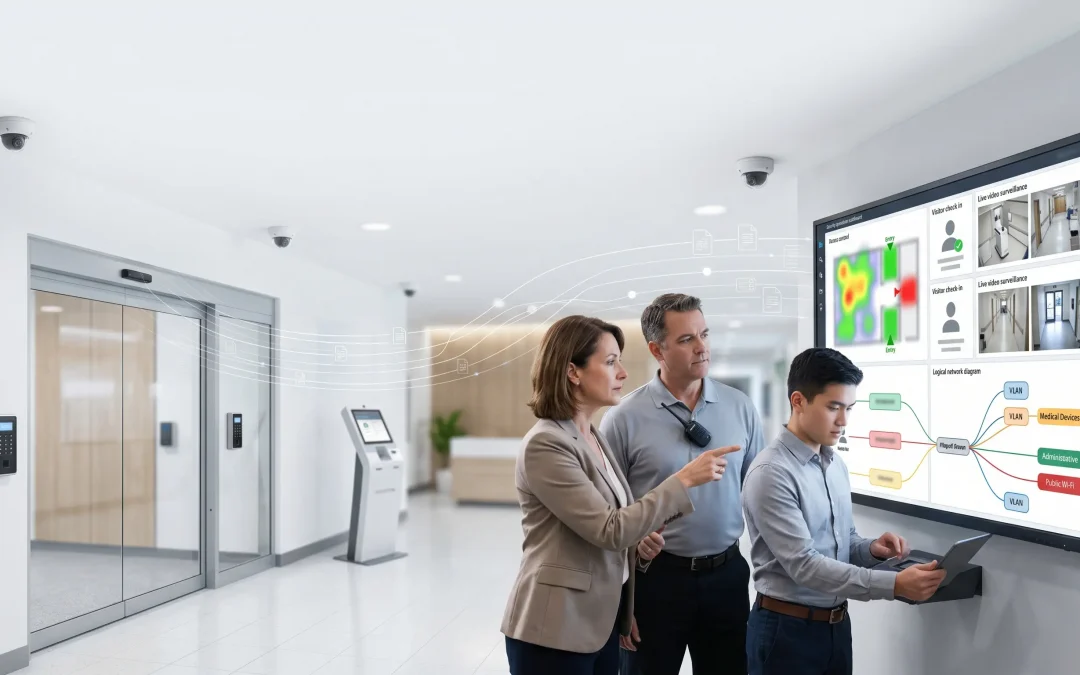
HIPAA Security Rule Update: How Healthcare Organizations Should Prepare Access Control, Visitor Management, and Segmented Security Networks
The proposed HIPAA Security Rule update is not just a cybersecurity issue for IT teams. For healthcare organizations, it is also a planning issue for leaders responsible for physical security, budgeting, purchasing, facilities, operations, and vendor selection.
For healthcare decision-makers, the HIPAA Security Rule update is a practical reminder to evaluate whether physical security systems, networked devices, and legacy infrastructure can support stronger access control, documentation, and risk management expectations.

Key Takeaways
What healthcare leaders should understand first
This guide is written for the people who must translate security expectations into practical facility decisions, technology priorities, vendor accountability, and realistic budgets.
- The proposed rule is a readiness signal, not a reason for panic buying or one-size-fits-all system replacement.
- Physical security systems should be reviewed as part of the broader healthcare security environment.
- Access control, visitor management, video surveillance, and intercoms are now networked systems that require documentation and supportable design.
- Legacy systems may still function while creating auditability, segmentation, remote-access, or support gaps.
- The best first step is a phased modernization roadmap based on risk, budget, and operational impact.
The HIPAA Security Rule update is a planning signal for healthcare leaders
The proposed HIPAA Security Rule update is focused on strengthening protections for electronic protected health information. While the rule is not a physical security regulation by itself, healthcare facilities should not treat physical security systems as separate from cybersecurity and compliance planning.
The HIPAA Security Rule update should be treated as a planning trigger for healthcare administrators, facilities directors, IT leaders, and purchasing teams responsible for security technology decisions.
Modern healthcare security systems are connected. Cameras use networks. Access control panels communicate with servers or cloud platforms. Visitor management systems store identity and visit data. Intercoms, door stations, and video systems may allow remote access from vendors or administrators.
That creates a simple but important reality: physical security technology is now part of the broader healthcare security environment.
For source context, healthcare leaders can review the proposed HIPAA Security Rule update, the HHS fact sheet, and the Federal Register notice before making compliance-related decisions.
Controlled access
Healthcare leaders need to understand who can reach sensitive areas, systems, records, medication storage, administrative spaces, and clinical zones.
Searchable records
Visitor, vendor, employee, and contractor activity should be easier to document, review, and retrieve when questions arise.
Segmented networks
Cameras, access panels, intercoms, and video systems should not be treated as harmless devices simply because they are physical security equipment.
Phased modernization
Not every system needs immediate replacement, but unsupported, undocumented, or exposed systems should be prioritized.
The goal is not to buy technology for the sake of compliance. The goal is to make sure healthcare security systems can prove who had access, control how visitors and vendors move through the facility, reduce network exposure, and support a documented security program.
Why physical security belongs in the HIPAA readiness conversation
Healthcare organizations often separate responsibilities across departments. IT owns the network. Facilities owns doors and locks. Operations owns visitor flow. Compliance owns documentation. Purchasing owns vendor selection and budget approvals.
That separation may be practical day to day, but it can create blind spots when security systems are reviewed as part of a broader risk management program.
A healthcare facility may have cameras, access control, visitor logs, and alarms in place, but still have unresolved questions:
- Are cameras and access control panels segmented from business or clinical systems?
- Can leadership quickly identify who has access to restricted spaces?
- Are visitor records searchable and consistently retained?
- Are former employees, vendors, or contractors removed from access control systems quickly?
- Are security vendors using documented and controlled remote-access methods?
- Are legacy NVRs, DVRs, panels, or servers still supported?
- Can the organization produce system documentation during an audit, incident, or insurance review?
These questions matter because healthcare security systems are no longer just building systems. They are part of the organization’s operational, cyber, privacy, and risk posture.
Need a practical healthcare security review?
Umbrella can help healthcare leaders evaluate access control, visitor management, video surveillance, and security network design without turning the process into a panic-driven replacement project.
Access control: more than opening doors
Access control is one of the most important areas for healthcare organizations to review. In a healthcare environment, access control helps determine who can physically reach spaces where sensitive systems, records, medications, equipment, and patient information may be accessed.
In that context, the HIPAA Security Rule update gives healthcare organizations a reason to review whether access permissions, audit trails, and door-level controls are still aligned with current operational risk.
A modern access control system should support more than convenience. It should help healthcare leaders manage risk.
Key considerations include:
- Role-based access permissions
- Department-specific access levels
- Restricted access to IT rooms, records areas, medication storage, administrative offices, and clinical spaces
- Fast deactivation of terminated employees
- Separate permissions for vendors, contractors, and temporary workers
- Access logs that can support investigations
- Regular access reviews by leadership
- Documentation of how access decisions are made
For many organizations, the problem is not that access control does not exist. The problem is that the access control system may not be managed, documented, or reviewed in a way that supports modern healthcare security expectations.
Healthcare leaders should ask: if an incident happened tomorrow, could we quickly determine who had access to the relevant area, when they entered, and whether their access was appropriate?

Visitor management: paper logs are becoming harder to defend
Visitor management is another area where healthcare organizations should evaluate whether old workflows still make sense.
The HIPAA Security Rule update also makes visitor and vendor accountability harder to ignore, especially in facilities where paper logs or informal front-desk procedures are still common.
Many facilities still rely on manual sign-in sheets, informal front-desk processes, or inconsistent visitor badges. These methods may be familiar, but they create limitations. Paper logs are harder to search. Handwritten entries may be incomplete. Badge policies may vary by shift, department, or location.
A stronger visitor management process helps answer:
- Who entered the facility?
- Why were they there?
- Who approved or hosted the visit?
- Were they a patient, family member, vendor, contractor, volunteer, or delivery person?
- Did they receive a temporary badge?
- Was the badge returned or expired?
- Were they allowed into restricted areas?
- Is there a searchable record after the visit?
For healthcare organizations, visitor management is not just about the lobby. It affects vendor access, contractor movement, patient privacy, restricted departments, and after-hours activity.
A modern visitor management system can help healthcare facilities create more consistent procedures, improve accountability, and support better documentation when questions arise.
Segmented security networks: cameras and access panels are network devices
One of the biggest blind spots in healthcare physical security is network design.
For networked security devices, the HIPAA Security Rule update reinforces the need to understand where cameras, access panels, intercoms, and visitor systems sit within the broader technology environment.
Cameras, NVRs, access control panels, intercoms, door stations, and cloud-connected security systems are not isolated hardware anymore. They are networked devices. If they are poorly configured, poorly segmented, or unsupported, they may create unnecessary exposure.
Healthcare organizations should review whether physical security devices are separated from other systems, including:
- Clinical systems
- Business workstations
- Administrative networks
- Guest Wi-Fi
- Building systems
- Public-facing networks
- Vendor remote-access pathways
Flat networks can make security systems easier to install, but they can also make risk harder to contain. If cameras, access control devices, workstations, and other systems share the same network without proper segmentation, a weakness in one area may create exposure elsewhere.
Security network segmentation does not have to mean overbuilding. It means designing the system so cameras, access control panels, and related devices are placed into appropriate network zones with controlled access, documented pathways, and supportable management practices.
For healthcare leaders, this is where the conversation should move beyond “Do we have cameras?” and toward “Are our security devices deployed in a way that supports our broader security program?”

Legacy security systems can create hidden readiness gaps
Many healthcare organizations have physical security systems that were installed in phases over many years. A facility may have one vendor for cameras, another for access control, another for alarms, and another for networking or cabling.
That creates complexity. It also creates hidden risk.
Legacy systems may still function, but functionality is not the same as readiness. A camera system can still record video while lacking modern security features. An access control system can still open doors while having weak user management. A visitor process can still move people through the building while failing to create useful records.
| Legacy issue | Why it matters | Potential modernization path |
|---|---|---|
| Flat network architecture | Security devices may create unnecessary exposure to business or clinical systems. | Segment cameras, access panels, servers, and management systems. |
| Unsupported DVRs or NVRs | Older systems may lack patches, encryption, or secure remote-access options. | Upgrade to a supported video platform or managed VMS. |
| Shared administrator credentials | Weak accountability and limited auditability. | Use named accounts, permission tiers, and stronger authentication where supported. |
| Paper visitor logs | Hard to search, verify, retain, or audit consistently. | Implement digital visitor management. |
| Old access control panels | Limited reporting, integration, or credential management. | Modernize access control with improved logging and role-based permissions. |
| Informal vendor remote access | Third-party access may be unmanaged or undocumented. | Create controlled, documented vendor access procedures. |
| No system documentation | Harder to support audits, incident response, insurance reviews, and budgeting. | Build a security system inventory and architecture map. |
The most important question is not whether every legacy system must be replaced immediately. The better question is which systems create the most operational, security, or documentation risk — and which upgrades should be prioritized first.
Healthcare security readiness checklist
Healthcare organizations preparing for future HIPAA Security Rule changes should start with a practical readiness review.
Use the following checklist to evaluate whether physical security systems are helping or hurting the organization’s overall security posture.
Inventory all connected physical security systems
Identify every security system connected to the network, including video surveillance cameras, NVRs, DVRs, video servers, access control panels, badge readers, intercoms, visitor management systems, alarm systems, cloud-managed platforms, and remote access tools used by vendors.
Document where each system is located, who manages it, who supports it, and whether it is still actively supported by the manufacturer.
Identify sensitive spaces
Map the areas where physical access could affect patient privacy, business operations, or electronic protected health information.
- IT closets and server rooms
- Records storage areas
- Administrative offices
- Nurse stations
- Medication storage rooms
- Clinical areas
- Billing offices
- Security equipment rooms
- Network closets
- Areas with shared workstations or terminals
Review access permissions
Access control systems should be reviewed regularly, not only when a problem occurs.
- Who has access to restricted spaces
- Whether access is based on job role
- Whether former employees have been removed
- Whether vendors and contractors have limited access
- Whether temporary access expires automatically
- Whether access levels are reviewed by leadership
- Whether the system can produce useful reports
Evaluate visitor and vendor workflows
Review how visitors, contractors, vendors, delivery personnel, and temporary workers move through the facility.
- Are visitors digitally logged?
- Are badges issued consistently?
- Do badges expire?
- Are restricted areas controlled?
- Are vendors escorted when needed?
- Can visit history be searched later?
- Are after-hours visits handled differently?
- Are visitor procedures consistent across shifts and locations?
Check security network segmentation
Healthcare organizations should understand where physical security devices sit on the network.
- Are cameras segmented from business and clinical systems?
- Are access control panels segmented?
- Is guest Wi-Fi isolated from security systems?
- Are vendor remote-access pathways documented?
- Are default passwords eliminated?
- Are devices patched or supported?
- Are public internet exposures removed or tightly controlled?
Review video retention and access
Video surveillance systems should be reviewed for both operational value and access control.
- How long video is retained
- Who can view live video
- Who can export video
- Whether exports are logged
- Whether remote viewing is controlled
- Whether older recorders are still supported
- Whether cameras cover the right areas
- Whether camera placement creates privacy concerns
Document vendor access and support responsibilities
Many healthcare organizations rely on outside vendors for security systems, networking, cabling, access control, and video surveillance. That is normal, but responsibilities should be clear.
- Which vendors support which systems
- How vendors access systems remotely
- Who approves vendor access
- Whether access is temporary or persistent
- Whether support activity is logged
- Who owns system documentation
- Who updates firmware or software
- Who handles emergency service
Build a phased modernization roadmap
Most healthcare organizations do not need to replace everything at once. A better approach is to prioritize improvements by risk, urgency, budget, and operational impact.
- Immediate removal of unsupported or exposed systems
- Access permission cleanup
- Visitor workflow improvements
- Network segmentation planning
- Camera and recorder replacement
- Access control modernization
- Documentation and system inventory
- Long-term standardization across locations
Turn the checklist into a modernization roadmap
If your team is trying to decide what is urgent, what can wait, and what should be phased into future budgets, Umbrella can help evaluate the current state of your healthcare security systems.
How to budget for healthcare security upgrades without overbuilding
Budgeting is one of the biggest challenges for healthcare physical security projects.
The HIPAA Security Rule update can help justify budget conversations before aging systems become urgent replacement projects.
Many organizations know they have aging systems, but they do not know which systems are urgent, which can wait, and which upgrades would provide the highest value. That uncertainty often delays decision-making until there is an incident, audit concern, failed device, insurance issue, or urgent compliance pressure.
A readiness assessment helps healthcare leaders separate priorities into practical categories:
| Priority level | Example | Budget approach |
|---|---|---|
| Immediate risk | Unsupported systems, exposed remote access, terminated users with active credentials. | Address quickly. |
| High-value improvement | Network segmentation, access review, visitor management, stronger documentation. | Plan near-term. |
| Operational upgrade | Better reporting, improved camera coverage, easier credential management. | Phase into budget. |
| Long-term standardization | Multi-site platform consolidation, cloud migration, infrastructure upgrades. | Roadmap over time. |
The most expensive security upgrade is usually the one made under deadline pressure. Healthcare organizations should use the proposed HIPAA Security Rule update as a reason to review and plan now, before final rule pressure, insurance requirements, or operational problems force rushed decisions.
What to ask a healthcare security integrator before upgrading
Choosing the right security partner matters. Healthcare facilities should not evaluate integrators only on equipment price. They should evaluate whether the partner understands healthcare operations, physical security, networked systems, legacy infrastructure, and long-term support.
Before selecting a partner, ask:
- Do you understand healthcare facility workflows?
- Can you evaluate access control, video, visitor management, and network infrastructure together?
- Can you help identify which systems are highest risk?
- Can you coordinate with our IT team or MSP?
- Can you document the current security system architecture?
- Can you help create a phased modernization plan?
- Do you support both new installations and legacy-system transitions?
- Can you help reduce disruption during upgrades?
- Can you provide service after installation?
- Will your recommendations be practical, or are you simply trying to replace everything?
A strong healthcare security integrator should help leadership make better decisions. That means explaining risk clearly, identifying practical next steps, and helping the organization avoid both underbuilding and overbuilding.
Where Umbrella Security can help
Umbrella Security helps healthcare organizations evaluate and modernize the physical security systems that support safer access control, visitor management, video surveillance, and segmented security network design.
For healthcare organizations, the right security partner is not just an installer. It is a team that understands how doors, cameras, visitor workflows, networked devices, and legacy infrastructure all affect the organization’s broader security posture.
Umbrella works with healthcare facilities that need practical security modernization — not scare tactics, overbuilt systems, or one-size-fits-all recommendations. Our team can help identify where existing systems may create risk, where upgrades are most urgent, and how improvements can be phased into a realistic budget.
If your healthcare facility is reviewing access control, visitor management, video surveillance, or security network segmentation in light of the proposed HIPAA Security Rule update, Umbrella Security can help assess your current system and build a practical modernization roadmap.
Final takeaway
The proposed HIPAA Security Rule update does not mean every healthcare organization needs to replace every physical security system immediately.
It does mean healthcare leaders should stop treating access control, visitor management, video surveillance, and security networks as disconnected building systems.
Modern healthcare security requires visibility, documentation, auditability, segmentation, and practical planning. The organizations that start reviewing their systems now will be better positioned to budget intelligently, reduce risk, and modernize without unnecessary disruption.
Frequently asked questions
Does the proposed HIPAA Security Rule update require every healthcare organization to replace its physical security systems?
No. The safer interpretation is that healthcare organizations should review whether their current access control, visitor management, video surveillance, and security network designs support modern documentation, auditability, segmentation, and risk management expectations. Replacement decisions should be based on risk, system age, supportability, and operational need.
Why do cameras and access control panels matter in a cybersecurity-focused HIPAA update?
Modern cameras, access panels, intercoms, NVRs, and visitor management systems are often network-connected. If they are unsupported, poorly segmented, or accessed through unmanaged vendor pathways, they may increase the organization’s broader security risk surface.
What should healthcare leaders review first?
Healthcare leaders should start with connected physical security systems, sensitive spaces, access permissions, visitor and vendor workflows, network segmentation, video access, vendor remote access, and unsupported legacy equipment.
Can Umbrella Security make a healthcare organization HIPAA compliant?
HIPAA compliance requires legal, administrative, technical, and organizational work beyond a physical security integrator’s role. Umbrella can help healthcare organizations evaluate and modernize physical security systems that support access control, visitor management, video surveillance, segmented network design, and practical security readiness.
Healthcare security should be practical, documented, and supportable.
Umbrella helps organizations connect physical security decisions to real facility operations, technical realities, and long-term ownership.
Next Step
Build a practical healthcare security modernization roadmap.
If your facility is reviewing access control, visitor management, video surveillance, or security network segmentation, Umbrella can help identify the highest-value next steps before budget pressure or system failures force rushed decisions.
- Access control and credential review
- Visitor and vendor workflow evaluation
- Camera and video system modernization planning
- Security network segmentation discussion
- Legacy system risk and budget prioritization
More Resources