

Cloud Access Control Systems for Businesses: 7 Features to Prioritize
Cloud access control systems for businesses can make it easier to manage doors, users, schedules, and security events across one building or many locations. The right system should improve both building security and day-to-day administration without weakening control at the door.

What Are Cloud Access Control Systems for Businesses?
Cloud access control systems let businesses manage door access through secure cloud-based software instead of relying only on an on-site server. Authorized administrators can update users, permissions, schedules, alerts, and event history from approved internet-connected devices.
The doors still need physical security hardware. The “cloud” part changes how the system is managed. It does not eliminate the need for proper door hardware, controller placement, wiring, power design, code-compliant egress, or local field service.
A business-ready cloud access control system should answer:
- Who has access?
- Which doors can they open?
- When can they enter?
- Who approved the access?
- Who changed the schedule?
- What happened during an alarm?
- Which doors are at which site?
- What still works if internet service drops?
If the system cannot answer those questions quickly, it may become a liability as your organization grows. Access control is not just a door decision. It is an operational decision.
Why Businesses Are Moving to Cloud Access Control
Many older access control systems still unlock doors, but they become difficult to manage over time. Former employees may keep active credentials, managers may rely on one person for changes, reports may be slow, and integrations with cameras or alarms may be weak.
For one small office, those issues may feel manageable. For a multi-site business, school, warehouse, manufacturing facility, or commercial property, they can create real security and operational risk.
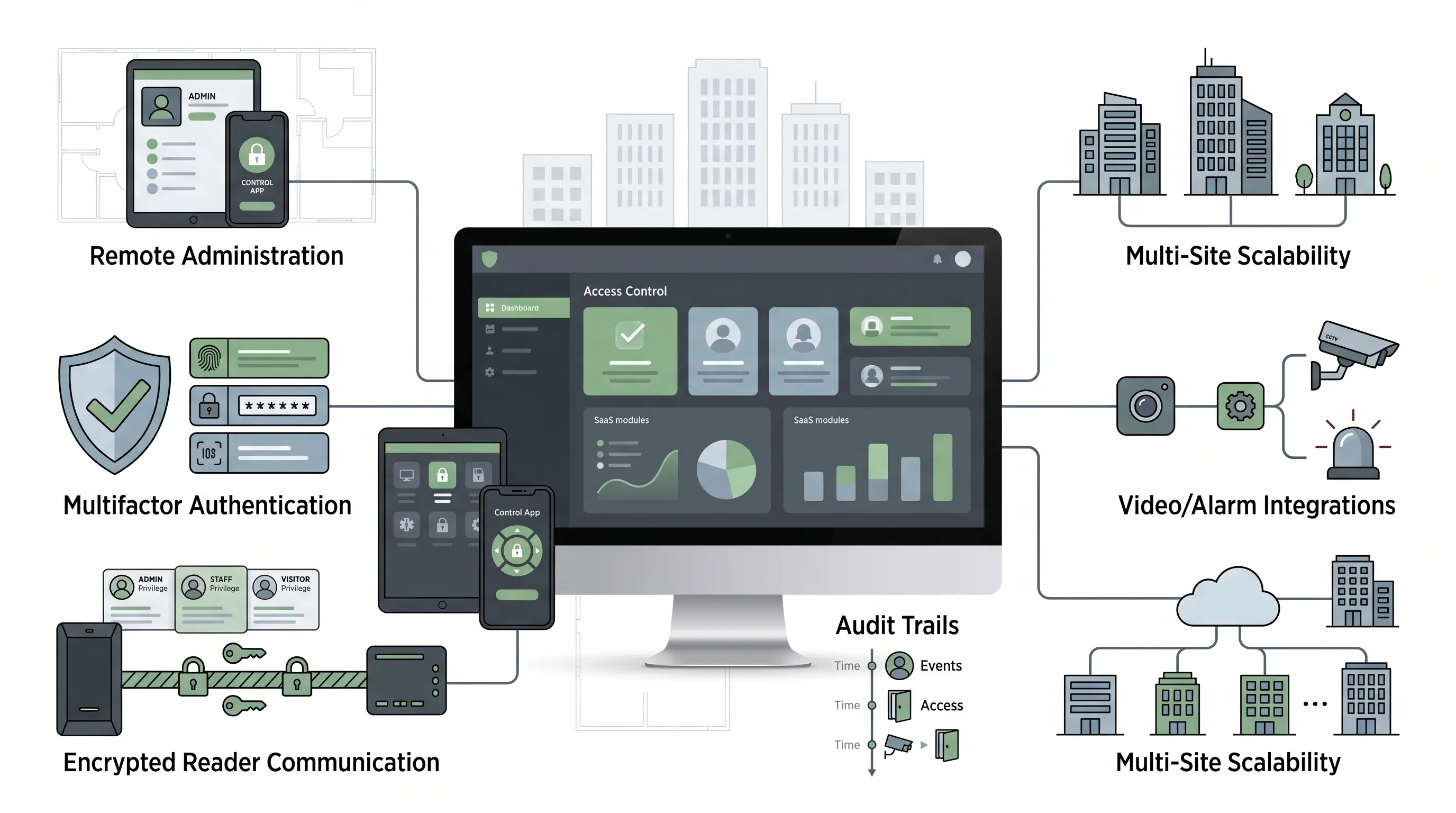
Cloud access control systems are attractive because they give businesses a more flexible way to manage users, doors, schedules, and reporting from one platform. But a cloud dashboard cannot compensate for poor door hardware, weak credential policies, unclear admin permissions, or bad naming conventions.
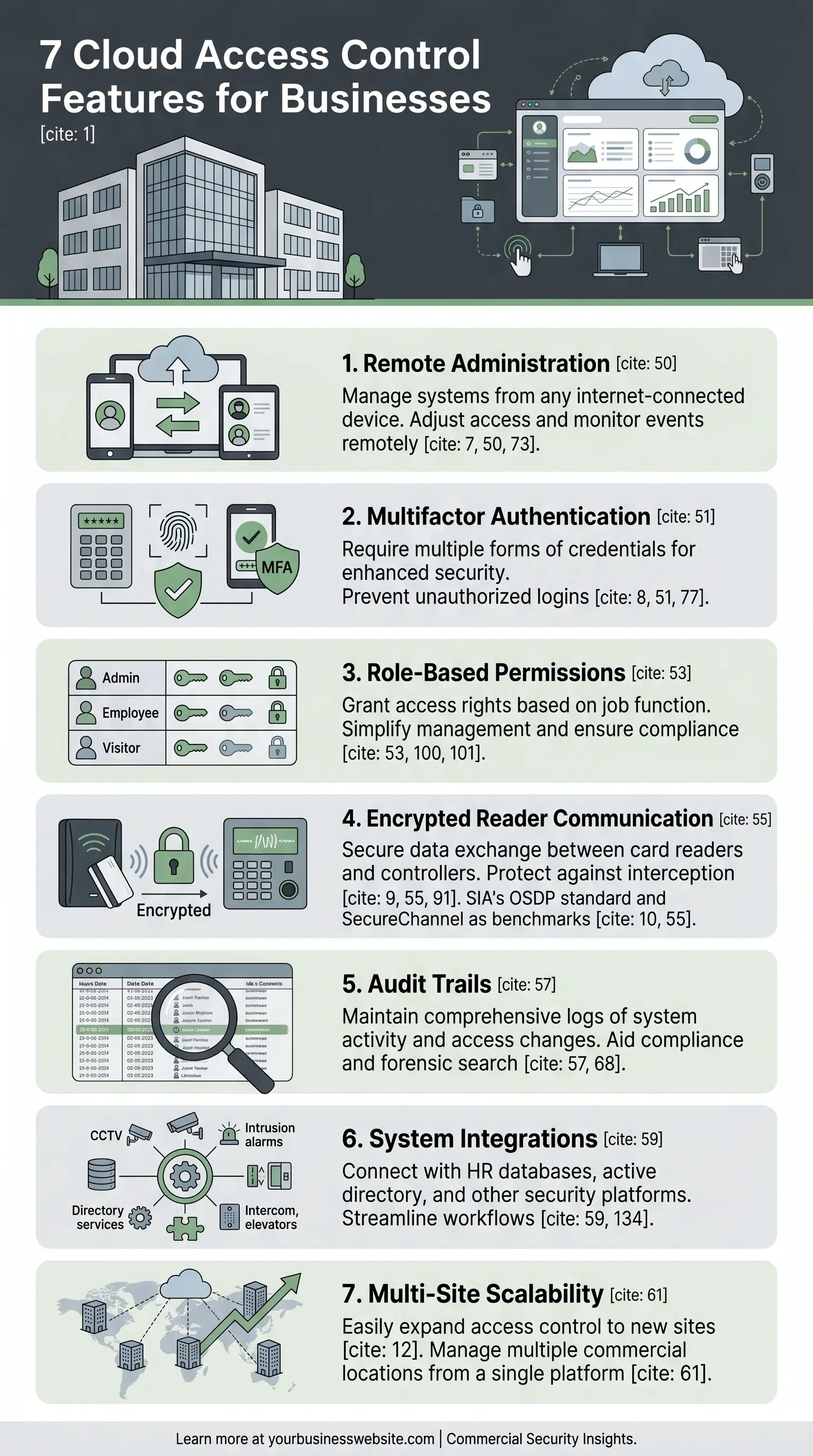
7 Cloud Access Control Features Businesses Should Prioritize
The strongest cloud access control systems reduce risk and operational friction at the same time. Start with the features that affect every site, every administrator, and every credential event.
1. Remote Administration From Web and Mobile
Remote administration is one of the biggest reasons businesses consider cloud access control. Your team should be able to manage the system without driving to the site, logging into an old server, or waiting for one person with local access.
A strong cloud access control system should let authorized users:
- Add and remove users
- Change access groups
- Update door schedules
- Review access events
- Respond to alerts
- Lock or unlock approved doors
- Manage multiple locations from one dashboard
2. Multifactor Authentication for Administrator Accounts
Administrator accounts can control physical space. That makes them high-value targets. A password-only admin portal is not enough for most business environments, especially when the system manages commercial offices, warehouses, schools, healthcare areas, municipal buildings, or restricted spaces.
CISA describes multifactor authentication as requiring a combination of two or more credentials to verify identity. For cloud access control, MFA should be required for administrators, especially global administrators and remote operators.
At minimum, ask whether the system supports:
- Authenticator apps
- Hardware security keys
- Strong password policies
- Conditional access rules
- Admin role separation
- Session timeout controls
The goal is simple: no single stolen password should give someone control over your doors.
3. Centralized Policy Control and Role-Based Permissions
Access control should not be managed as a long list of individual door decisions. That approach becomes messy quickly. A business-ready system should support centralized policy control using roles, groups, schedules, and site-specific permissions.
| Business Role | Access Design Example | Risk Reduced |
|---|---|---|
| Warehouse employee | Dock, employee entrance, and assigned shift access only. | Limits off-hours and restricted-area exposure. |
| Office employee | Lobby, suite, and office-area access without server room access. | Reduces unnecessary access to sensitive areas. |
| Vendor or contractor | Temporary access to approved doors during one service window. | Prevents lingering vendor credentials. |
| Site manager | Control over one location without global authority. | Limits administrative blast radius. |
Role-based permissions help reduce over-access. Many security problems are not caused by people having no access. They are caused by people having too much access for too long.
4. Encrypted Reader Communication
Many buyers ask whether the cloud platform encrypts data. That is important, but it is not the whole access control security picture. Businesses should also ask whether communication between the reader and controller is secure.
For stronger access control deployments, ask whether the platform supports OSDP, the Open Supervised Device Protocol from the Security Industry Association, and whether SecureChannel is available for reader-to-controller communication.
Encrypted reader communication matters most for:
- Manufacturing facilities
- Warehouses with high-value inventory
- Schools
- Municipal facilities
- Healthcare-related spaces
- Regulated areas
- Data rooms and restricted offices
Blind spot to avoid
Do not focus only on the cloud dashboard. If reader-to-controller communication is weak, the system may still have local vulnerabilities even if the cloud portal uses encryption and MFA.
5. Detailed Audit Trails and Fast Event Search
Access control is not only about allowing or denying entry. It is also about accountability. Your business should be able to quickly answer what happened, who was involved, and which system action occurred.
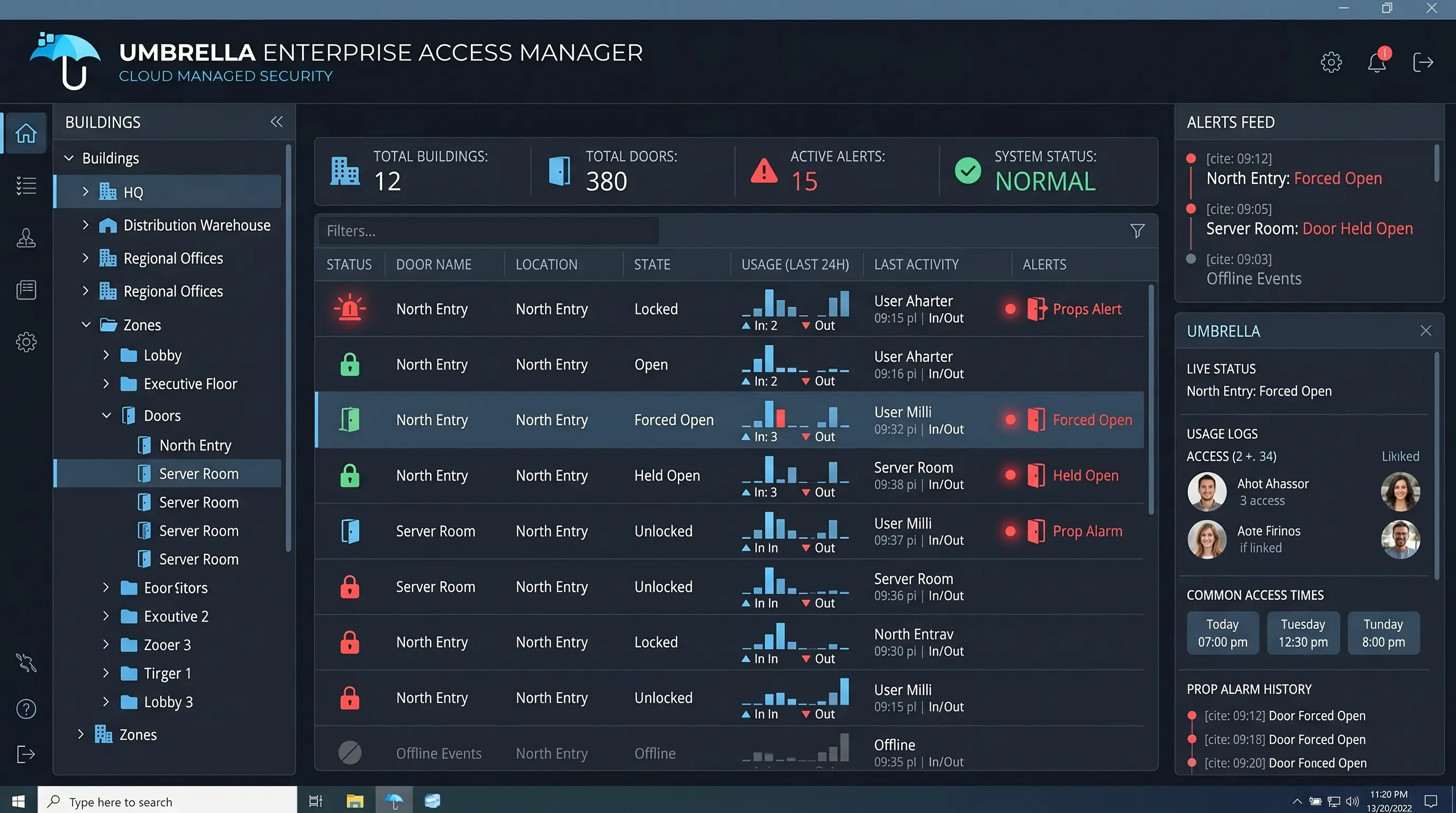
A strong system should provide searchable audit trails for:
- Door unlocks
- Denied access attempts
- Forced-door events
- Door-held-open events
- Credential activity
- User changes
- Admin changes
- Schedule updates
- Alarm conditions
- Site-level events
Audit trails are only useful if they are easy to search. Your team should be able to filter by user, door, site, time range, credential, event type, alarm condition, and admin action.
6. Integrations With Cameras, Alarms, Intercoms, and Identity Systems
Access control is more useful when it connects to the rest of the security environment. A door event becomes more valuable when your team can see related video, alarm activity, visitor records, or intercom history.
Strong business cloud access control systems should integrate with:
- Video surveillance systems
- Commercial intrusion alarms
- Intercom systems
- Visitor management platforms
- Elevator controls
- Mobile credential systems
- Directory or identity platforms
- Emergency notification workflows
- Lockdown procedures
7. Multi-Site Scalability and Resilient Operation
Cloud access control is especially valuable for businesses with more than one location. A strong platform should support growth without forcing your team to rebuild the system every time you add a door, department, or building.
Look for support for:
- Multiple buildings
- Multiple administrators
- Site-specific permissions
- Centralized reporting
- Local door control
- Standard naming conventions
- Scalable credential management
- Protected backups
- Clear service procedures
- Future integrations
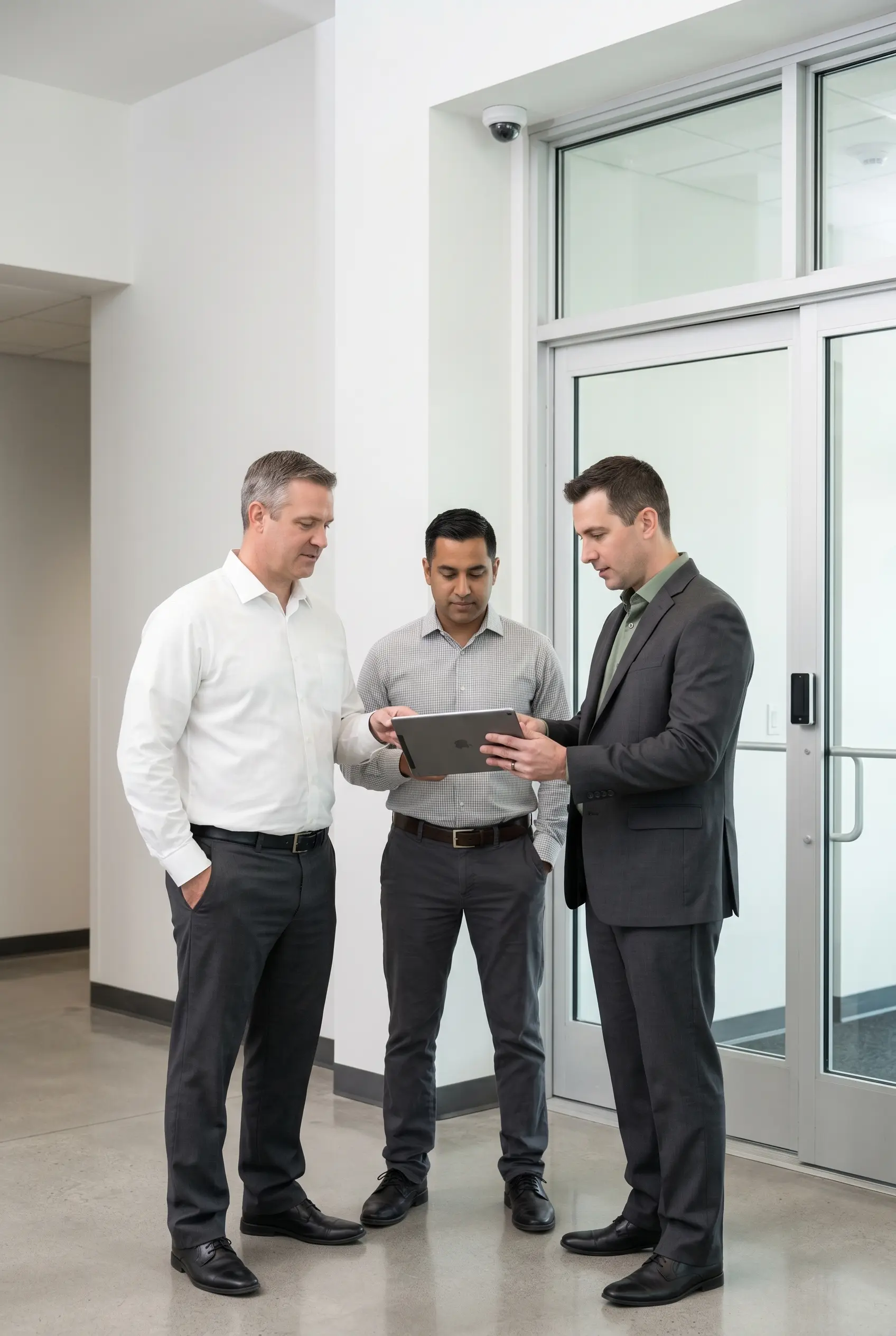
What happens if the internet connection goes down?
A cloud-managed system should not necessarily mean every door depends on a live internet connection for every decision. In many modern access control designs, local controllers continue making door decisions based on stored permissions even if cloud connectivity is temporarily interrupted.
Confirm exactly how the system behaves. Ask what keeps working, what stops working, what is logged, who is notified, and how service is handled.
Cloud Access Control vs. On-Premise Access Control
Cloud access control is often the better fit for businesses that need easier administration, remote management, multi-site visibility, and simplified software maintenance.
On-premise access control can still make sense in environments with strict internal hosting requirements, complex legacy infrastructure, specialized compliance rules, or limited internet reliability. Hybrid systems may also be the right choice.
| Architecture | Best Fit | Watch-Out |
|---|---|---|
| Cloud-managed | Multi-site businesses, remote administration, frequent user changes, centralized reporting. | Admin access and outage behavior must be clearly governed. |
| On-premise | Strict internal hosting, legacy dependencies, specialized local requirements. | Higher local maintenance, patching, backup, and server responsibility. |
| Hybrid | Organizations that need cloud oversight with some local services or segmentation. | Requires careful design to avoid complexity and unclear support ownership. |
For a deeper architecture comparison, review Umbrella Security’s guide to cloud vs. on-premise access control.
Business Use Cases for Cloud Access Control
Different facilities use cloud access control differently. The right system design depends on how people move through the building, which areas are sensitive, and who manages access day to day.
Commercial Offices
Offices often need access control for main entrances, tenant suites, elevators, server rooms, storage areas, parking areas, after-hours access, and visitor workflows.
Warehouses and Distribution Centers
Warehouses need access control for employee entrances, shipping and receiving, inventory zones, driver entrances, exterior gates, and after-hours monitoring.
Manufacturing Facilities
Manufacturing environments may need role-based access for production areas, inventory, machinery, maintenance zones, contractors, and administrative offices.
Schools and Education Facilities
Schools often need main entrance control, staff credential management, visitor integration, lockdown support, door-held-open alerts, and video integration.
Questions to Ask Before Choosing a Cloud Access Control System
Before choosing a cloud access control system for your business, ask direct questions about security, operations, integrations, resilience, and support.
For a manufacturer-specific example, read our PDK access control review.
For an alarm-led cloud ecosystem, you can also evaluate Alarm.com access control.
Security Questions
- Does the system require MFA for administrators?
- Does it support role-based admin permissions?
- Does it support OSDP SecureChannel?
- Are reader-to-controller communications encrypted?
- Can admin actions be audited?
Operations Questions
- Can permissions be changed remotely?
- Can users be grouped by role, site, schedule, or department?
- Can managers control only assigned locations?
- Can temporary access expire automatically?
- How fast is event search?
Integration Questions
- Can access events link to video?
- Can the system integrate with alarms?
- Can it connect with intercoms?
- Does it support visitor management?
- Are integrations native or middleware-based?
Resilience and Support Questions
- What happens if the internet goes down?
- Are permissions cached locally?
- Who receives system health alerts?
- Who services the doors, locks, readers, and controllers?
- Is local field service available?
Common Mistakes Businesses Make With Cloud Access Control
Cloud access control can be a strong investment, but only when it is planned correctly. Avoid these common mistakes before choosing a platform or starting installation.
Mistake 1: Choosing Software Before Understanding the Doors
The software matters, but the doors matter too. A proper access control plan should account for door type, lock type, fire code considerations, egress requirements, power needs, reader placement, controller location, network availability, and door condition.
Mistake 2: Giving Too Many People Admin Access
Cloud systems make administration easier. That does not mean every manager should have broad control. Separate global administrators, site administrators, department managers, read-only users, and temporary support access.
Mistake 3: Ignoring Credential Cleanup
Old credentials create unnecessary risk. Regularly review former employees, former vendors, duplicate users, temporary access, shared credentials, dormant accounts, and overly broad access groups.
Mistake 4: Treating Integration as an Afterthought
If cameras, alarms, intercoms, and access control are selected separately, the result may be a fragmented system. Integration planning should happen before installation, not after the first incident.
Mistake 5: Not Asking About Outage Behavior
Do not settle for vague answers like “it keeps working.” Ask what keeps working, what stops working, what is logged, and how the system recovers.
How to Plan a Cloud Access Control Rollout
A successful rollout starts before installation. The best projects follow a structured process that keeps security, operations, and support aligned.
- Inventory doors, users, and sites. Document controlled doors, user groups, schedules, credentials, admin users, and current pain points.
- Define roles and access groups. Build groups around real operational needs, not one-off door decisions.
- Review hardware requirements. Evaluate locks, readers, egress, fire alarm interfaces, cable paths, power, and door condition.
- Plan integrations. Decide early whether the system should connect to cameras, alarms, intercoms, visitor management, identity systems, mobile credentials, or elevators.
- Test real workflows. Add a new employee, remove a terminated user, create vendor access, search an event, pull related video, and simulate outage behavior.
- Train administrators and site users. Cover user management, event search, alert response, reporting, escalation procedures, and support ownership.
When Should a Business Upgrade to Cloud Access Control?
A business should consider upgrading when the current system creates security gaps, slows down administration, or cannot support growth.
- Access changes require local server access
- Former users are difficult to remove
- Reporting is slow or incomplete
- Multiple sites are managed separately
- Cameras and access control do not connect
- The system depends on aging server hardware
- Door schedules are inconsistent
- Managers cannot respond quickly after hours
- Credential cleanup is unreliable
- Vendor access is hard to control
The strongest case for cloud access control is not convenience alone. It is the combination of better visibility, cleaner administration, stronger accountability, and scalable security management.
Frequently Asked Questions About Cloud Access Control Systems for Businesses
What is a cloud access control system for businesses?
A cloud access control system lets a business manage door access, users, schedules, alerts, and event history through secure cloud-based software while still using physical door hardware such as readers, controllers, and locks on site.
Are cloud access control systems secure?
Cloud access control systems can be secure when they include strong administrator authentication, role-based permissions, encrypted communication, detailed audit trails, secure credentials, and properly installed door hardware.
What happens if the internet goes down?
Many cloud-managed access control systems use local controllers that continue making door decisions based on stored permissions during an internet outage. Businesses should confirm exactly which features continue working and which require cloud connectivity.
What features should businesses look for in cloud access control?
Businesses should prioritize remote administration, multifactor authentication, role-based permissions, encrypted reader communication, audit trails, integrations with cameras and alarms, and multi-site scalability.
Is cloud access control better than on-premise access control?
Cloud access control is often better for businesses that need remote management, multi-site visibility, easier updates, and centralized administration. On-premise or hybrid systems may still be better for organizations with strict hosting, compliance, or network requirements.
The Bottom Line
Cloud access control systems for businesses can improve security and simplify administration, but only when they are designed around real operational needs.
The right system should help your business control who can enter, which doors they can access, when they can enter, who can change permissions, how activity is reviewed, how incidents are investigated, how the system scales, and how doors behave during disruptions.
Umbrella Security can assess your doors, users, locations, integrations, risks, and growth plans before recommending the right commercial access control solution.