
PA & IP Paging Systems for Your Building
Speak to one room, a work area or the whole site.
We design, install and support commercial PA and paging systems across Chicago and Northern Illinois.
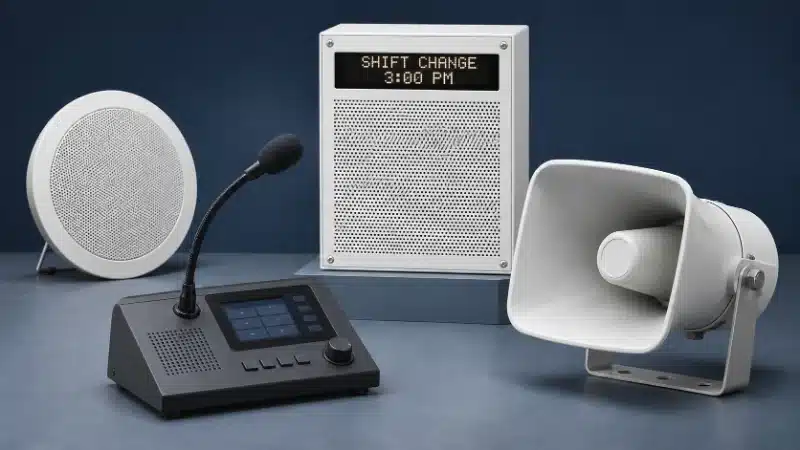

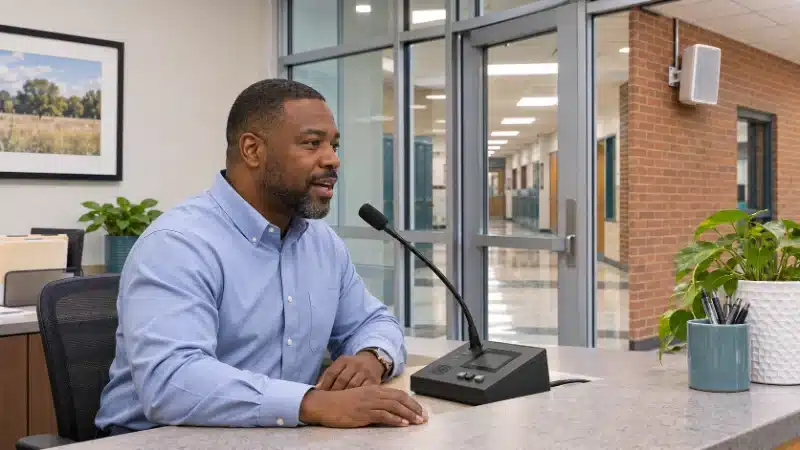
Your staff need a simple way to make announcements to the right areas. Umbrella helps you choose the speakers, controls and connections that fit your building, whether you’re updating an older PA system or planning a new one.
A complete system, from microphone to speaker
A public address (PA) system connects the person or recording making the announcement with the people who need to hear it. The design brings four parts together.
- Start the message. Use a paging microphone, a compatible phone, a saved recording or an approved trigger from another system.
- Choose where it goes. Set the rooms, groups or buildings that should receive it, along with who can send it.
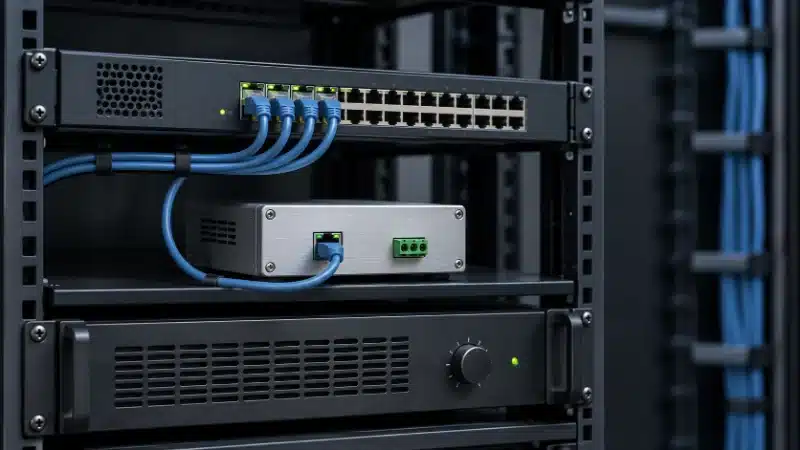
- Carry the audio. Use network connections, amplifier circuits or a supported combination of the two.
- Deliver it in the space. Select speakers and any visual displays around the room, background noise and intended audience.
You can use the same system for live pages, routine reminders and scheduled tones when the selected equipment supports those functions.
Build on the PA system you already have
Some upgrades can keep useful speakers and wiring. Others need new equipment to provide the control or coverage your team is missing.
We start by identifying what is installed and what you want to change. That makes it easier to compare a practical upgrade with a full replacement.
| Approach | When it can make sense | What still matters |
|---|---|---|
| Keep analog paging | Existing amplifiers and speaker circuits still do the job | Equipment condition, coverage, circuit loads and the available zones |
| Add a network interface | You want a supported phone or network source to feed existing audio equipment | The amplifier connection and which features the retained system can provide |
| Upgrade in phases | Part of the building can keep its equipment while other areas change | Consistent controls, message timing, priorities and support across both parts |
| Add IP speakers | You need room-level control or supported features beyond the practical limits of the existing circuits | Cabling, network power, management software, licenses and the changeover plan |
| Consider wireless distribution | Running new cable is difficult and a supported wireless approach fits the site | Signal conditions, power at each receiving device, capacity and backup |
Keeping an amplifier circuit also keeps some of its limits. Adding an interface does not automatically give every speaker its own zone, microphone or individual health monitoring.
Hear a recorded test from an Umbrella installation
This 23-second clip from Umbrella’s channel presents a school notification-system test with a recorded voice message.
Recorded test: the audio includes a lockdown message.
Umbrella Security Systems · March 9, 2023
For your building, the next questions are where the message needs to play, who starts it and how the agreed behavior will be checked.
Make everyday announcements easier to manage
A useful system gives staff clear control over where a message plays and what happens when announcements overlap.
Reach the right areas
Set up paging zones around how your building is used: offices, a production floor, a loading area, a classroom wing or an entire site. Staff should be able to recognize the right zone before they start speaking.
Handle routine schedules and exceptions
Schedule bell tones, shift reminders and recorded messages for the areas that need them. Include early-release days, holidays and other exceptions so staff can make changes without rebuilding the normal schedule.
Give important messages the right priority
Decide which audio should take over when a live page or urgent message starts. The system’s priority settings should reflect your procedures and be demonstrated during handover.
Add two-way calls where they are needed
Two-way communication needs a complete call path: a way to start the call, someone to answer and equipment that supports the conversation. A speaker alone does not establish that workflow.
Plan the network and power alongside the speakers
IP paging sends audio over your data network. Compatible Power over Ethernet, or PoE, equipment can supply both power and connectivity through the same cable.
The network plan needs to account for each device’s power requirement, the switch’s total capacity and any backup-power objective. It also needs to identify where management software will run and who will maintain it.
For a new building or expansion, bringing facilities and IT into the conversation early helps coordinate cable routes, network equipment and speaker locations.
For IT: phone integration and audio transport
SIP and multicast do different jobs. SIP can establish a call to a paging device or platform; multicast can distribute one audio stream to a group of network receivers.
The chosen platform determines which methods are used and how traffic needs to move between network segments or buildings. We review those requirements with the team responsible for your network.
Choose speakers for the space
The right speaker depends on where people will listen, the noise around them and how it can be mounted.
| Speaker type | Where it may fit | What shapes the choice |
|---|---|---|
| Ceiling | Offices, corridors and other indoor spaces | Ceiling construction, layout and even coverage |
| Wall or cabinet | Rooms and shared areas with suitable wall space | Mounting height, orientation and room acoustics |
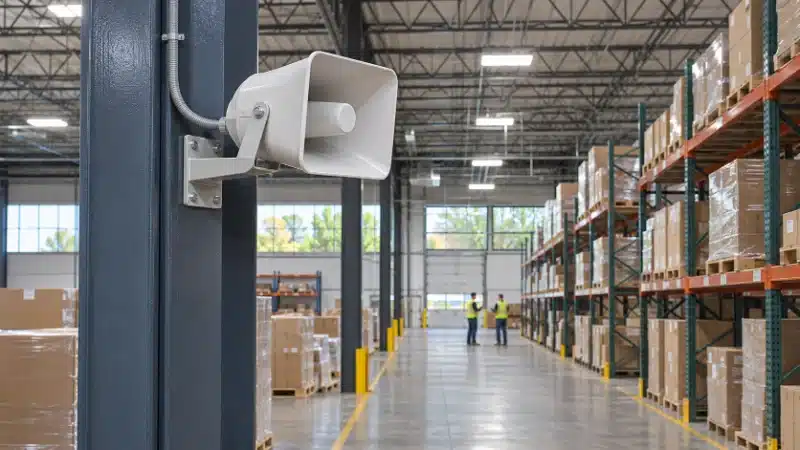
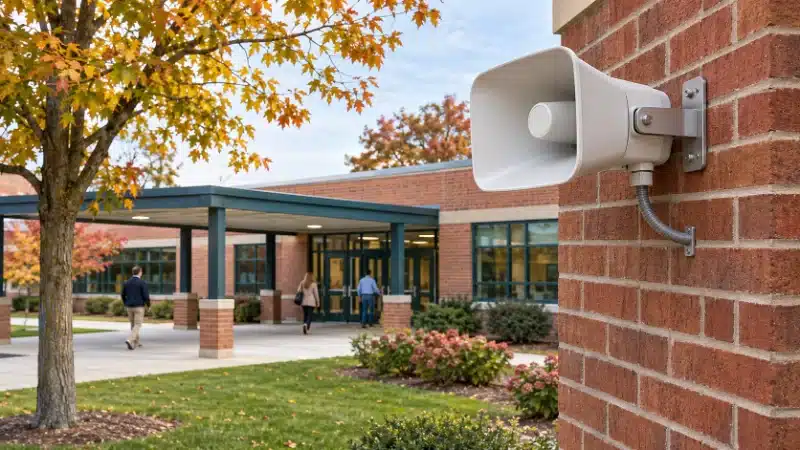
| Horn | Areas that need more directional sound | Background noise, distance, aiming and output |
| Outdoor | Exterior work areas, courtyards and approaches | Environmental protection, exposure, brackets and cable entry |
| Display or visual alert | Places where text or a visible cue should accompany audio | Sightlines, supported messages and accessibility needs |
Louder is not always clearer. Placement, background noise and reverberation still affect whether people can understand an announcement.
Connect audio with the wider communication plan
Supported camera or alarm events can also initiate a recorded message in some designs. The important decisions are which events may trigger it, where it plays and who is responsible for the response.
Any fire-alarm connection or emergency voice requirement needs its own verified scope. General-purpose paging does not establish fire-alarm compliance.
Put the technology to work in your facility
The system should reflect the way your building operates throughout the day.

Schools and campuses
Bring classroom announcements, bell schedules, office calls and outdoor areas into one plan. Account for early release, activities after school and the different listening conditions in classrooms, gyms and cafeterias.
Warehouses and manufacturing
Give offices, production areas and loading areas the paging zones they need. Machinery, racks, large open spaces and shift changes all affect the design.
Know what is included and who will look after it
A useful proposal makes the complete project understandable, from the first speaker location to ongoing support.
An early speaker count is a starting estimate. Cable routes, mounting, network power, software and the requested functions can all change the work involved. Compare those assumptions alongside the price.
Your proposal should distinguish equipment and cabling, network work, software and hosting, installation, training and ongoing service. A software-only quote covers a different scope from a complete installed system.
Agree on how the system will be demonstrated: the intended zones receive the message, people can understand it under representative conditions, schedules and priorities behave as planned, and included two-way or visual functions work. Include power-loss and recovery checks where they are part of the design.
At handover, your staff should know how to send a page, change a schedule, report a fault and get help. The responsible administrator, approved access and recovery route, and any included backups and documentation should be clear.
Common PA and paging questions
Can we keep our existing speakers?
Possibly. We review the speakers, amplifier circuits and required functions first. A supported interface can connect some existing systems to a new paging source, but the retained equipment will still have limitations.
Can staff page from our phones?
Some systems support compatible phones or telephone platforms. The phone system, paging method, licenses, zone selection and network requirements need to work together.
Are PoE speakers wireless?
No. PoE speakers use an Ethernet cable for power and connectivity. Wireless distribution is a separate choice and still needs an appropriate power source at the receiving equipment.
Can a classroom call back to the office?
Yes, with equipment and a configuration that support two-way communication. Decide how the teacher starts the call, where it rings and who answers when the usual recipient is unavailable.
Will announcements work during an outage?
That depends on what loses power or connectivity. Speakers, switches, amplifiers and management equipment may all sit in the audio path. Backup power for one part does not keep every part running.
What does maintenance include?
The service scope may cover faults, supported software updates, backups, schedule changes and staff assistance. Establish what is covered and who is responsible for maintaining access and reporting problems.
Technical references for a closer look
These manufacturer resources explain their own systems and supported connections.
- Axis public-address white paper: components, zones, priorities and management in an Axis IP-audio system.
- Singlewire speaker and clock integrations: a starting point when evaluating an InformaCast connection.
Specific models, versions, licenses and configuration still determine what will work together.
Talk through your PA or paging project
Tell us which areas need announcements, what equipment is already installed and what needs to work better. If you have a floor plan or equipment list, mention it when you contact us.
Our team will review your request and contact you to discuss the next step.