
Compare emergency notification vendors with a clearer plan.
Choose for the people you need to reach, the building systems you already have and the workflow your team will operate.
Evaluating a Chicago or Northern Illinois facility? Explore local notification-system planning.

Explore the five platforms in this guide
Who needs the message—and where?
Validate reach before comparing feature counts.
- Which groups need text, voice, email or an app—and who maintains their contact details?
- What does the report show when a contact is missing, a message fails or nobody acknowledges it?
- Can an authorized backup operator send the same approved message?
Map the places a phone may not be enough.
- Identify rooms, production areas, outdoor zones and visitor spaces that need audible or visual notification.
- Inventory paging, speakers, displays and IP phones by exact model and connection.
- Demonstrate the proposed workflow at representative endpoints, including accessibility needs.
Keep one-site and organization-wide messages distinct.
- Define who can alert one zone, a whole site or every location.
- Test a mixed-channel scenario, then inspect results by channel and endpoint.
- Assign responsibility for directory updates, network dependencies and support escalation.
Separate what can stay from what must change.
- Document existing endpoints, licenses, integrations and administrator access.
- Ask which parts can be retained and what evidence establishes compatibility.
- Agree on transition coverage, cutover tests, operator training and a recovery plan.
These are evaluation prompts, not a platform recommendation or a claim that a workflow has been tested at your site.
Five platforms. Different questions to ask.
| Platform | Start the evaluation here | Ask the vendor to demonstrate |
|---|---|---|

| Multichannel and two-way messaging, recipient targeting, contact-data synchronization and delivery reporting. | How do groups stay current? Show a targeted message, recipient response and an undelivered-contact report using the channels in your proposed package. |
| EverbridgeMass notification & critical eventsOfficial product information ↗ | Targeted two-way communication as part of a wider critical-event workflow. | Which notification, incident-management and integration capabilities are included? Demonstrate the workflow your operators will actually use. |
| OnSolve PlatformBy Crisis24Official platform specification (PDF) ↗ | Critical communication with package-dependent risk intelligence and related capabilities. | Separate Core/Advanced scope, Risk Intelligence, CodeRED and transaction fees in the proposal. Do not assume every named capability is included. |

| A building-focused evaluation of endpoints such as speakers, beacons, desktops and digital signage. | Which exact endpoints, zones and connections fit your facility? Ask how coverage and failure reporting will be demonstrated in representative spaces. |
| Singlewire InformaCastBuilding & communication integrationsOfficial integration information ↗ | Notification workflows involving paging, IP phones, speakers, visual indicators and desktop/mobile channels. | Distinguish notification from calling/paging. Verify device models, the Teams path, network design and the licenses/configuration needed. |
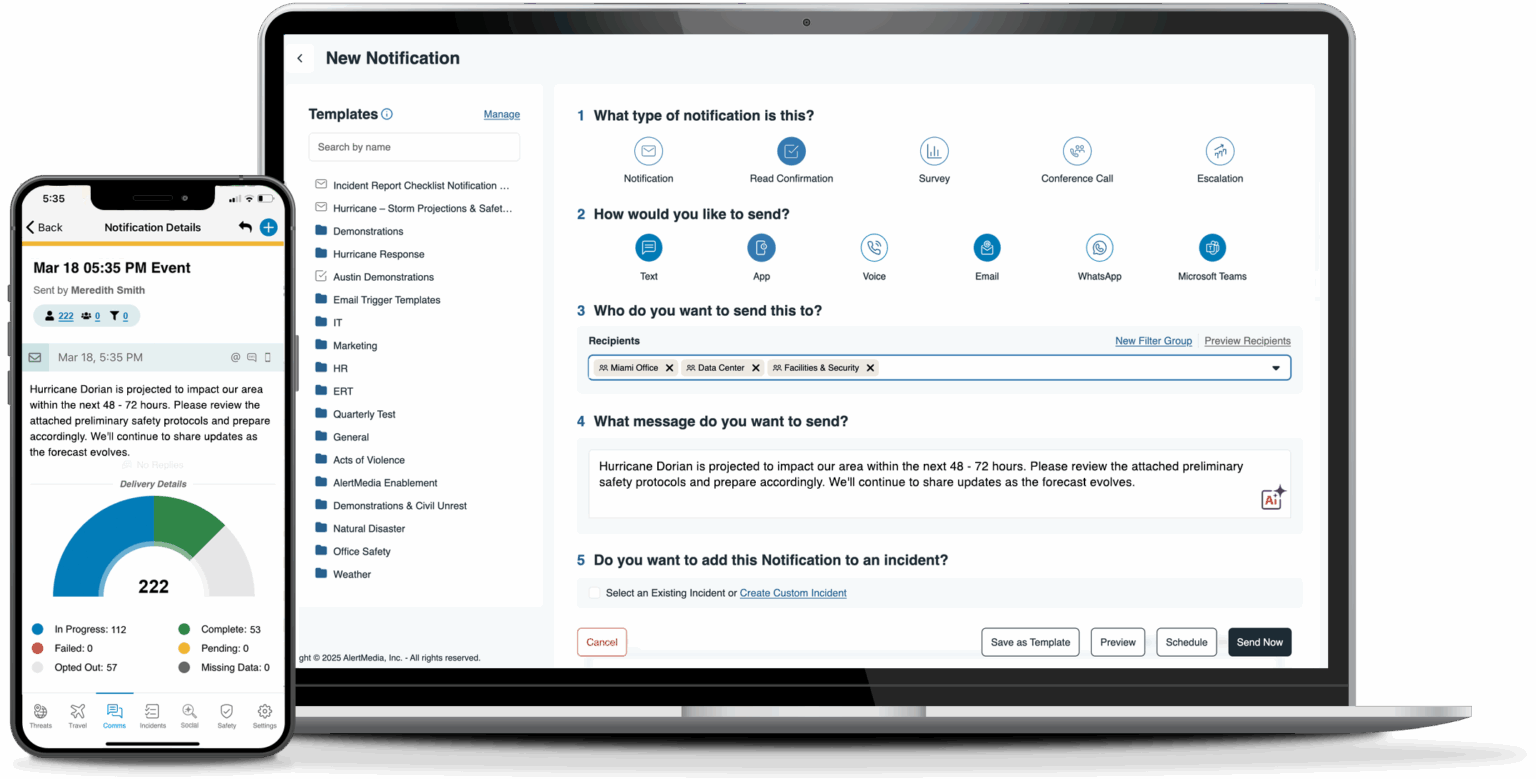

Vendor images show product examples. Confirm current interfaces and included features during your demonstration.
Connect the platform to your facility.
Singlewire InformaCast: connect alerts to the tools your team uses.
01 · Start with exact devices and scenarios
02 · Separate a Teams notification from a page
03 · Prove zones, permissions and recovery
Follow one message from decision to response.
- 1. AuthorizeIdentify operators, backup roles and approved scenarios before enabling an alert workflow.
- 2. RouteDefine groups, zones and channel choices. Test a targeted message without assuming every system shares the same recipient list.
- 3. DeliverCheck network, power and endpoint dependencies. Include the people who may not carry a phone.
- 4. Account forReview delivery, acknowledgment and failure reports separately. Assign the next action and recovery owner.
Review network capacity, backup power, endpoint coverage and the behavior of each delivery channel during an outage. Define the required failover paths, testing procedures and recovery responsibilities before selecting a platform. Network upgrades may be part of the design, but they do not by themselves guarantee that every emergency message reaches every recipient. Discuss the notification design for your facility
The same platform faces different facility questions.

Manufacturer application images are shown for comparison; they are not photographs of Umbrella installations.
Schools & higher education
Test classroom, common-area, outdoor and after-hours scenarios. Include visitors and accessibility needs; distinguish a single-building alert from a campus-wide message.Manufacturing, warehouses & logistics
Evaluate noisy production floors, loading areas, shift changes and outdoor zones. Food and chemical facilities should bring their environmental and operating constraints into endpoint selection.Government & public facilities
Separate employee, public-facing and multi-building workflows. Make permission levels, records, procurement scope and ongoing responsibility explicit in the evaluation.Offices, high-rises & multifamily
Clarify tenant and property-team responsibilities, visitor areas and after-hours coverage. Confirm how occupant information stays current and who can send a building-wide message.Bring one brief to every vendor.
This checklist does not submit or store your answers. Use controlled tests approved by your facility team; this guide does not prescribe live emergency actions.
Go deeper without starting over.
Understand the system
Review how notification channels, people and infrastructure fit together.How mass notification works →Plan local delivery
Move from a shortlist to requirements for a commercial or government facility.Chicago-area notification planning →Frame the school decision
Explore education-specific alert planning and stakeholder questions.School emergency alert guide →Questions to settle before the proposal
Which emergency notification vendor is best?
Can existing paging or security equipment stay?
What should the cost comparison include?
How often should the system be tested?
Turn a feature list into a facility conversation.
Bring your existing system inventory and the scenario you need to solve. The next useful step is to define the building, network, endpoint and support responsibilities around that decision.Review notification-system planningStart with these three details.
- Your facility type and locations
- Existing phones, paging and notification equipment
- The priority workflow or replacement problem
An initial conversation helps establish scope. It does not imply platform availability, manufacturer certification or a completed design.