
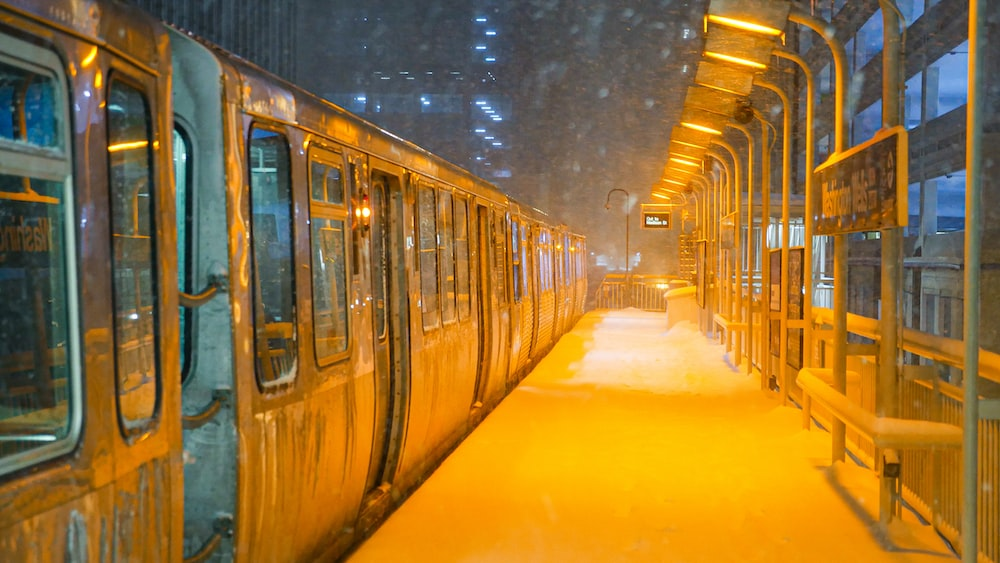
Winter creates a distinct set of security challenges for Chicago commercial facilities — and most businesses aren’t fully prepared for them. Cameras that work flawlessly in October can fail in a January deep freeze. Ice accumulation obscures coverage zones. Reduced daylight hours mean more operating time in darkness. Holiday closures create extended periods of unmonitored vacancy. And the same snow that shuts down city streets slows police response times when you need them most.
This guide covers the specific steps Chicago businesses should take to ensure their security surveillance systems perform reliably through winter — and the additional security considerations that the season introduces.
1. Winterize Your Commercial Security Camera System
Not all commercial security cameras are rated for Chicago winters. Before temperatures drop, verify:
- Operating temperature ratings: Quality outdoor IP cameras should be rated to at least -40°F (-40°C). Chicago’s polar vortex events can push temperatures below -20°F — cameras rated only to 14°F (the consumer standard) will fail. Check your camera specifications against the worst-case scenario, not average winter temperatures.
- IP66/IP67 weatherproofing: The ingress protection rating indicates resistance to dust and water. IP66 (protected against powerful water jets) is the minimum for Chicago outdoor installations. IP67 (temporary submersion) or IP68 is appropriate for areas prone to ice melt runoff.
- Heated housings: For cameras in extremely exposed locations, heated housings prevent condensation and ice formation on lenses. This is particularly important for PTZ cameras where moving parts can seize in extreme cold.
- Cable and conduit inspection: Outdoor camera cabling is subject to contraction in cold weather. Inspect conduit entry points for gaps that allow moisture infiltration, and verify that cable connections at junction boxes are weatherproofed.
- Lens cleaning: Snow, ice, and road salt spray accumulate on camera lenses faster in winter. Establish a maintenance schedule for cleaning exterior lenses, particularly on cameras covering parking lots and loading docks.
2. Adjust Camera Coverage for Winter Conditions
Winter changes your camera coverage in ways that summer testing won’t reveal:
- Snow accumulation: Snowfall accumulating on surfaces, vehicles, and structures can shift into camera fields of view, obscuring coverage zones or triggering continuous motion detection events. Review camera angles after the first significant snowfall and adjust where needed.
- Reduced daylight hours: Chicago loses roughly 5 hours of daylight from summer to winter. Cameras that performed adequately with ambient light may have insufficient coverage in pre-dawn and post-dusk hours when many businesses are still operating. Verify that IR illumination range covers your required detection distances in darkness.
- IR reflection off snow: Snow is highly reflective and can cause IR cameras to overexpose, washing out footage in lit areas. Adjust IR intensity settings on cameras covering snowy exterior areas.
- Holiday lighting and decorations: Temporary lighting changes can create glare or blind spots on cameras that weren’t positioned with that in mind. Walk the perimeter after holiday decorations go up to verify coverage hasn’t been compromised.
3. Remote Monitoring for Holiday Closures and Business Travel
Holiday closures create extended periods when commercial facilities are unoccupied — exactly when opportunistic break-ins occur. A properly configured security surveillance system with remote access allows owners and managers to monitor their facilities from anywhere:
- Live camera feeds accessible via mobile app or web browser
- Motion-triggered alerts sent directly to designated contacts
- Two-way audio on equipped cameras for remote communication with anyone on-premises
- Integration with professional monitoring services that respond to alerts when you’re unavailable
If your current system doesn’t support remote access, winter is a good time to evaluate an upgrade. Modern IP camera management platforms provide full remote access as a standard feature — not an add-on. See our guide to commercial security camera installation for what current systems offer.
4. Secure Holiday Deliveries and Inventory
Winter brings elevated shipping volumes and seasonal inventory buildups that create additional security requirements:
- Loading dock coverage: Verify camera coverage at all receiving areas is functional and recording continuously during peak delivery periods. Loading docks are the highest-theft-risk area in most commercial facilities year-round, and elevated activity in winter increases exposure.
- Package theft deterrence: Exterior cameras with visible placement at entrance and delivery areas deter package theft. Motion-triggered lights combined with cameras at delivery areas are particularly effective.
- Access control for seasonal staff: Holiday temporary employees should receive time-limited credentials through your commercial access control system — credentials that expire automatically when their employment ends, without requiring manual deprovisioning.
- After-hours alarm coverage: Extended holiday closure periods warrant a review of your commercial alarm system configuration — ensure all entry points and storage areas are armed during closure periods.
5. Monitor Weather Impact on Your Facility
Winter weather doesn’t just threaten security equipment — it can create facility vulnerabilities that security systems help detect and document:
- Roof and structural monitoring: Cameras positioned to cover rooflines can detect ice dam formation, snow accumulation on flat roofs, and other structural concerns before they become emergencies.
- Slip and fall documentation: Camera coverage of parking lots, walkways, and building entries provides documentation for liability purposes when winter weather creates hazardous conditions.
- Utility and mechanical areas: Cameras covering exterior utility areas, HVAC equipment, and generator locations provide visibility into potential freeze-related equipment failures.
- Perimeter fence and gate integrity: Snow and ice accumulation can compromise perimeter fencing and gate operation. Camera coverage of perimeter areas makes it easier to identify and address breaches before they become security incidents.
6. Schedule Pre-Winter Security System Maintenance
The best time to discover a failing camera or a misconfigured alarm zone is before a January blizzard, not during one. A pre-winter security system maintenance visit should cover:
- Functional test of all cameras — verifying recording, night vision, and remote access
- Inspection of all outdoor camera housings, mounts, and cable connections for weather damage
- Review of alarm sensor coverage — door contacts, motion detectors, and glass break sensors
- Verification that access control hardware is functioning correctly at all entry points
- Update of emergency contact lists and response protocols for the winter period
- Test of remote monitoring access for owners and designated contacts
A professional security assessment before winter is particularly valuable if your system is more than 3–4 years old or was installed without attention to Chicago’s climate requirements.
Chicago-Specific Winter Security Considerations
Chicago’s winters present conditions that generic security guidance doesn’t account for:
- Polar vortex events: Chicago regularly experiences temperatures below -20°F during polar vortex events — beyond the rated operating range of many commercial cameras. Equipment selection should account for worst-case temperatures, not typical winter averages.
- Lake effect snow: Facilities on the North and Northwest sides experience heavier snow accumulation that requires more frequent camera lens cleaning and monitoring of coverage zones.
- Extended freeze-thaw cycles: Repeated freeze-thaw cycles are more damaging to outdoor equipment than sustained cold. Conduit, cable connections, and camera mounts are all subject to accelerated degradation from expansion and contraction.
- Reduced response times: Blizzard conditions slow police and emergency response. Remote monitoring and alarm systems that notify multiple contacts — and professional monitoring centers — are more important in Chicago winters than in milder climates.
Umbrella Security Systems has been designing and installing commercial security systems in Chicago for over 15 years. We select and install equipment rated for Chicago conditions — not spec’d for average U.S. climates. If your current system wasn’t installed with Chicago winters in mind, contact us to discuss an assessment before the cold sets in.
Frequently Asked Questions
What temperature rating do outdoor security cameras need for Chicago winters?
Outdoor security cameras for Chicago should be rated to at least -40°F (-40°C) to handle polar vortex conditions. Consumer-grade cameras often rated to 14°F (-10°C) are inadequate for Chicago’s extreme cold events. Look for cameras with IK10 impact ratings (which also indicate robust construction) and IP66 or higher weatherproofing. Heated housings are worth considering for cameras in extremely exposed locations or those covering critical coverage zones where failure is unacceptable.
How do I access my business security cameras remotely during holiday travel?
Modern IP-based security camera systems include remote access via mobile app and web browser as standard. You can view live feeds, review recorded footage, and receive motion-triggered alerts from anywhere with an internet connection. If your current system doesn’t support remote access, it’s likely due for an upgrade — most systems installed more than 5–7 years ago predate widespread mobile access capability. A qualified integrator can assess whether your existing cameras can be integrated into a modern management platform or whether hardware replacement is warranted.
Should I upgrade my security system before winter?
If your cameras are older than 5 years, weren’t specified for Chicago climate conditions, or lack remote access capability, a pre-winter upgrade is worth evaluating. The cost of a service call to replace a failed camera during a January blizzard — combined with the security gap during an extended outage — typically exceeds the cost of proactive equipment replacement. A security assessment will identify which components are likely to fail and prioritize upgrades by risk.
How do I prevent false alarms from winter conditions?
Winter generates more false alarm sources than any other season — blowing snow, animals seeking shelter, IR reflection off snow, and HVAC equipment working harder all create motion and vibration that can trigger sensors. Mitigation strategies include adjusting motion detector sensitivity for winter conditions, reviewing camera placement to minimize snow reflection, ensuring alarm zones are configured for seasonal changes in facility use, and using dual-technology motion sensors (PIR + microwave) that require two simultaneous detection events to trigger. A pre-winter system review by a qualified integrator typically reduces winter false alarm rates significantly.