

 Cloud access control review
Brivo Access Control Review
Where Brivo works well, where we would slow down, and what commercial buyers should verify before choosing a cloud access control system.
Brivo is one of the better-known cloud access control systems for commercial buildings, property managers, multi-site organizations, and teams that want remote access administration without maintaining a local server.
That can be a strong fit. It can also be the wrong fit if the buyer has not thought through who will manage the system, how credentials will be issued, how mobile access will work, what IT needs to approve, and what video or intercom workflow the building actually expects.
Is Brivo the Right Access Control System for Your Building?
Brivo can be a strong access control system when the buyer needs cloud management, remote administration, mobile credentials, and a cleaner way to manage doors across one building or many sites.
We would slow down before recommending Brivo if the buyer expects all setup to happen easily from a phone, assumes every video or intercom workflow will be seamless, wants strict on-premise control, or does not know who will manage users and credentials after installation.
You want to manage users, schedules, and doors from a browser instead of a local server.
You want local-only control or do not want cloud dependency.
You need visibility across more than one office, property, or facility.
You only need one simple door and almost no ongoing administration.
You want employees, tenants, or users to unlock doors with phones.
You still need legacy cards, strict credential formats, or a very controlled card-first process.
You want to review SSO, identity integration, user permissions, and cloud security before approval.
Nobody owns administrator rights, mobile credential policy, or employee offboarding.
You want to connect access events with video context.
You expect every live-view, intercom, and visitor workflow to work without confirming the exact behavior.
Brivo Is a Serious Cloud Access Control Platform
Brivo is often a good fit for commercial offices, property managers, multi-site organizations, and teams that want remote administration and mobile credentials without maintaining a local access control server.
Our field impression is generally positive once Brivo is installed, documented, and commissioned correctly. Where we slow down is around the details: mobile programming, reader documentation, credential setup, administrator workflow, video expectations, IT approval, and long-term support.
A good Brivo access control system starts with the doors and the people using them, not with the software demo.

Who Brivo Usually Fits Best
Brivo is strongest when a buyer wants cloud-managed access control and has a real need for remote administration, user changes, mobile credentials, or multi-site visibility.
Commercial offices
Brivo can fit offices that need employee access, after-hours schedules, mobile credentials, visitor coordination, and remote user management.
Property managers
Brivo can fit property managers who need to handle turnover, common-area access, tenant access, staff permissions, and remote administration without making every change on site.
Multi-site organizations
Brivo can fit organizations that need to manage access across several locations from one cloud platform.
Multifamily and mixed-use
Brivo may fit when common-area access, mobile credentials, and remote management are part of the plan. Video and intercom expectations should be verified before choosing the system.
IT-aware buyers
Brivo can fit buyers who want to evaluate identity integration, SSO, administrator permissions, mobile credential policy, cloud security, and employee offboarding.
Small and mid-market facilities
Brivo can fit commercial facilities that want a modern cloud access control system without stepping into a heavy enterprise platform.
What Brivo Says Its Platform Does
Brivo presents its platform around cloud access control, remote administration, mobile credentials, video options, visitor workflows, and integrations with identity and security systems.
That is useful information, but manufacturer capabilities are only the starting point. A buyer still needs to know whether those capabilities fit the building.
Questions that matter before the demo
- Who will add and remove users?
- How will doors be named and organized?
- Which readers and credentials will be used?
- Will mobile credentials be issued?
- Who approves mobile access?
- Does IT need SSO or identity integration?
Questions that matter after handoff
- What happens when an employee leaves?
- What video or intercom workflow is expected?
- Who supports the system after installation?
- Should Brivo be compared with Verkada, Avigilon Alta/Openpath, Axis, PDK, Genetec, LenelS2, or Keyscan before approval?
What We’ve Seen Installing and Supporting Brivo
Brivo has several things going for it from an installer and support perspective. The system can be stable once it is installed and commissioned correctly. We do not view Brivo as a platform that constantly falls offline when the project is done right.
Training matters
Brivo’s online installer training can be completed without pulling a technician away for a long out-of-state course, and our field impression is that the training is more useful than a shallow product overview.
Support access matters
When a technician is on site standing in front of a controller or reader, quick access to support can make a real difference. Brivo’s support process can be helpful when the installer is properly set up before the project.
Documentation matters
Brivo projects can get messy when reader serial numbers, mobile credential requirements, door names, access groups, and physical locations are not documented before programming.
Where Brivo Works Well
Remote administration
Brivo is strong when a customer wants to manage doors and users from a cloud platform instead of relying on local-only software.
Multi-site access control
Brivo makes sense when one organization needs to manage several buildings, offices, properties, or tenant areas without treating each location as a separate system.
Mobile credentials
Brivo mobile credentials can be valuable when employees, tenants, or users need phone-based access instead of physical cards or fobs.
Property and tenant turnover
Brivo can help when access rights need to change frequently and the person making the change is not always standing inside the building.
Browser-based management
Brivo is generally better understood as a browser-first administration platform. Serious setup and programming usually deserve a larger screen and a clean process.
Commercial cloud access control
Brivo belongs in the serious commercial cloud access control conversation. It should not be confused with a light alarm-app add-on or a simple one-door product.
Where We Slow Down Before Recommending Brivo
Phone-based programming
Brivo can support mobile workflows, but we would not tell a buyer to assume full system programming should happen from a phone. For real setup, we prefer browser, tablet, or larger-screen administration.
Reader and credential planning
If Brivo mobile credentials or Bluetooth readers are part of the project, the reader serial numbers, physical door locations, credential types, and access groups need to be documented before programming.
Video and intercom assumptions
If the buyer expects video, intercom, live answering, mobile answering, front-desk workflow, or event-linked video, we would verify the exact workflow before approving Brivo.
Cloud ownership
Cloud access control still needs ownership. Somebody has to manage admin rights, user changes, schedules, access groups, credentials, mobile credential approvals, and offboarding.
Brivo Mobile Credentials and Reader Planning
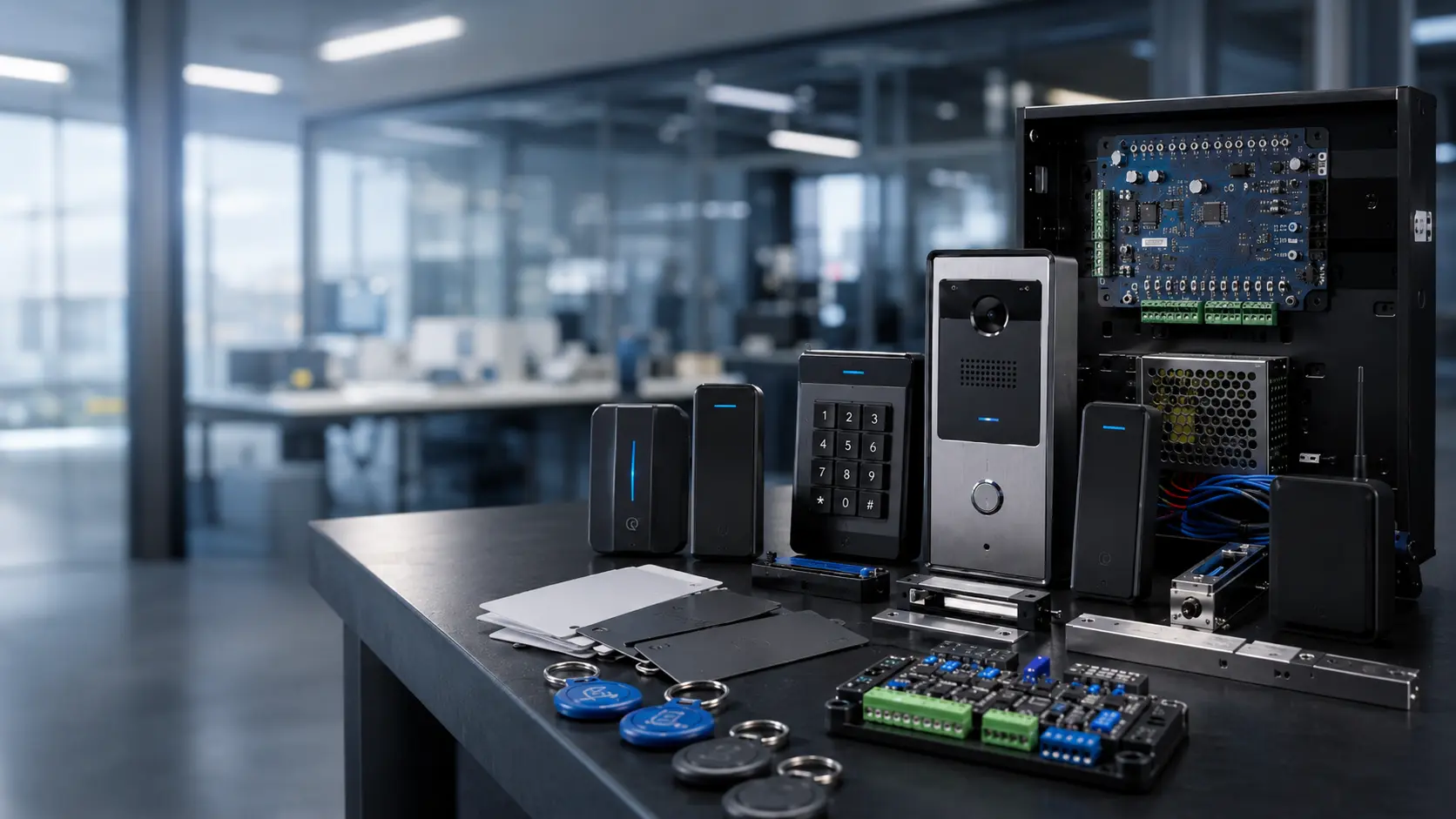
Brivo mobile credentials can be a strong reason to consider the platform. For the right building, mobile access can reduce physical card handling, help with remote administration, and make it easier to issue or remove credentials.
But mobile credentials still need a process. A reader on the wall is not the whole system. The system is the reader, the door, the credential, the user, the schedule, the admin process, and the support path behind it.

Brivo Cloud Access Control and IT Approval
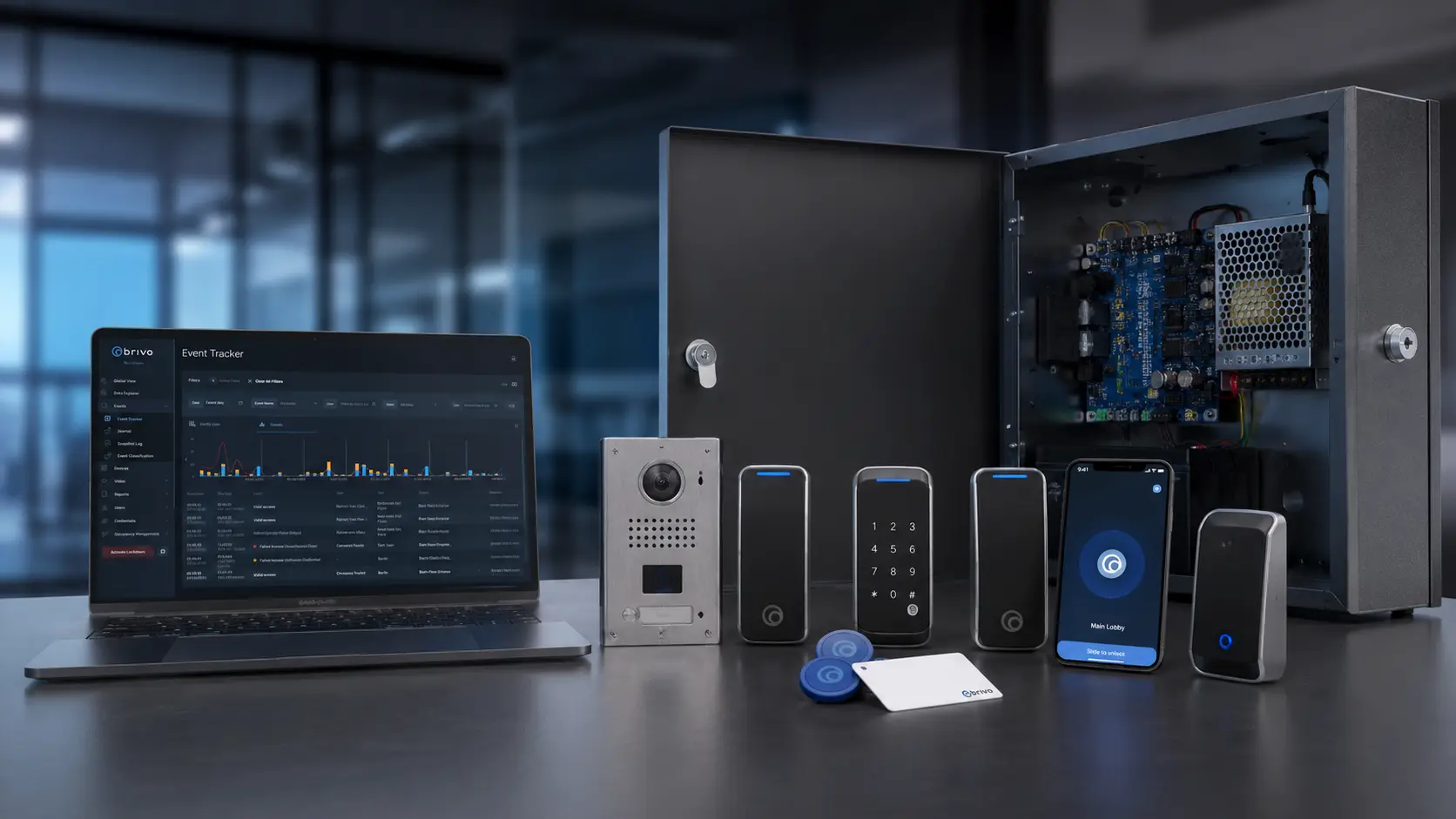
Brivo’s cloud model can be a benefit when the buyer wants remote administration and does not want to maintain local server infrastructure. For IT, the question is not just whether Brivo is cloud-based. The question is whether Brivo fits the organization’s identity, account, cybersecurity, and support process.
Questions IT should ask
- Is SSO required?
- Will access rights connect with Okta, Microsoft Entra ID, Google Workspace, or another identity provider?
- Who owns Brivo administrator accounts?
- Who can create or remove users?
- Who can issue mobile credentials?
Questions operations should ask
- What happens when an employee leaves?
- What documentation does the organization need for SOC 2 or ISO 27001 review?
- What happens if internet or cloud service is interrupted?
- Which doors keep working locally?
- Who supports the system: IT, Umbrella, Brivo, property management, or all of the above?
Brivo Video and Intercom Expectations
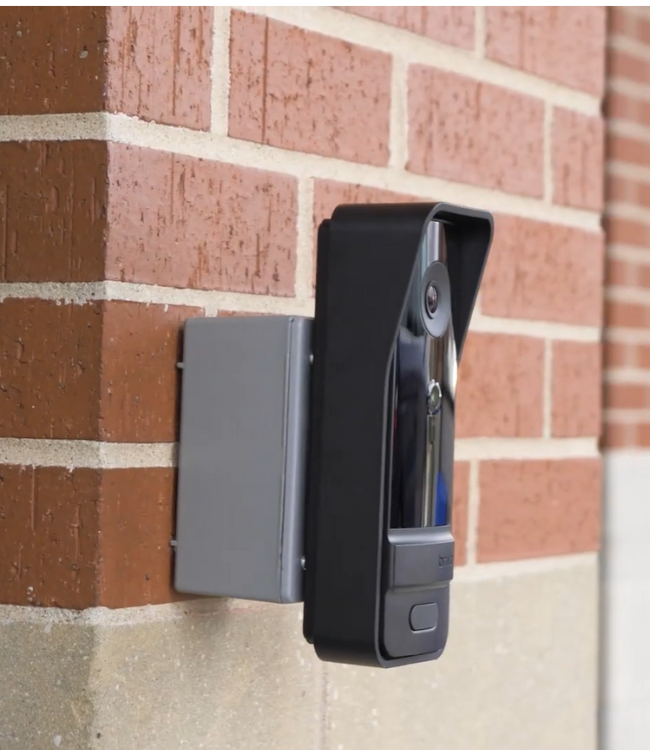
Brivo can be part of an access and video conversation, especially when access events need video context. The caution is that “video integration” can mean different things to different buyers.
One customer may mean recorded clips connected to door events. Another may mean live camera view. Another may mean visitor calling. Another may mean front-desk answering. Another may expect a full intercom workflow from a phone.
If a buyer says, “We want Brivo with video,” that is not specific enough. We would ask what they actually need the system to do.
Brivo Compared With Other Access Control Manufacturers
Brivo should be compared as a serious cloud access control platform. It is not the same type of decision as choosing a basic alarm-app access add-on, and it is not the same type of decision as choosing a large enterprise access control platform.
| Comparison | How we would frame the decision |
|---|---|
| Brivo vs Verkada | Usually comes down to dedicated cloud access control versus a broader single-vendor cloud security ecosystem. Verkada may appeal when cameras and access are being bought together, but buyers should slow down around lock-in, data governance, and migration flexibility. |
| Brivo vs Avigilon Alta / Openpath | Often a cloud access control and mobile experience comparison. Alta/Openpath may appeal when mobile-first entry and the Avigilon/Motorola ecosystem are central. Brivo may appeal when the access-control administration conversation is the main driver. |
| Brivo vs Axis | Not just cloud versus hardware. Brivo is usually cleaner for cloud access administration. Axis may be stronger when access control needs to live inside a broader IP security architecture with cameras, intercoms, and network design. |
| Brivo vs PDK | Usually a platform-depth versus simplicity decision. PDK may fit smaller, simpler cloud access projects; Brivo is usually stronger when the buyer needs multi-site administration, identity review, and broader support expectations. |
| Brivo vs Kisi | A modern cloud access comparison for offices and commercial spaces. Kisi may fit a streamlined office-oriented experience. Brivo should stay in the conversation when property management, multi-site, identity, or broader administration requirements matter. |
| Brivo vs Genetec | A cloud access control versus enterprise unified security comparison. Genetec should be considered for enterprise-scale security, unified video/access workflows, deeper investigations, and complex integrations. |
| Brivo vs LenelS2 | Usually a cloud administration versus enterprise or legacy access control decision. LenelS2 may fit regulated, enterprise, legacy-heavy, or highly integrated environments. |
| Brivo vs Keyscan | Often a cloud versus more traditional commercial access control decision. Keyscan may make sense for buyers that want practical commercial access control or a familiar on-premise ownership path. |
| Brivo vs Alarm.com Access Control | Alarm.com can make sense in smaller commercial environments where intrusion, video, and access control are managed together in a simpler app ecosystem. Brivo is usually stronger when the buyer needs more serious commercial cloud access administration. |
Keep Comparing Access-Control Manufacturers Before You Choose Brivo
Brivo may be the right access-control platform for your building, but it should not be the only system you review. The right manufacturer depends on how your doors are used, who manages credentials, whether IT needs identity integration, how much video or intercom workflow matters, and who supports the system after installation.
Umbrella Security Systems compares access-control manufacturers from the field, not from product brochures. If Brivo is on your shortlist, we would usually compare it against several nearby options before recommending a final direction.
What We Would Verify Before Choosing Brivo
Before recommending Brivo, we would want to know how the system will work on the actual doors, with the actual users, and under the actual support process the customer will live with.
- How many doors are being controlled now?
- How many doors may be added later?
- Is this one site or multiple sites?
- Who will manage the system day to day?
- Will the administrator use a browser, tablet, or phone?
- Are mobile credentials required?
- Are physical cards or fobs still required?
- Which reader models will be used?
- Are reader serial numbers documented by door?
- Are door names and physical locations documented?
- Is SSO required?
- Will Brivo connect with Okta, Microsoft Entra ID, Google Workspace, or another identity provider?
- Who approves mobile credentials?
- Who removes access when an employee or tenant leaves?
- Does the buyer need video integration?
- Does the buyer need intercom functionality?
- What exact video or intercom workflow is expected?
- Who supports the network?
- Who supports Brivo after installation?
- Should Brivo be compared with Verkada, Avigilon Alta/Openpath, Axis, PDK, Genetec, LenelS2, Keyscan, Kisi, or Alarm.com before approval?
Brivo Access Control Review FAQs
Is Brivo a good access control system?
Yes. Brivo can be a good commercial access control system when the buyer wants cloud management, remote administration, mobile credentials, and multi-site visibility. It should still be evaluated against the building’s door count, credential strategy, administrator workflow, IT requirements, and integration expectations.
What type of building is Brivo best for?
Brivo is often a good fit for commercial offices, property managers, multifamily and mixed-use buildings, multi-site organizations, and teams that want cloud-managed access control without maintaining a local server.
Is Brivo cloud-based?
Yes. Brivo is best known as a cloud-managed access control platform. That can help with remote administration and multi-site visibility, but buyers should still verify cloud dependency, IT governance, identity integration, and support ownership.
Does Brivo support mobile credentials?
Yes. Brivo supports mobile credential workflows. Buyers should verify which readers are being used, how mobile credentials are issued, who approves them, and how credential management will work after handoff.
Can Brivo be managed from a phone?
Some Brivo administration can be handled through mobile workflows, but buyers should not assume deeper programming and setup should be done from a phone. For real setup, a browser, tablet, or larger-screen workflow is usually more practical.
Does Brivo integrate with identity providers?
Brivo has identity and SSO paths that may connect with systems such as Okta, Microsoft Entra ID, Google Workspace, and other identity providers. IT should verify the exact workflow before deployment.
Does Brivo integrate with video?
Brivo has video integration paths, including Eagle Eye integration. Buyers should verify whether they need live video, recorded video, event-linked clips, video intercom functionality, or a broader access and video workflow before assuming the integration fits.
Is Brivo better than Verkada?
Brivo and Verkada are both cloud-oriented, but they fit different buyers. Brivo is usually the better comparison when access control administration is the main priority. Verkada may appeal to buyers who want a broader single-vendor cloud security ecosystem. The right choice depends on ownership model, video expectations, integrations, cybersecurity, and lock-in tolerance.
Is Brivo better than Avigilon Alta or Openpath?
Brivo and Avigilon Alta/Openpath should both be considered for cloud access control. Alta/Openpath may appeal more to buyers focused on mobile-first entry experience and the Avigilon/Motorola ecosystem. Brivo may appeal to buyers who want established cloud access control, multi-site administration, property management workflows, and identity integration.
Is Brivo better than PDK?
Brivo is usually the stronger platform for broader commercial cloud access control needs. PDK may be considered for smaller, simpler cloud access control projects where the buyer does not need Brivo’s broader administration, identity, or integration lane.
What should I verify before choosing Brivo?
Verify door count, administrator workflow, mobile credential requirements, reader models, reader serial documentation, SSO or identity needs, video or intercom expectations, network support, support ownership, and whether Brivo should be compared with Verkada, Avigilon Alta/Openpath, Axis, PDK, Genetec, LenelS2, Keyscan, Kisi, or Alarm.com.
Need Help Deciding Whether Brivo Fits Your Facility?
Brivo can be a strong access control platform, but the right decision depends on the building.
Before choosing Brivo, verify the doors, readers, mobile credentials, administrator workflow, identity requirements, video expectations, support path, and alternatives.
Umbrella Security Systems helps commercial buyers compare Brivo against Verkada, Avigilon Alta/Openpath, Axis, PDK, Genetec, LenelS2, Keyscan, Kisi, Alarm.com, and other access control manufacturers based on real installation experience and long-term support realities.
Start with the building, not the software demo.
Tell us about your doors, users, credentials, current system, video or intercom expectations, IT requirements, and access-control goals. We will help you decide whether Brivo belongs in the conversation and what else should be compared.
Contact Us
"*" indicates required fields