


 Access control review
Axis Communications Access Control Review Where Axis Makes Sense, Where We’d Compare Alternatives, and What to Verify Before You Choose It
This Axis Communications access control review is written for commercial organizations who need more than a manufacturer product page before choosing a platform.
Axis Communications makes a strong access-control platform, but choosing Axis should not start and end with the logo or the product catalog.
Before you choose Axis, you need to know whether it fits your doors, your users, your building workflow, your network, your cybersecurity expectations, your support path, and your long-term plan. That is where field experience matters.
Compare Axis by how your facility works.
Use this page to evaluate Axis by doors, users, controllers, network support, entry workflow, administration, and alternatives.
Is Axis the Right Access-Control Platform for Your Facility?
We would not recommend Axis blindly for every building. We look at the doors, the people using them, who manages the system, who supports the network, and what the customer has to live with after installation.
You need a planned commercial system that may expand.
You only need a very simple one-door setup.
Your staff can manage users, schedules, and credentials with a structured process.
Your staff wants the simplest possible app-first workflow.
You have a qualified integrator and network support path.
No one owns the network, remote access, or future support.
2N intercoms, visitor entry, and resident or staff workflows matter.
You only need a reader and basic unlock function.
Axis Communications Access Control Review: Our Verdict in One Paragraph
Axis is a strong access-control platform when the system needs to be treated like commercial building infrastructure. We like Axis when the project involves IP-based controllers, secure reader communication, clean documentation, 2N entry workflows, network coordination, cybersecurity expectations, future expansion, and long-term serviceability. We would compare alternatives when the project is extremely simple, when the staff only wants the easiest app-first workflow, when nobody owns the network/support path, or when the organization needs a heavier enterprise governance platform.
Who Should Read This Axis Access Control Review?
This Axis Communications access control review is for commercial organizations who are evaluating Axis before they talk to the manufacturer, a distributor, or a competing platform.
Facilities / Operations
Will Axis work every day without creating service headaches?
IT / Technical Evaluator
Does Axis fit the network, cybersecurity, remote access, and support model?
Schools / Education
Can Axis support exterior doors, visitor entry, staff credentials, and office workflows?
Property / Multifamily
Can Axis/2N support residents, vendors, visitors, directories, and turnover?
Security / Risk
Does Axis improve access governance, auditability, and event visibility?
Finance / Procurement
Is Axis the right platform to evaluate before requesting proposals?
Axis Access Control: What This Review Covers
This review is focused on Axis access control. It is not a general Axis product catalog.
| Axis-related concept | Why it matters |
|---|---|
| Axis Communications access control | The manufacturer category being reviewed. |
| Axis Communications network door controllers | Core hardware layer for IP-based access control. |
| Axis Secure Entry | Axis access-control software and administration context. |
| Axis Camera Station Secure Entry | Axis access-control management path where applicable. |
| Axis / 2N entry management | Intercom, visitor entry, directory, and multi-resident workflow layer. |
| OSDP | Secure reader communication consideration. |
| Axis Edge Vault | Cybersecurity and device identity layer on supported products. |
| IP-based access control | Architecture model that affects network, support, service, and expansion. |
Axis Communications Access Control Sources Used for Manufacturer Facts
Umbrella’s field judgment is separate from manufacturer facts. For product capabilities, this Axis Communications access control review uses official Axis source material as the baseline, then translates those claims into practical planning guidance.
Umbrella field judgment: product facts come from Axis Communications. Fit guidance comes from Umbrella’s access-control installation, testing, service, and end-user support perspective.
Is Axis Communications Access Control a Good System?
Yes. In this Axis Communications access control review, our view is that Axis can be a very strong access-control system when the project calls for more than a basic door app.
We like Axis most when a commercial facility needs IP-based access control, practical controller options, cybersecurity-conscious device architecture, 2N entry workflows, clean installation documentation, and a qualified technical team that can support the system after it is installed.
Axis is not the first system we would recommend for every one-door project. It becomes a better conversation when access control needs to be treated as part of the building infrastructure: doors, readers, credentials, locks, power, network, intercoms, cybersecurity, user administration, and service.

Our Field-Tested Take on Axis Communications Access Control
When we talk seriously about Axis, we are usually talking about projects where the access-control system needs to be designed, documented, and supported as part of the building—not just hung on the wall and called done.
We like Axis most when a facility needs solid controller planning, cleaner installation discipline, room for future expansion, 2N entry workflow options, and a system that can live inside a real IT environment.
We get more careful when the job is extremely simple, the expectation is just a quick app-first unlock workflow, or nobody clearly owns the network, administration, and service path after handoff. That is usually the point where we compare Axis against simpler options instead of forcing it into the wrong application.
Axis Shows the System. We Help You Decide Whether It Belongs in Your Building.
Axis does a good job explaining its access-control product family. That is the manufacturer’s role. What a product page usually cannot tell you is whether the system fits your building, your staff, your doors, your network, your cybersecurity expectations, your support process, and your alternatives.
That is useful, but it does not mean every Axis project is simple.
How many doors are you controlling now? Where will controllers be mounted? Who will support the network? How will the system expand later?
That can be a major advantage when the building is ready for it.
Does your IT or facilities team understand how remote access, controller communication, cabling, and support responsibility will be handled?
Options are helpful only when they match the building workflow.
Are you managing employees, tenants, vendors, visitors, residents, or a front-desk workflow? Those are different access-control problems.
That is especially relevant when 2N is part of the conversation.
Who answers the call? Who grants access? Who updates the directory? What happens when staff, residents, or vendors change?
That matters when access control is part of the network environment.
Who is responsible for device identity, secure updates, reader communication, network access control, and long-term support?
What Umbrella’s Axis Review Is Based On
This review separates Axis-documented capabilities, Umbrella’s installation and service perspective, and our judgment about fit. The checklist below explains what we evaluate; it is not a record that every listed controller, reader, software version, or integration was tested. Apply a field observation to a proposed system only when the hardware, software, conditions, and result are comparable.
| What we evaluate | What Umbrella evaluates | Why it matters |
|---|---|---|
| Evaluation perspective | We evaluate Axis through a field installation and service perspective. | Installer competence affects the final system. |
| Reader installation and testing | Reader placement, credential behavior, keypad use, and door workflow. | A clean device still has to work with real users. |
| Controller layout | Panel organization, power, labeling, documentation, and expansion. | The hidden panel decides future serviceability. |
| 2N entry workflow | Who answers, who unlocks, who updates directories, and how users change. | Entry success depends on daily workflow. |
| Software / administration | Users, schedules, groups, credentials, reports, and handoff. | Someone has to manage the system after installation. |
| Cybersecurity / IT readiness | Device identity, reader communication, secure updates, and network support. | Access control now lives inside the technology environment. |
Axis decisions should be made around doors, networks, credentials, cybersecurity, and long-term support.
The system choice should be based on how the building will actually operate after installation: who uses each door, who manages credentials, who supports the network, and who owns service later.
What We Actually Look at When We Review Axis
When we review Axis, we are not only looking at the product family. We are thinking through what happens in the building after the system is designed, installed, programmed, tested, documented, and handed over.
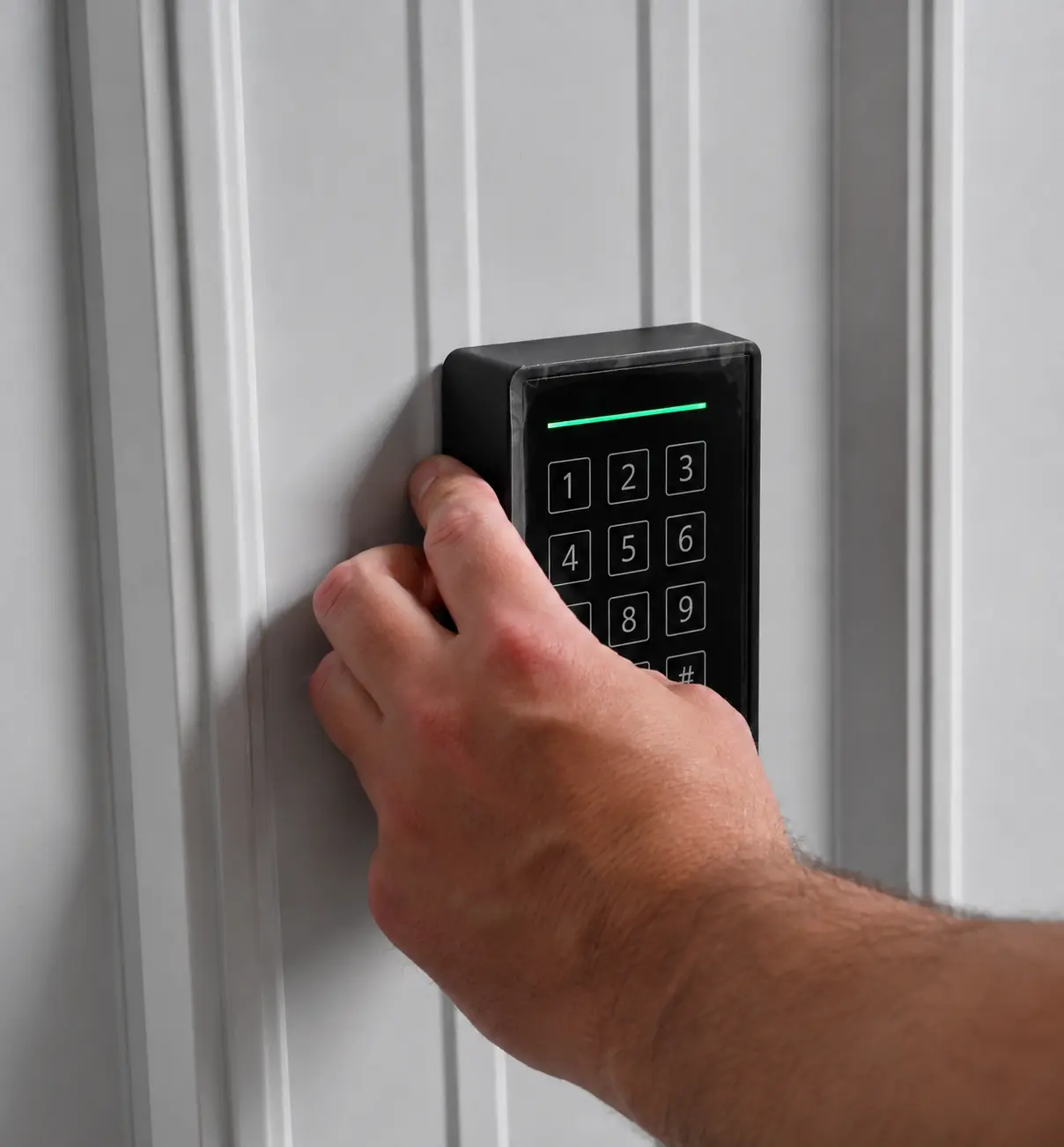
Reader testing
We care how the reader behaves at the door with real credentials and real users.

Reader installation
Mounting height, door position, wiring path, and credential behavior all affect how the system works for real users.

Clean handoff
Access control is not done until users, schedules, credentials, documentation, and support are clear.
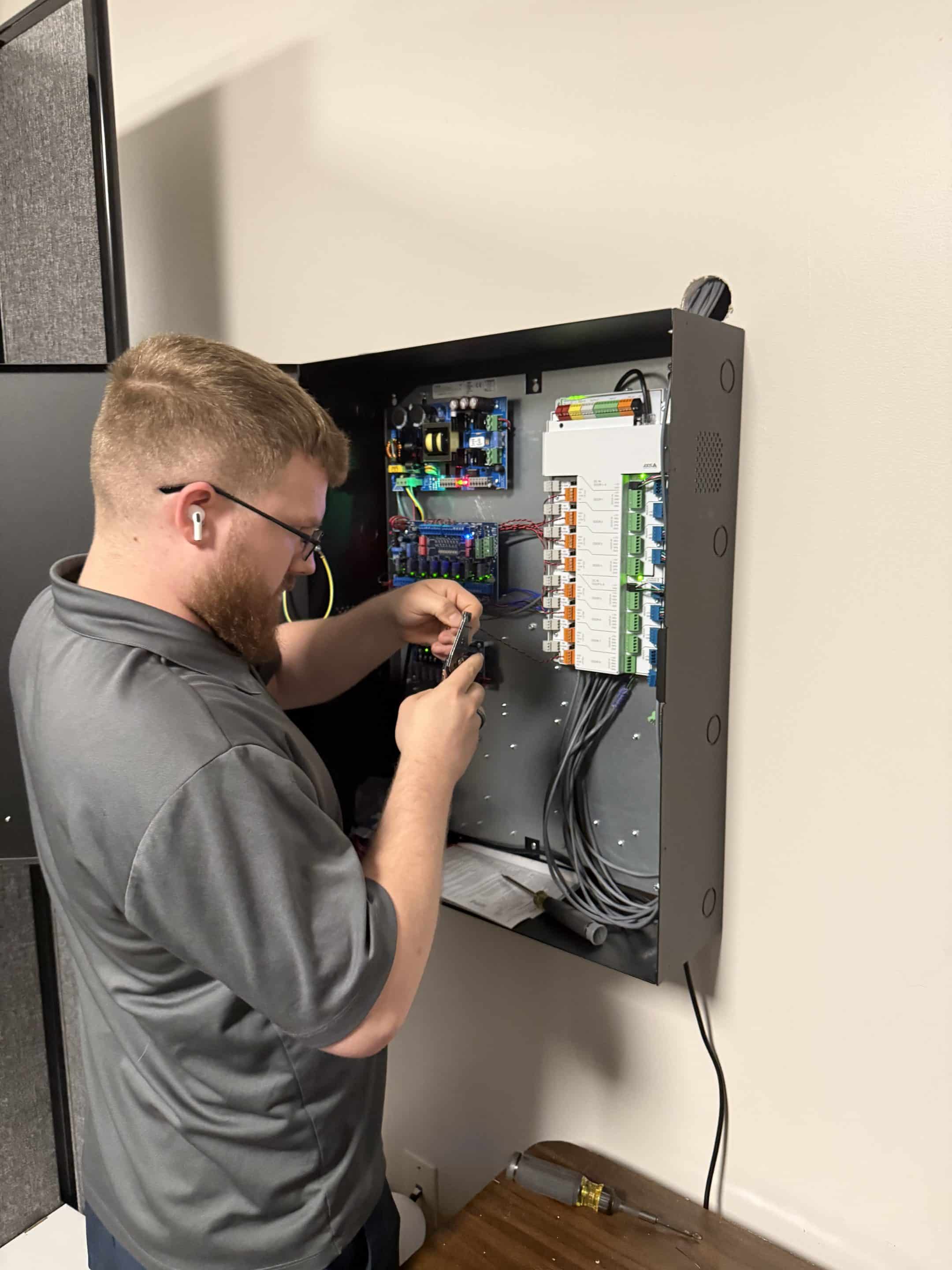
Panel discipline
Controller and wiring decisions determine whether the system can be serviced and expanded later.

Controller planning
Controller placement, power, enclosure layout, and documentation need to be planned before the system is handed off.
Reader testing tells you more than the product sheet does.
A reader can look clean on the wall and still be wrong for the project if the credential type, wiring, door hardware, or user workflow is not thought through. In the field, we care about how the reader behaves with real credentials and real users: response consistency, keypad placement, mounting location, credential security, and whether the wiring is documented for service later.
The hidden panel often decides long-term serviceability.
Most customers notice the reader. The controller is usually hidden in a panel, closet, or enclosure. In our Axis work, the controller side is one reason we take the platform seriously. The board layout is practical, the labeling is understandable, and the architecture gives a qualified installer room to design around the building instead of fighting the hardware.
Entry is not just an intercom. It is a workflow.
Axis becomes more interesting when the project includes 2N entry or intercom needs. In multifamily, school, office, and multi-tenant buildings, the difficult part is rarely the device alone. The difficult part is the daily workflow: who answers, who grants access, who updates the directory, and what happens when users change.
A good system still fails if administration is hard.
Access control does not end when the doors unlock. Someone has to add users, remove users, adjust schedules, change groups, manage credentials, review events, and handle exceptions. For Axis, we want to know who will manage the system and whether the administrative workflow fits the staff.
Before choosing Axis, know who supports it.
For an existing Axis system, first identify the controller and reader models, management software and versions, administrator account owner, current configuration backup, door schedule, and known faults. Confirm who can authorize changes and who will coordinate door hardware, network, software, and manufacturer escalation. Before changing providers or expanding the system, agree what can be retained, what needs testing, and what support is included. An assessment request does not by itself establish a support agreement or response commitment.
Where Axis Access Control Fits Best by Facility Type
Axis should not be evaluated in the abstract. The right access-control manufacturer depends on the building, the users, the doors, the administrative workflow, and the support model.
Axis for schools and education buildings
Axis can make sense in school environments when access control, visitor entry, exterior doors, staff credentials, and IT support need to work together. The real questions are operational: which doors are staff-only, who answers the intercom, how schedules are handled, how office staff use the system, who supports the network, and what happens during emergency procedures.
Schools with multiple exterior doors, visitor-entry needs, IT involvement, and a broader security plan.
The school needs extremely simple staff administration or has no clear network/support responsibility.
Axis for multifamily and multi-resident entry
Axis becomes especially relevant in multifamily because of the 2N entry path. Access control may involve visitors, vendors, property managers, maintenance staff, package rooms, parking areas, directories, remote unlocks, tenant turnover, and after-hours calls.
Properties where visitor entry, resident changes, remote management, and multiple user groups need structure.
The property wants a simple doorbell replacement without thinking through directories, vendors, or support.
Axis for commercial offices
Axis can fit commercial offices when access control needs to manage employees, visitors, vendors, office suites, shared spaces, and front-desk workflows. Someone still has to manage users, schedules, credentials, and exceptions after handoff.
Commercial offices where access control is part of a broader building-management and security plan.
The only need is a simple app-based door unlock experience with minimal technical design.
Axis for industrial, warehouse, and distribution facilities
Axis can fit facilities where access control supports employee entrances, dock areas, gates, shift schedules, staff-only zones, vendors, contractors, and larger physical layouts. Controller and wiring discipline matter because future service calls are easier when the installation is clean, labeled, and documented.
Facilities that need controlled employee entrances, dock or gate control, shift-aware access, and serviceability.
The site has no clear network support or wants quick door-by-door installation without a larger plan.
Axis for churches, nonprofits, and community facilities
Axis can fit when the building has staff, volunteers, tenants, school/daycare overlap, shared spaces, or restricted areas. The key question is administration because these facilities often have changing users and mixed schedules.
Facilities that need more control over staff, volunteers, tenants, classrooms, offices, or restricted areas.
There is no clear person responsible for user changes, schedule updates, and ongoing administration.
Axis for municipal and public buildings
Axis can fit public-facing facilities when the building needs to separate public areas from staff-only zones and keep access-control decisions understandable for long-term support. The design should support public entry, staff credentials, restricted zones, visitor flow, service documentation, and auditability.
Municipal or public facilities that need controlled access without turning the system into an unnecessarily complex enterprise platform.
The facility has heavy compliance, identity, or enterprise governance requirements that require Genetec or LenelS2 comparison.
What Axis Administration Feels Like After Installation
A lot of access-control decisions focus on hardware. Hardware matters, but administration matters just as much. After the system is installed, someone has to live with it.
Who will add and remove users?
Before choosing Axis, identify who will be responsible for adding users, removing users, assigning credentials, and handling lost or changed credentials. This is especially important for schools, offices, multifamily buildings, churches, and facilities with employee turnover.
How will schedules and door groups be managed?
Access control often becomes complicated when buildings have different hours, staff groups, public entrances, restricted areas, tenant schedules, after-hours access, and holiday exceptions. The schedule and group structure should be planned before handoff.
Will the system be managed on-site, remotely, or both?
Axis can support a modern management experience, but remote access should not be assumed without a design conversation. Confirm how remote access will work, who approves it, how the network is secured, and who supports the connection if something stops working.
What reports or event history will your team actually use?
Before choosing Axis, ask what staff needs from event history: who entered a door, whether a door was forced or propped, which user accessed a restricted area, or whether a schedule is working correctly.
When should Axis be compared against an enterprise platform?
If your organization needs complex identity workflows, heavy compliance, advanced reporting governance, multi-site policy administration, or deep enterprise integrations, compare Axis against platforms such as Genetec Synergis or LenelS2 OnGuard before deciding.
Axis Door Controllers: The Part Most organizations Never See
Most customers notice the reader on the wall. The controller is usually hidden in a panel, closet, or enclosure. But the controller is where a lot of the long-term ownership experience is decided.
Axis’s controller architecture is one of the reasons we take the platform seriously. The layout is practical, the labeling is understandable, and the architecture gives a qualified installer room to design around the building instead of fighting the hardware.
Access-control problems are often created by poor planning: controllers in the wrong place, weak documentation, unclear power, reader mismatches, poor network assumptions, or systems that become difficult to expand later.
Axis Cybersecurity and Axis Communications Access Control
Cybersecurity is one of the stronger reasons to take Axis seriously for commercial access control. Access control is not just a door decision anymore. Network door controllers, readers, credentials, remote management, firmware, certificates, and event history all live inside the building’s technology environment.
Axis has spent years treating connected physical-security devices more like managed infrastructure than isolated security hardware. For organizations that care about long-term risk, device trust, and IT coordination, that is a real differentiator.
Device identity
Supported Axis products use device identity features that help the network recognize and trust the device, which matters when physical-security hardware is being managed like infrastructure.
Secure software
Axis documentation references secure software protections intended to help confirm the device is running trusted firmware and that software integrity is taken seriously.
Reader communication
Supported Axis controllers and readers can use OSDP when secure reader-to-controller communication matters, which is a better conversation than treating readers like a basic afterthought.
Network controls
Axis materials reference encrypted communication, certificate handling, signed firmware, secure boot, and protections against unauthorized access—features that matter more as access control becomes part of the network environment.
IT-aware architecture
Axis tends to make more sense where the organization wants physical-security devices treated as managed network infrastructure instead of isolated door hardware with no broader oversight.
| Facility condition | Why cybersecurity matters |
|---|---|
| Schools | Exterior doors, staff credentials, visitor entry, and IT oversight all create a bigger security surface than a single reader on a wall. |
| Municipal / public facilities | Public-facing buildings need stronger control over restricted staff zones, auditability, device trust, and long-term support accountability. |
| Industrial / warehouse | Larger footprints, employee/vendor access, and networked infrastructure make secure communication, update discipline, and support ownership more important. |
| Multifamily | Resident turnover, visitor entry, vendor access, and directory workflows create more exposure when intercom, credentials, and remote administration are all connected. |
| IT-led organizations | Device identity, secure updates, certificate management, and network access control are often baseline requirements, not nice-to-have extras. |

Axis and 2N: Strong When Entry Workflow Matters
Axis becomes more interesting when the project includes 2N entry or intercom needs. In multifamily, school, office, and multi-tenant buildings, the hard part is rarely the device alone. The hard part is the daily workflow.
Who answers the call? Who grants access? Who updates the directory? What happens after hours? What happens when a resident, employee, vendor, or staff member changes? Those questions decide whether an entry system is easy to live with after installation.

Schools
The workflow should support office staff, exterior doors, visitor screening, staff credentials, after-hours access, and emergency procedures.
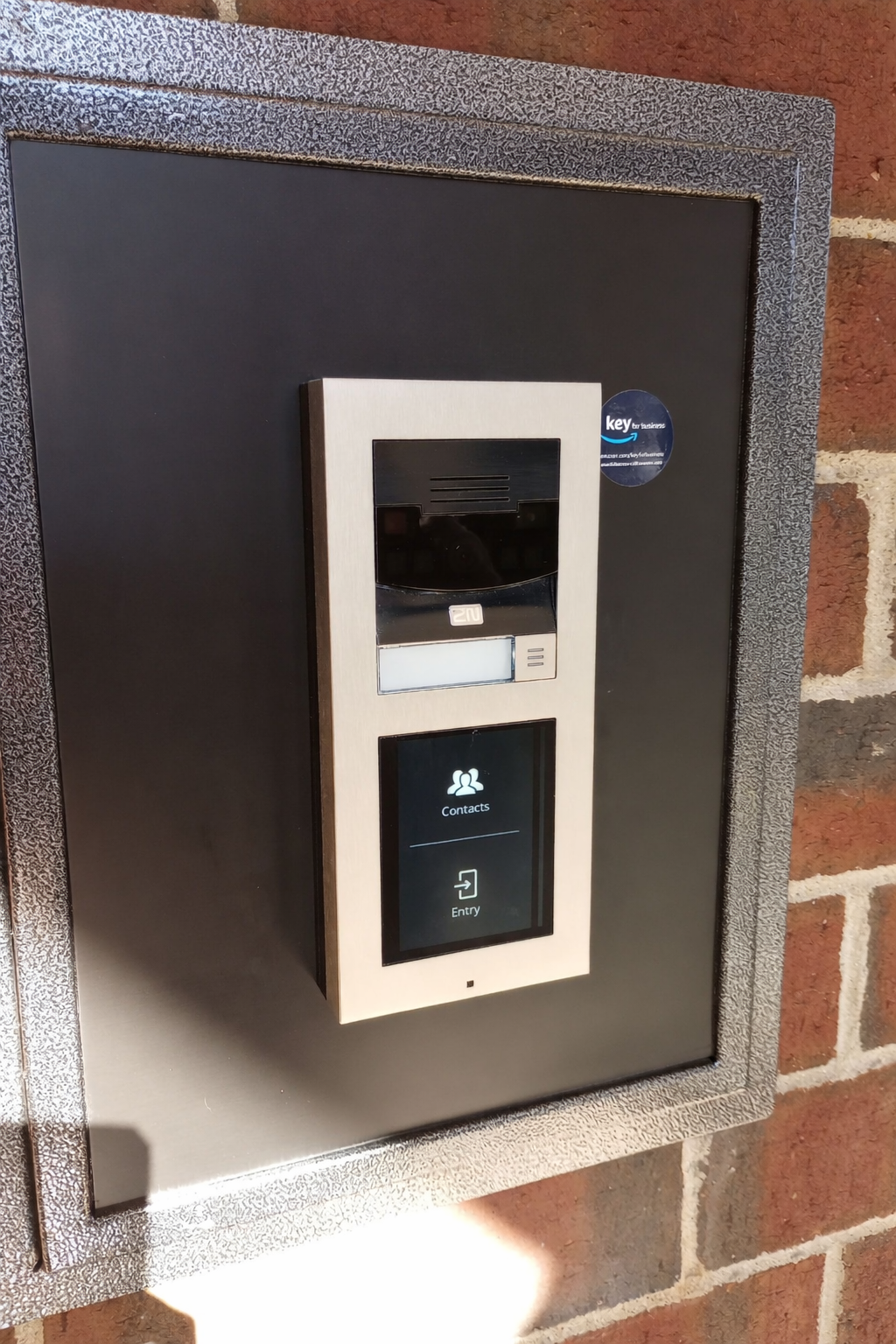
Multifamily
Entry management needs to support residents, visitors, vendors, package rooms, staff, tenant turnover, and directory changes.

Support responsibility
Entry systems touch hardware, network, directories, permissions, and daily staff workflow. Know who supports it after installation.
How AXIS Secure Entry Can Work With Milestone XProtect
Axis access control does not have to operate as a separate island. AXIS Secure Entry for XProtect can bring supported Axis door controllers, access events, alarms, cardholder information, and related video into the Milestone XProtect interface. That gives security and facilities teams one place to watch a door, verify the person on camera, investigate an event, and respond.
Where the connection helps
It can reduce the need to jump between separate access-control and video screens during live monitoring, incident review, door assistance, lockdown, or mustering. The strongest value comes from a workflow designed around the people who will operate it every day.
What still needs to be verified
Check the proposed controller model, AXIS OS, AXIS Optimizer, and XProtect version against the current AXIS Secure Entry for XProtect manual. Also verify reader configuration, operator permissions, associated video, network ownership, and recovery behavior. The manual provides software prerequisites and a per-reader OSDP Secure Channel setting; OSDP capability alone does not establish that Secure Channel is enabled.
Why Canon is part of the story
Canon owns both Axis Communications and Milestone Systems as separate companies. Axis does not own Milestone. Their long technical relationship helps explain the depth of the integration, but the products, licenses, roadmaps, and support channels remain distinct.
Axis Access Control Fit Scorecard
| Fit factor | Strong Axis signal | Compare alternatives if |
|---|---|---|
| Door count | Multiple doors or future expansion are likely. | One very simple door is the entire project. |
| Network readiness | IT or a qualified integrator owns the network path. | Nobody owns connectivity or remote access. |
| Administration | Staff can manage users, schedules, credentials, and exceptions. | The team wants the simplest possible app-first workflow. |
| Entry/intercom | 2N visitor or resident workflow matters. | The project only needs basic door release. |
| Cybersecurity | IT wants stronger device/network controls. | Cybersecurity is not part of the decision. |
| Controller architecture | Serviceability and documentation matter. | Lowest-complexity hardware is the only priority. |
| Enterprise governance | Commercial-grade control is enough. | Full identity/compliance governance is required. |
Mistakes to Avoid Before Choosing Axis
Most access-control mistakes do not happen because the product name is wrong. They happen because the system is chosen before the facility workflow is understood.
Treating Axis like a basic reader-and-door kit
The door, lock, credential, network, controller, software, cybersecurity, and support path all need to be considered together.
Ignoring network support
Axis is IP-based. That is a strength when the network is planned correctly and a problem when nobody owns troubleshooting.
Choosing hardware before defining workflow
Employees, visitors, vendors, residents, staff, schedules, and emergency needs should be understood before hardware is selected.
Under-planning 2N entry workflow
The entry workflow needs to define who answers, who unlocks, who updates users, and how changes are handled.
Not comparing cloud-first options
Sometimes Brivo, Avigilon Alta/Openpath, Alarm.com, or another cloud-first platform may fit better.
Skipping credential strategy
Reader choices, mobile credentials, card formats, OSDP, and legacy reader replacement should be part of the planning process.
Axis Compared With Other Access-Control Platforms
Axis can be a strong access-control platform, but the right choice depends on the building. Door count, entry workflow, credential policy, network support, cybersecurity expectations, administration, and future expansion should drive the decision before brand preference does.
Axis vs Brivo
When we would lean Axis: Axis may be stronger when the facility wants IP-based access-control architecture, controller flexibility, 2N entry options, stronger device/network security considerations, and a system that feels more like building infrastructure than a basic cloud app.
When we would compare Brivo: Brivo may be stronger when the team wants a familiar cloud-first administration model and simple remote management is the main priority.
Axis vs Avigilon Alta / Openpath
When we would lean Axis: Axis may be stronger when the facility values IP architecture, on-site controller design, 2N entry workflow, and a more infrastructure-oriented access-control model.
When we would compare Alta/Openpath: Alta/Openpath may be stronger when mobile credential experience, reader design, and cloud-first software workflow are the most important parts of the project.
Axis vs Alarm.com Access Control
When we would lean Axis: Axis may be stronger when access control is a dedicated building system and the facility needs controller design, serviceability, and a stronger entry workflow.
When we would compare Alarm.com: Alarm.com may be stronger for smaller commercial environments where access control is part of a broader alarm and security app experience.
Axis vs PDK
When we would lean Axis: Axis may be stronger when architecture, documentation, cybersecurity, serviceability, 2N entry, and future expansion matter.
When we would compare PDK: Compare the proposed PDK configuration against the same door, administrator, integration, reporting, and support tasks. Use the existing PDK review’s strong-fit, conditional-fit, and proof-required distinctions instead of assuming that brand name or door count alone decides suitability.
Axis vs Keyscan Aurora
When we would lean Axis: Axis may feel more modern for facilities that want IP-based architecture, remote-management possibilities, cybersecurity-conscious hardware, and stronger entry workflow options.
When we would compare Keyscan: Keyscan may fit organizations who want a more traditional on-site access-control environment and are comfortable with that style of platform.
Axis vs Genetec / LenelS2
When we would lean Axis: Axis may fit commercial facilities that need serious access-control capability without moving into the full complexity of a large enterprise platform.
When we would compare Genetec or LenelS2: Enterprise platforms may be better for heavily governed environments with complex identity workflows, compliance requirements, deep integrations, enterprise cyber governance, or security operations requirements.
Why Axis Access Control Should Not Be Treated Like a Cart Item
Axis access-control hardware may appear on distributor or ecommerce sites, but a commercial access-control system is not the same as buying a device.
The product has to fit the door hardware, reader technology, credential plan, network, controller location, power, cybersecurity expectations, entry workflow, administration, and long-term support path.
Practical takeaway
A distributor can show product availability. A qualified integrator can help decide whether Axis belongs in the building at all.
Why Axis Needs an Experienced Installation and Support Team
Axis access control should not be treated like a distributor purchase or a DIY hardware decision. Product availability does not equal a good system design.
A proper Axis access-control project needs someone who understands doors, locks, readers, credentials, controller locations, power, network connectivity, cybersecurity, 2N entry workflows, remote support, and administration after handoff.
Qualification
Have you installed Axis access control before? What Axis training or certification experience do you have?
Door design
Where will controllers be mounted? How will doors be named, grouped, powered, and documented?
Network support
Who owns remote access, IP connectivity, switch ports, certificates, updates, and troubleshooting?
Cybersecurity
How will device identity, reader communication, secure updates, remote access, and network controls be handled?
Credentials
Are we using existing cards, replacing legacy readers, using mobile credentials, or moving toward more secure reader communication?
Entry workflow
If 2N is involved, who answers calls, who unlocks doors, who updates directories, and who manages users?
Questions to Ask Before Approving Axis
| Role | Questions to ask |
|---|---|
| Facilities | Which doors matter most? Who uses them? What breaks operations if access fails? |
| IT | How are controllers secured? Who handles network access, remote connectivity, certificates, updates, and support? |
| Administration | Who adds/removes users? Who manages schedules, credentials, groups, and reports? |
| Schools | Who handles visitor entry, exterior doors, staff credentials, and office workflow? |
| Multifamily | Who manages residents, vendors, visitors, directories, package rooms, and turnover? |
| Procurement | Are we comparing the right manufacturers before asking for proposals? |
| Security / Risk | What event history, auditability, and response workflow matters? |
Axis Access Control Verification Checklist
Use this checklist before choosing Axis, requesting a final design, or comparing Axis against Brivo, Alta/Openpath, Alarm.com, PDK, Keyscan, Genetec, or LenelS2.
Installer and channel
- Is the installer qualified to design and support Axis access control?
- Does the integrator understand door hardware, networking, credentials, intercoms, cybersecurity, and service documentation?
- Who supports the system after installation?
Door and controller design
- How many doors are needed now?
- How many doors may be added later?
- Where will controllers, power supplies, and enclosures be located?
- How will the system be labeled and documented?
User administration
- Who manages users, groups, schedules, credentials, and reports?
- Will the system be managed on-site, remotely, or both?
- How often do employees, residents, vendors, tenants, or volunteers change?
Credentials and reader security
- What credential technology will be used?
- Are older readers or credentials being replaced?
- Does the facility need secure reader communication such as OSDP?
- Will the credential plan still make sense in three to five years?
Network and cybersecurity
- Does the facility have IT or network support?
- How will remote access be handled?
- Who is responsible for troubleshooting network-related access-control issues?
- How will device identity, secure updates, certificate management, and reader communication be handled?
- What happens if connectivity is interrupted?
Entry and alternatives
- Does the site need 2N intercoms or multi-resident entry?
- Who answers visitor calls?
- Who manages directory changes?
- Has Axis been compared with Brivo, Alta/Openpath, Alarm.com, PDK, Keyscan, Genetec, or LenelS2?
Continue Comparing Access-Control Manufacturers
Axis may be a strong fit, but it should be evaluated as part of a broader access-control manufacturer decision.
Access control system manufacturer reviews
Compare manufacturers before choosing a platform.
Commercial access control systems
Review Umbrella’s commercial access-control system approach.
Physical security manufacturer reviews
See the broader manufacturer review hub.
Brivo access control review
Compare this platform as part of a wider access-control review.
Avigilon Alta access control review
Compare this platform as part of a wider access-control review.
PDK access control review
Compare this platform as part of a wider access-control review.
Axis Access Control Review FAQs
What does this Axis Communications access control review cover?
This Axis Communications access control review covers commercial access-control fit, network door controllers, Axis Secure Entry, 2N entry workflow, cybersecurity, integrator qualification, alternatives, and what organizations should verify before choosing Axis.
Is Axis a good access control system?
Yes, Axis can be a strong access-control system when the project needs more than a basic door app. It is strongest when IP-based architecture, controller flexibility, 2N entry options, cybersecurity, documentation, and qualified technical support matter.
What type of building is Axis access control best for?
Axis is usually strongest for commercial buildings that treat access control as infrastructure: small-to-medium facilities, multi-door buildings, multifamily properties, schools, offices, warehouses, and public-facing facilities with real administrative, cybersecurity, and support needs.
Is Axis access control only for large buildings?
No. Axis can work in smaller commercial facilities, but it should still be designed correctly. A small system can still be poorly designed if door hardware, reader choice, controller layout, network support, cybersecurity, and administration workflow are not planned.
Is Axis access control cloud-based?
Axis is best understood as an IP-based access-control platform with modern management possibilities. It should not be reduced to a simple cloud-first door app. The right architecture should be confirmed with a qualified integrator.
What is Axis Secure Entry?
Axis Secure Entry is part of the Axis access-control software and management conversation. The important question is whether the software workflow fits the staff who will manage users, credentials, schedules, and events.
What is Axis Camera Station Secure Entry?
Axis Camera Station Secure Entry is Axis’s access-control management path inside the broader Axis Camera Station environment. For this page, the important question is whether that management model fits the facility’s access-control and administration needs.
Does Axis access control have strong cybersecurity features?
Yes. Axis access-control hardware and readers include cybersecurity features that are important for IT-aware facilities, including secure device identity, secure software protections, secure reader communication on supported products, and network security controls.
Why does cybersecurity matter for access control?
Access control systems connect doors, readers, controllers, credentials, networks, and user databases. If the system is poorly secured, the risk is not only a door problem; it can become a network, credential, and operational risk.
Is Axis better for IT-led access-control projects?
Axis can be a strong option when IT wants physical-security devices treated as network infrastructure. The right fit still depends on the facility, administration model, support path, cybersecurity requirements, and alternatives being compared.
Does Axis work with 2N intercoms?
Axis and 2N are closely connected for entry-management use cases. 2N can be a strong fit when the building needs intercoms, visitor entry, resident or staff workflows, directories, and remote unlock needs.
How does Axis compare with Brivo?
Brivo is often stronger when the top priority is cloud-first administration. Axis may be stronger when the building needs IP-based infrastructure, controller flexibility, cybersecurity-conscious architecture, 2N entry, and a qualified technical installation path.
Should Axis be installed by a certified or qualified integrator?
Yes. Axis access control should be designed and installed by qualified technical professionals who understand access control, door hardware, networking, credentials, intercoms, cybersecurity, documentation, and serviceability.
Compare Axis Access Control Before Choosing a Platform
Axis is a strong access-control manufacturer when the system is matched to the right building and designed by the right technical team.
Umbrella Security Systems helps commercial organizations evaluate Axis against Brivo, Avigilon Alta/Openpath, Alarm.com, PDK, Keyscan, Genetec, LenelS2, and other access-control platforms based on real installation experience, cybersecurity readiness, end-user usability, supportability, and long-term fit.
Start with a platform-fit conversation.
Evaluating Axis access control for a commercial facility in Chicago or Northern Illinois? Tell Umbrella Security Systems about your doors, existing controllers, readers and credentials, cybersecurity requirements, and planned changes. We can help assess what can remain, what needs to change, and how Axis compares with alternatives for the work your team needs to do.
Contact Us
"*" indicates required fields