

Milestone XProtect VMS Review: What We’ve Learned in the Field
A practical look at XProtect for organizations that need dependable recording, fast investigations, usable evidence, multi-site visibility, camera choice, and a supportable long-term system.
Product details were checked against Milestone’s current public materials on September 10, 2026. Umbrella may sell, install, or support XProtect when it fits the project. Milestone did not sponsor this page, and we recommend other platforms when they fit better.
Should your organization choose Milestone XProtect?
Put XProtect on the shortlist when you need to integrate several camera brands, centralize multiple sites, build serious investigation workflows, connect third-party systems, or preserve more control over your video architecture.
Slow down when your team expects an appliance-like system with minimal design, no clear administrator, no server or storage owner, or no appetite for planned upgrades and support.
Where it tends to fit
- Existing cameras are worth preserving after exact compatibility testing.
- Staff needs dependable live video, playback, search, and export.
- Several sites or departments need controlled access to one video environment.
- Camera and integration choice matters more than staying inside one manufacturer’s ecosystem.
Where we would slow down
- The system is small and there is no clear administrator.
- The organization wants a turnkey cloud appliance and accepts proprietary limits.
- IT cannot own servers, identity, certificates, backups, network dependencies, or updates.
- The proposed integrator cannot show comparable deployments and continued support.

Four questions matter more than a long feature list
Before comparing editions or demonstrations, agree on what the system must improve.
Can staff find footage quickly?
Operators should be able to recognize an event, find the right cameras, review synchronized video, and export evidence without calling an expert each time.
Will the video be there?
Recording, usable storage, retention, time synchronization, health alerts, and recovery all have to match the promise in the proposal.
Will the current cameras work?
Compatibility depends on the exact model, firmware, driver, stream, channel, feature, and XProtect release—not the logo on the camera.
Who keeps the system healthy?
Someone must own accounts, permissions, servers, backups, certificates, updates, licensing, documentation, and the support call when something fails.
A high-resolution camera system that takes too long to investigate is not delivering high-quality security. Start with a commercial security assessment when coverage, risks, and responsibilities are still unclear.
A Windows-based VMS with four editions as of September 2026
Milestone currently lists Express+, Professional+, Expert, and Corporate. Essential+ was discontinued with the 2025 R2 release. The right edition depends on site count, server design, redundancy, identity, evidence, administration, and the functions people will actually use.
| Edition | How Milestone describes it | What to confirm |
|---|---|---|
| Express+ | Small businesses needing basic security and alarm management; up to 100 cameras and one site | Will a single-server design and the device limit still fit after realistic growth? |
| Professional+ | Mid-sized installations that need faster incident response | Does its centrally managed, multi-server design cover the actual site, user, and retention plan? |
| Expert | Mid- to large-sized installations requiring end-to-end video integrity | Which integrity, identity, dashboard, failover, or management needs justify the added depth? |
| Corporate | Mission-critical installations requiring situational awareness and uninterrupted video access | Are federation, evidence controls, central operations, redundancy, and staffing truly required? |
Manufacturer source: Milestone’s current XProtect comparison. Features, limits, extensions, and license terms can change by release.
What XProtect can help people do when it is configured well

Bring cameras, sites, alarms, and context into one working view
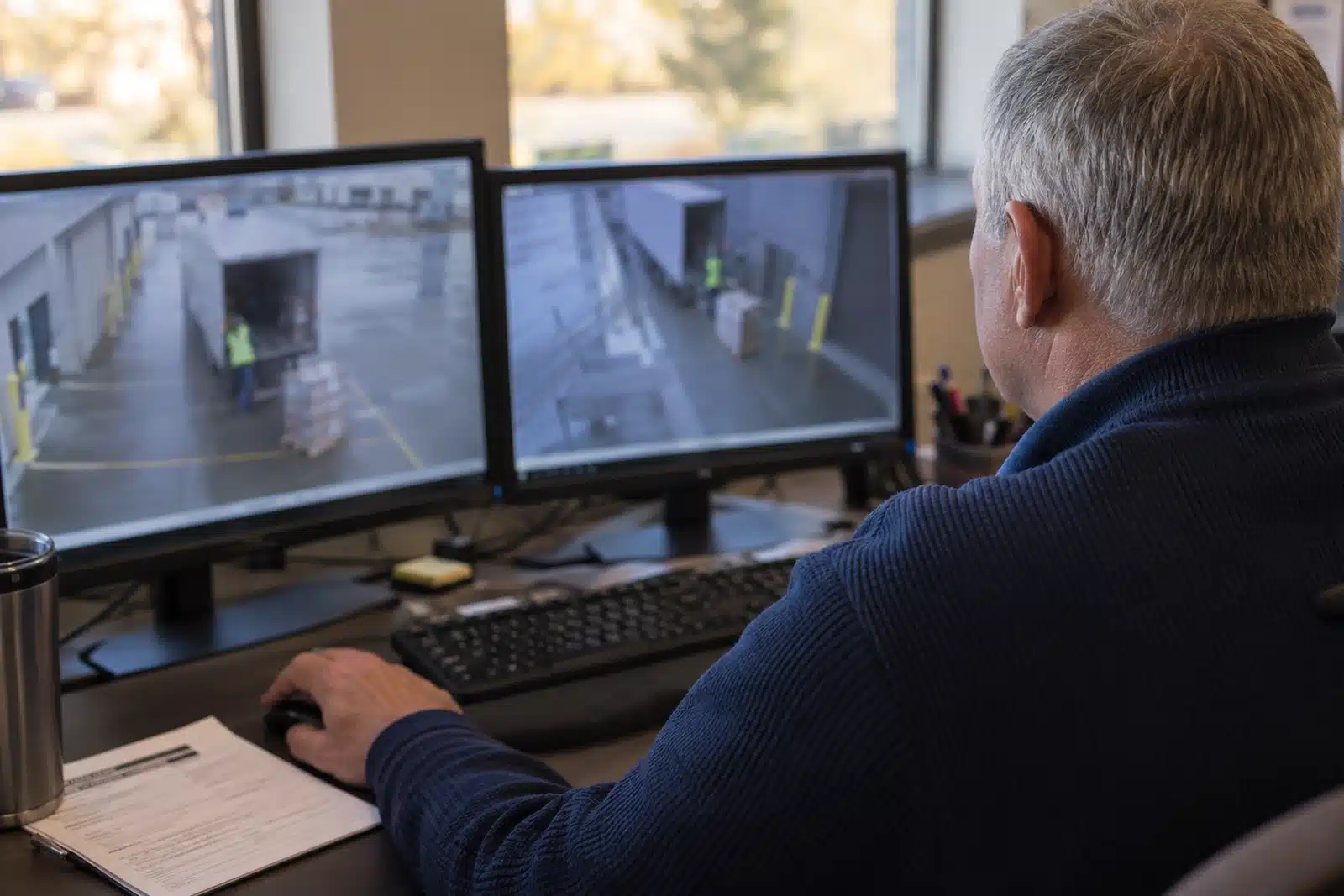
XProtect can centralize live video and related events so operators do not have to move between disconnected recorders. The value is not the number of tiles on a monitor. It is whether the right views, maps, alerts, permissions, and response steps appear for the person on duty.
Acceptance test: ask operators to respond to realistic events with their actual account and workstation.
Search, synchronize, review, preserve, and export relevant video
Milestone documents tools for searching recorded video, synchronized playback across cameras, bookmarks, evidence export, digital signing, and—in applicable editions or extensions—evidence locks and evidence management.
Acceptance test: give a user an incident time window and ask them to find the event, follow it across cameras, and produce a usable export without coaching.

Centralize distributed video without treating every facility as identical
Milestone describes Interconnect, Federated Architecture, and Remote Manager for different forms of distributed operation. The correct path depends on autonomy, network reliability, user rights, health monitoring, evidence access, and edition.
Acceptance test: verify what works centrally, what continues locally during a WAN problem, and who can see or change each site.
Four XProtect workflows to inspect before committing
These are genuine Milestone documentation or public supported-device captures, not generated dashboards. They show the operating and administrative depth your team will need to understand.
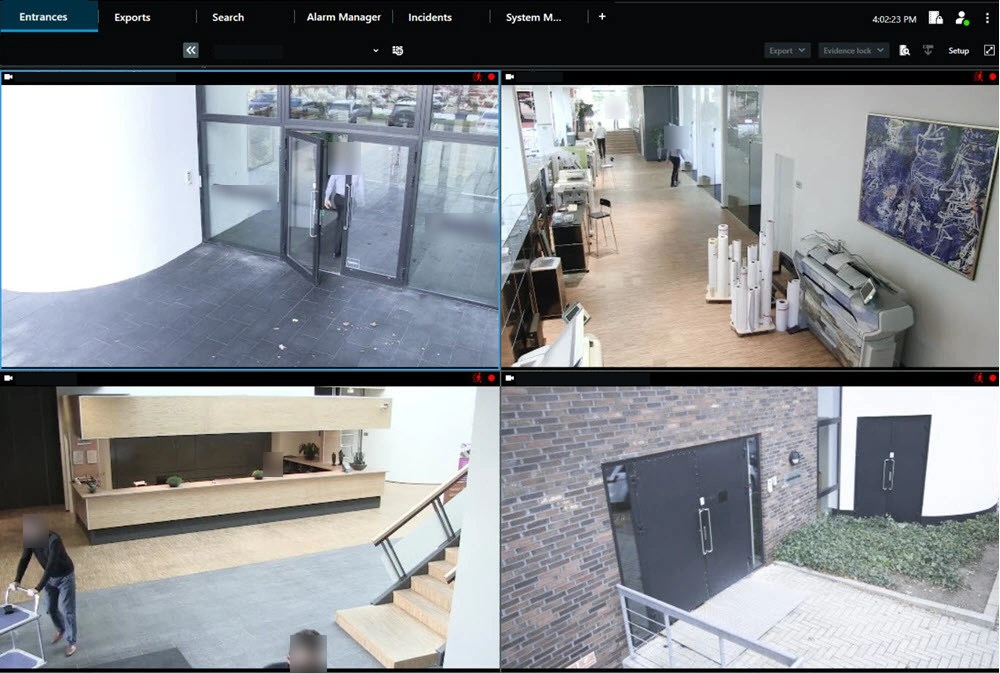
Smart Client live view
Verify views, camera naming, alarms, navigation, user rights, and workstation performance with an operator account.

Search, playback, and export
Test the complete incident workflow, including synchronized review and a usable evidence handoff.

Management Client
Understand who will administer cameras, servers, rules, roles, devices, storage, and system health.
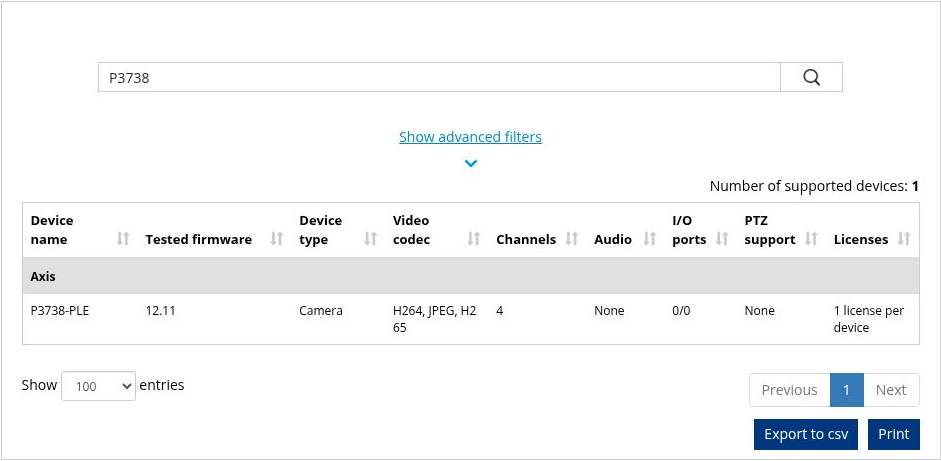
Device and license verification
Check the exact device, tested firmware, driver, channels, capabilities, and applicable license treatment.
Interface sources: XProtect 2025 R2 Smart Client manual, XProtect 2025 R1 Administrator Manual, and the public Milestone Supported Device List. Images are instructional examples, not an Umbrella customer system.
Our opinion comes from installations, upgrades, and service calls
Umbrella’s Milestone records run from 2018 through 2026. They include school districts, municipal facilities, manufacturers, nonprofit housing, new systems, inherited systems, server replacements, added cameras, licensing, Care renewals, user access, and remote recovery.
These examples support the field observations on this page; they are not customer endorsements. See Umbrella Security’s Milestone XProtect experience for the fuller project record and our fact-checking notes.

Broad camera support without pretending every combination works the same
Milestone’s public supported-device page lists more than 16,500 devices. Its XProtect page also cites more than 1,000 third-party applications. That range can help an organization keep useful cameras, avoid a single-camera ecosystem, and add specialized integrations.
It does not remove the need to test. Verify the exact model, firmware, driver, enabled channels, audio, input/output, analytics, license treatment, client behavior, and XProtect release. Milestone also notes that it does not warrant third-party devices.
List
Inventory exact devices, firmware, channels, and current uses.
Verify
Check current Milestone support and license treatment.
Test
Prove representative streams, recording, events, and analytics.
Document
Record the supported configuration and upgrade assumptions.
Why Axis cameras and XProtect can be a stronger combination
Canon owns Axis Communications and Milestone Systems, but Axis does not own Milestone. They remain separate companies within the Canon Group. Their technical relationship matters because Axis develops XProtect integrations that reach beyond sending a video stream through a standard camera driver.
AXIS Optimizer for XProtect
This free Axis-developed suite can bring supported device settings, operator controls, analytics, events, security functions, and maintenance workflows into XProtect. That can reduce the number of separate applications people need to open.
Analytics and investigations
Supported Axis analytics can create events and metadata at the camera. XProtect can use that information for alarms, rules, search, investigation, and response when the complete workflow is configured and tested.
Access control with video
Axis Secure Entry for XProtect can connect supported Axis door controllers and access events with related video. See our Axis Communications access-control review for the door, credential, administration, and service questions.
Audio and body-worn evidence
Axis also offers XProtect integrations for network audio and body-worn systems. These can support live or recorded messaging, device status, and body-worn evidence workflows when the proposed products and versions are compatible.
The practical advantage: Axis handles the device at the edge—image quality, analytics, audio, access, or evidence capture. XProtect handles recording, permissions, alarms, investigations, exports, and multi-site operation. That is a deeper working relationship than basic camera compatibility, but every model, firmware version, device pack, plugin, license, and workflow still needs to be verified.
The harder problems are usually design and responsibility—not missing features
A capable platform can still become a poor system when infrastructure, administration, training, or support are left undefined.
Edition and licensing fit
Confirm edition limits, device and channel treatment, required extensions, upgrade rights, and the impact of future expansion before ordering.
Server and storage design
Retention, resolution, frame rate, compression, motion, disk throughput, RAID, archive, redundancy, and growth cannot be guessed from camera count.
Administration burden
Someone must own users, roles, cameras, views, rules, alarms, health, certificates, backups, documentation, and change control.
Upgrade dependencies
VMS version, clients, plugins, device packs, firmware, integrations, Windows, database, and identity can turn an update into a coordinated event.
Operator adoption
Feature depth has little value if users cannot retrieve evidence or understand alerts during a real incident.
Support accountability
Define who responds to licensing, stopped services, storage alarms, camera failures, network changes, and after-hours incidents.

Ask for the assumptions behind the number
A proposal that promises a retention period should state the recording stream, resolution, frame rate, codec, expected scene activity, audio, usable capacity, RAID or redundancy, archive behavior, and growth allowance.
Acceptance testing should then check actual retention, disk health, playback, and export. Installed drives alone do not prove the result.

Security depends on configuration and continued ownership
Milestone publishes hardening guidance, and identity and user-rights capabilities vary by edition and design. Require least privilege, named accounts, protected administrator access, sound certificate and password practices, network segmentation, backups, logging, assigned update responsibility, and a recovery plan.
Active Directory or another identity path can improve control, but only when groups, offboarding, service accounts, emergency access, and audit responsibilities are clear.
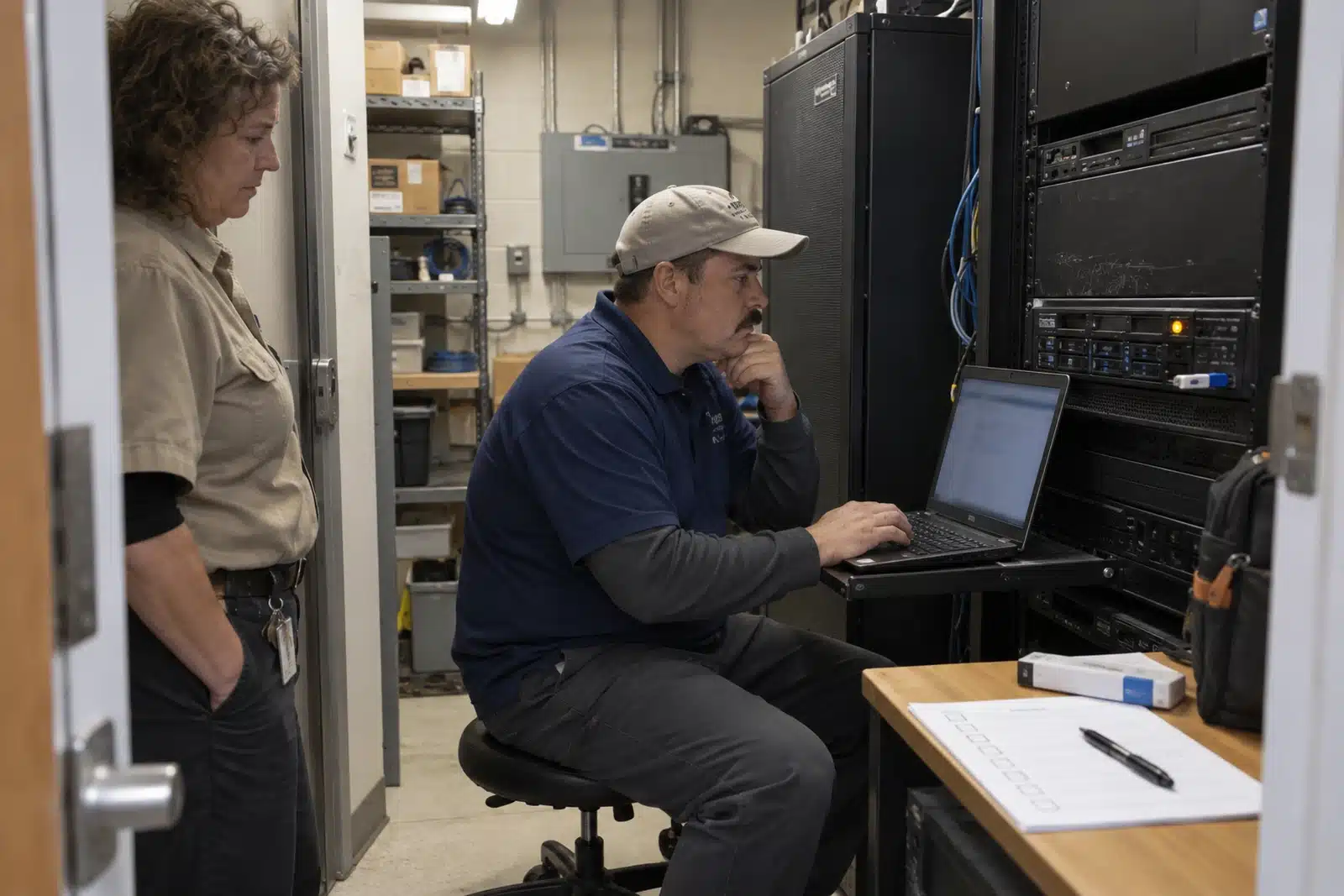
The system must remain supportable after the original installation
Umbrella’s field experience includes Care renewals, software upgrades, license recovery, server changes, stopped-service repair, and camera verification after work is completed. Before signing, understand what the Care plan provides, what the integrator supports, and what the internal IT team must supply.
A good support plan identifies maintenance windows, backups, licensing access, documentation, escalation, remote access, onsite recovery, and tests to run after a change.
How XProtect differs from other commercial video systems
There is no universal winner. Compare the actual cameras, sites, staffing, integrations, retention, cybersecurity requirements, and support model.
Before choosing a platform, use our video management software comparison guide to decide what to keep, what to test and what an upgrade would involve.
| Alternative | Where it may fit better | Where XProtect may fit better |
|---|---|---|
| Genetec Security Center | Enterprise operations that need video, access control, ALPR, communications, and complex security workflows in a unified platform. | Projects centered on video that need broad camera support and third-party integration without the same unified-platform scope. |
| Verkada | Cloud-managed simplicity, appliance-like deployment, and one proprietary administrative environment. | More camera and architecture choice, control of the recording environment, and less dependence on one camera ecosystem. |
| Avigilon Unity or Alta | Organizations aligned with Motorola Solutions and Avigilon cameras, analytics, access, and video products. | Mixed-camera systems and projects where broad third-party choices are central. |
| Axis Camera Station Pro | Many Axis-centered small and mid-sized systems that want a more focused path. | Larger, mixed-manufacturer, or integration-heavy systems that need deeper VMS flexibility. |
| Eagle Eye Networks | Cloud-managed video and less customer-owned recording infrastructure. | Organizations that want on-premises recording control and a more traditional VMS architecture. |
Compare the category first on Umbrella’s surveillance camera and VMS manufacturer guide. Then review the proposed platform alongside the actual camera installation, infrastructure, and support plan.
Questions the proposal should answer in writing
These answers should be clear before equipment and licenses are ordered.
- Which edition and current version are proposed, and why?
- Which exact cameras, firmware, drivers, channels, and licenses are assumed?
- What recording stream and retention assumptions size the storage?
- What happens during a server, disk, WAN, camera, or license failure?
- Who administers users, roles, views, rules, alarms, and health?
- How will Active Directory, certificates, remote access, and backups work?
- Which integrations and analytics will be demonstrated before acceptance?
- What operator and investigation tasks must pass?
- What does Care cover, and what does the integrator support?
- How will upgrades, rollback, documentation, and post-change testing be handled?
Purchase a working system, not a software license by itself
The complete project includes designed coverage, proven compatibility, correctly sized recording, secure administration, task-based training, documented acceptance, and a support plan that survives staff and technology changes.
That is why this review links to Umbrella’s Milestone integration experience. One page examines the software. The other documents the work needed to make it useful.
Milestone XProtect review FAQ
Is Milestone XProtect a good video management system?
Yes, when an organization needs a flexible, scalable VMS and has a sound plan for cameras, servers, storage, cybersecurity, users, upgrades, and support. It may be more system than a small or lightly staffed site needs.
What is the biggest advantage of Milestone XProtect?
Its broad device and integration support. XProtect can work with many cameras, devices, analytics, and third-party applications, which gives organizations more choice than a single-camera ecosystem.
What should we be careful about with XProtect?
Do not underestimate system design and continued responsibility. Exact device support, licensing, server performance, retention, user rights, updates, backups, training, and integrator support all affect the result.
Which XProtect edition should we choose?
As of September 2026, Milestone offers Express+, Professional+, Expert, and Corporate. Compare the actual site count, devices, server architecture, redundancy, identity, evidence, central management, and expected growth against the current Milestone documentation.
Can XProtect use our existing cameras?
Possibly. Verify each model, firmware version, driver, stream, channel, audio, input/output, analytics, and license requirement on the current Milestone Supported Device List, then test representative devices.
Is XProtect cloud-based?
XProtect supports several deployment paths. Milestone currently describes on-premises systems, AWS hosting, and a hybrid XProtect-Arcules option. The right path depends on bandwidth, retention, remote sites, cybersecurity, support, and who will own the system.
How does Milestone compare with Verkada?
Milestone generally offers more camera and deployment flexibility. Verkada emphasizes a simpler proprietary cloud-managed experience. The practical tradeoff is greater control and choice versus a more appliance-like operating model.
Why do Axis cameras often work well with Milestone XProtect?
Axis and Milestone have a long technical relationship, and Axis develops AXIS Optimizer and other XProtect integrations. These can bring supported device settings, analytics, events, access control, audio, body-worn evidence, and operator workflows more directly into XProtect. Exact devices, software versions, licenses, and workflows still need to be verified.
Who should implement and support Milestone XProtect?
Use an integrator that can handle camera compatibility, server and storage design, network coordination, commissioning, user workflows, upgrades, troubleshooting, and documentation—not software licensing alone.

Evaluate XProtect in the building where it has to work.
Umbrella Security Systems helps commercial facilities in Chicago and Northern Illinois evaluate XProtect, test existing cameras, review infrastructure, size retention, and plan upgrades. Start with your camera inventory, recording problems, investigation needs, and expansion plans. Our commercial camera systems guide explains system selection, and our camera installation guide covers the work involved. Define the tasks your users should complete before acceptance.
Tell us what needs to improve.
Share your site count, camera inventory, retention requirement, common investigations, IT constraints, and current problems.
Talk with Umbrella Security
Need help deciding whether Milestone XProtect fits your facility?
Tell us what you are trying to protect, how many cameras or locations are involved, and what your staff needs to do with the video. We will help you identify the questions that should be answered before a system is selected.
Contact Us
"*" indicates required fields