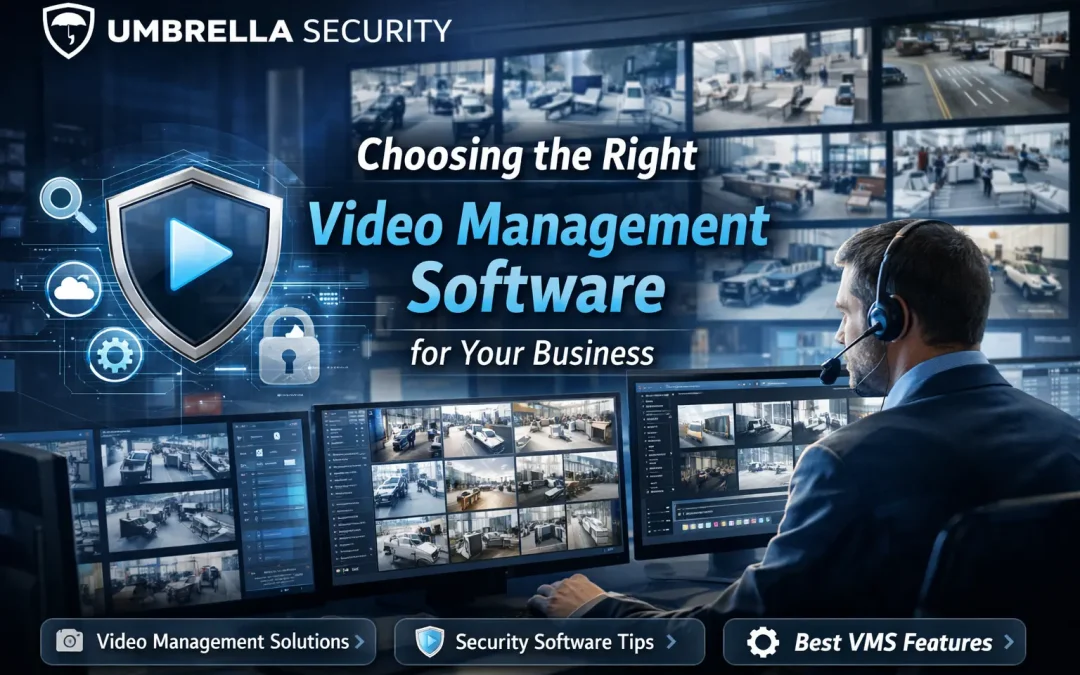
Video management software for business
Video management software.
Find the footage you need.
A camera view is only the beginning.
Your staff need to find an incident, export a usable clip and know when recording stops. Compare video management software around those everyday jobs.
Plan your VMS upgradeCommercial and government facilities
Chicago & Northern Illinois

Start with what needs to change
Keep the recorder, change the software, or connect your sites?
A VMS manages live views, recording, playback, search and access. An NVR is a recording appliance that also runs software. Compare the actual functions—not just the label on the box.
Your current recorder may still do the job.
Start here if it remains supported and can deliver the camera capacity, retention and operator tools you need.
Test your current system- Worth keeping when
- The required tasks work, capacity is adequate and support is available.
- Check before deciding
- Software updates, storage health, camera limits and export options.
- What may change
- Configuration, storage, training or a few cameras—depending on the problem.
Make the investigation easier to complete.
A VMS or server change may be worthwhile when staff struggle to trace an event, work across sites or connect a supported door or alarm event.
Check camera reuse first- Worth considering when
- A supported platform can demonstrate the tasks your current system cannot.
- Check before deciding
- Exact camera models, firmware, drivers, licenses and server requirements.
- What may change
- Software, server, storage, integrations and the migration sequence.
Separate remote access from recording location.
Cloud and hybrid systems use different recording arrangements. Ask where footage is stored and what staff can still do during an internet outage.
Compare the ongoing costs- Worth considering when
- You need a practical way to manage users and sites, with suitable connectivity.
- Check before deciding
- Upload capacity, local recording, retention, account ownership and outage behavior.
- What may change
- Subscriptions, gateways or recorders, network capacity and support arrangements.
Need to plan the cameras and site layout too? Start with commercial security camera systems.
Before you replace working cameras
Can you keep what you already own?
Often, that is the first question worth answering. A camera can produce a live image and still lack the recording, audio, analytics or event support your team expects.
List the equipment
Camera model and firmware. Recorder or server. Current software and version. Note the functions you rely on today.
Check the exact combination
Compare the proposed VMS version and driver with the manufacturer’s supported-device records and the applicable ONVIF product listing.
Test the functions you need
Try playback, export, audio, PTZ and relevant events on a representative camera before committing to the full replacement.
What does ONVIF compatibility tell you?
ONVIF profiles specify interoperability requirements, including mandatory and conditional features. Membership alone does not certify a product. Match the registered model and version, then check your required functions and support route.
Milestone also distinguishes devices connected through its ONVIF drivers from devices its support team has directly tested.
ONVIF product records ↗ONVIF profiles ↗Milestone driver guidance ↗
Make the demonstration useful
Put your team at the controls.
Use a normal workday as the example: a missing delivery, a gate event or a restricted-area alarm. Ask staff to complete the task with the proposed software.

McHenry’s IT manager describes replacing an older video system with panoramic and fixed cameras, open-platform software and storage planned for expansion. Read McHenry’s experience.
Seven things to try before you choose
Open a card for a practical test.
Find an incident
Give your operator an approximate time and location. Ask them to follow the event across the relevant cameras.
Check: Note the steps, useful views and any gaps in the footage.
Export a usable clip
Export an approved test event. Open the file on the equipment your intended recipient will use.
Check: Note any required player, permitted information and export restrictions.
Try the cameras you want to keep
Use the exact model, firmware and proposed driver. Check recording and any required audio, PTZ or events.
Check: List the functions that worked, failed or still need testing.
Limit access by staff role
Try a permitted account and a restricted test account. Check their access to live views, recordings, exports and settings.
Check: Confirm who can change permissions and remove an account.
Check recording and retention
Review usable capacity and recording settings. Confirm the available history once the system has run long enough.
Check: Keep the settings and actual recording history, not just a storage estimate.
Check fault alerts and recovery
Agree a supported test with operations and IT. Confirm who receives the fault notification and how recording is restored.
Check: Record the observed behavior and the person responsible for recovery.
Link the door or alarm event
Use the exact integration and license in the proposal. Show the event in the intended interface with the correct camera view.
Check: Note configuration requirements and limits that affect daily use.
Keep a short record of the results. Include the product and version, what worked, and who will resolve anything left open. Have your staff repeat the task without the presenter taking over.
VMS costs
Compare the full system,
not just the license.
Use the same camera count, recording settings, retention period and support term in every quote. Then separate installation costs from recurring charges.
Recording & storage
Recorder or server, usable storage and capacity for additional cameras.
Network & integrations
Switches, bandwidth, supported connections and integration licenses. Connecting video with doors or alarms? Use these security dashboard checks to plan what staff need to see and do.
Setup & training
Migration, configuration, operator practice and agreed acceptance tests.
Renewals & support
Software maintenance, subscriptions, cloud storage and support coverage.
“What will we pay to renew—and to add cameras?”
Ask for both answers in writing, including software maintenance, cloud storage, support and expansion licenses.
Go deeper on the platforms
Keep your requirements.
Compare the choices.
These Umbrella guides cover platform-specific questions. Use the same camera list and demonstration tasks when you compare proposals.
Milestone XProtect
Device support, configuration and day-to-day operation.
Read the XProtect review Umbrella platform reviewGenetec Security Center
Video, access control and the integrations your team needs.
Read the Genetec review Umbrella municipal projectAXIS Camera Station Pro in use
Wilmington’s Police Department and City Hall upgrade used on-premises recording and a phased migration.
See the Wilmington projectFor installation and network preparation, see commercial camera installation in Chicago. For a mixed-platform example, read Umbrella’s Milestone integration experience.
Before you choose
Questions worth asking
Can we keep cameras from different manufacturers?
Possibly. Check the exact models, firmware, supported drivers and required functions. Decide what to retain after that review and a representative test.
Does ONVIF mean every feature will work?
ONVIF profiles define interoperability requirements, including mandatory and conditional features. Verify the registered product and version, required functions, manufacturer support and the task you need to complete.
Will a new VMS improve our picture quality?
Software cannot replace suitable camera placement, lighting and image detail. Evaluate the video entering the system as well as the software used to manage it.
Should we replace the recorder or the entire system?
Start with the constraint: unsupported equipment, insufficient capacity, unreliable recording, difficult investigation or a missing integration. Compare an upgrade with replacement against those requirements.
Plan the next step with Umbrella
What is your current video system making difficult?
Tell us what your team needs to do, what equipment you have and where the system falls short. We can discuss whether to improve the current setup or plan a replacement.
Planning, installation and support for commercial and government facilities in Chicago and Northern Illinois.