
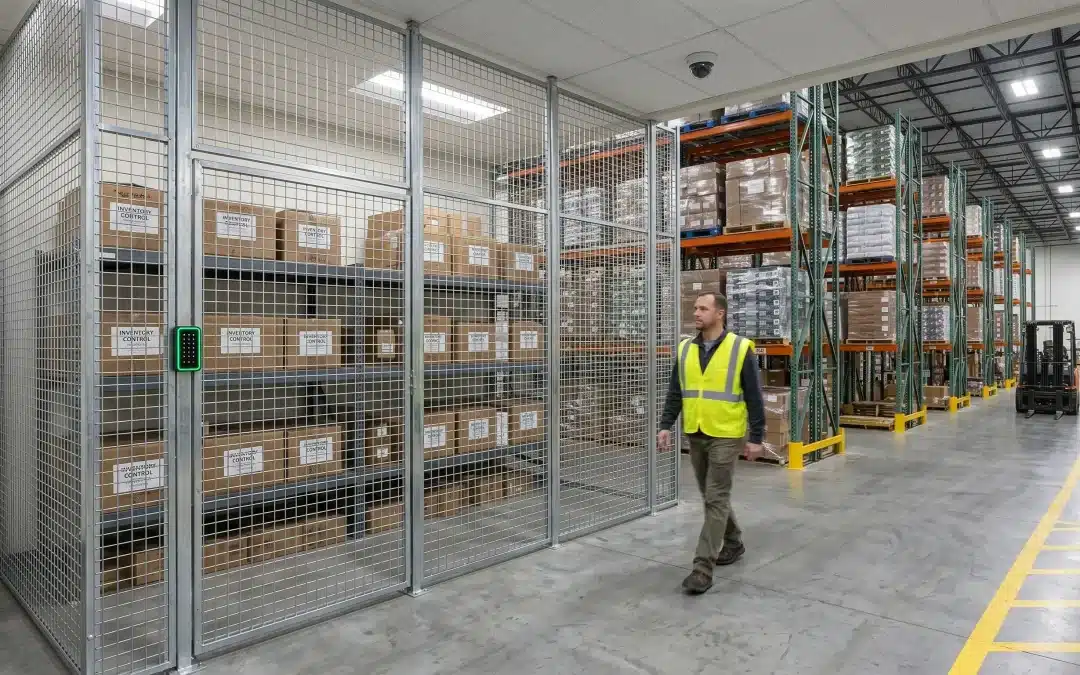
Warehouse Security Planning
Warehouse Video Surveillance: A Practical Planning Guide for Chicago-Area Facilities
Warehouse video surveillance should be designed around how the facility actually operates: dock doors, truck yards, restricted inventory, employee entrances, after-hours access, alarm events, and the footage your team needs when something has to be reviewed.
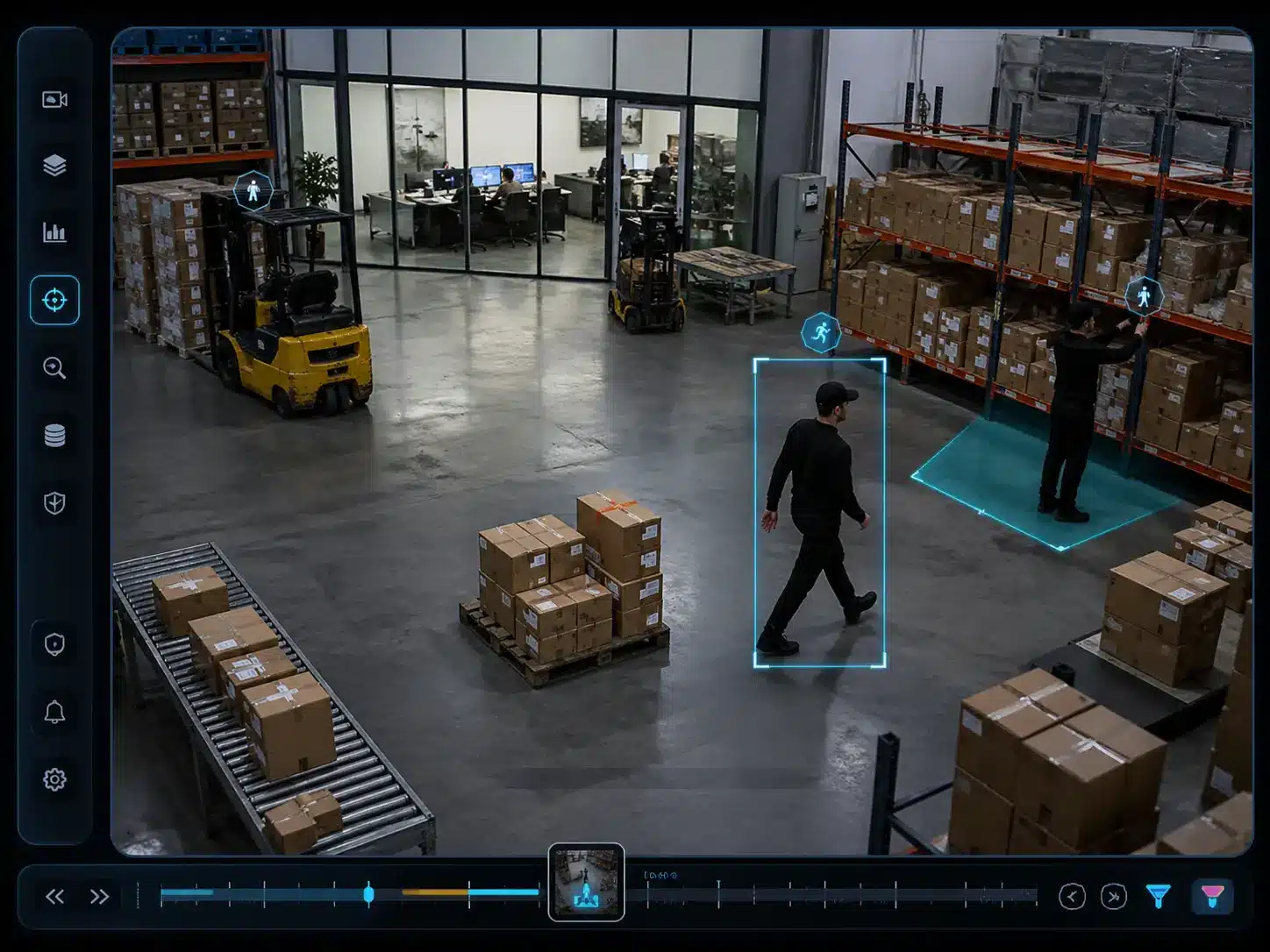
A camera system that works well in a small office or retail space may not be enough for a warehouse, distribution center, manufacturing facility, or logistics operation. Warehouses have long aisles, high ceilings, loading docks, trailer staging, shift changes, contractors, drivers, forklifts, restricted areas, and after-hours activity.
For commercial and industrial buyers, warehouse video surveillance should be evaluated as part of a working facility-security plan, not as a standalone camera purchase.
The better question is not, “How many cameras do we need?” The better question is, “What does the footage need to show when something goes wrong — and what should happen next?”
Planning Brief
What a warehouse surveillance system should help your team prove
A warehouse camera system should not only show live views. It should help the facility team verify access, review dock activity, investigate inventory movement, confirm alarm events, and export usable footage when an issue needs to be documented.
Employee, driver, contractor, vendor, visitor, or after-hours activity.
Inventory, pallets, equipment, trailers, vehicles, or restricted goods.
Door event, alarm event, motion event, access event, or monitoring workflow.
Clear footage, correct timestamp, sufficient retention, and clean export.
What Is Warehouse Video Surveillance?
Warehouse video surveillance is a planned camera system designed to monitor, record, and help investigate activity across a warehouse, distribution center, manufacturing facility, storage facility, or logistics operation.
Warehouse coverage follows the same design principles as other warehouse video surveillance systems — camera placement, storage, and network capacity planned together.
The value of warehouse video surveillance depends on whether the system can help managers verify real events, not just display live camera views.
A practical warehouse surveillance system should help answer operational questions quickly. The system should support live visibility, investigation, user accountability, and documentation without relying on a generic camera package.
Operational visibility
Cameras should help managers understand activity at docks, entrances, yards, cages, aisles, and staging areas.
Usable evidence
The footage needs enough detail, retention, timestamp accuracy, and export quality to support review.
Connected response
The best systems connect video with access control, intrusion alarms, gates, intercoms, and monitoring workflows.
The goal is not to place cameras everywhere. The goal is to place the right cameras in the right locations with the right resolution, retention, permissions, integrations, and support plan.
Why Warehouses Need a Different Surveillance Plan
Warehouses create surveillance challenges that many other commercial facilities do not. Large open spaces can create blind spots. High ceilings can make people and labels hard to identify. Dock doors create lighting problems because cameras may need to handle bright outdoor light and darker interior space at the same time. Truck yards and perimeter areas may require long-range exterior coverage.
A basic camera installation may show that something happened. A better-designed warehouse video surveillance system helps show what happened, where it happened, who was involved, and what system event was connected to it.
| Warehouse event | What video should show | Supporting system |
|---|---|---|
| Dock door opens after hours | Which door opened, who was present, and what activity followed | Intrusion alarm, door contact, access schedule |
| Restricted cage access | Who entered, whether anyone followed, and what was handled | Access control, credential log, camera bookmark |
| Truck yard motion | Vehicle, person, weather event, or authorized movement | Exterior cameras, motion detection, monitoring workflow |
| Shipment dispute | Receiving, staging, loading, trailer activity, and exportable evidence | Video management system, retention policy, dock cameras |
1. Start With the Warehouse Zones That Matter Most
Camera placement should begin with the facility layout, not a product list. Most warehouses need coverage across several different zones. Each zone has a different purpose, viewing requirement, and investigation value.
Loading docks
Loading docks are usually one of the most important surveillance areas in a warehouse. Cameras should help document trailer activity, dock door use, loading and unloading, driver interaction, and cargo movement.
For facilities with after-hours receiving, dock surveillance should also be coordinated with intrusion alarms, door contacts, motion detection, and access control schedules.
Receiving and shipping areas
Receiving and shipping areas are where inventory changes custody. These areas should be covered clearly enough to review whether products were received, staged, counted, loaded, or moved to another location.
High-value inventory areas
High-value inventory, cages, tools, electronics, controlled goods, and sensitive customer property may require tighter coverage than general storage.
Employee entrances
Employee entrances are useful points for documenting who entered and exited the facility. Camera views should align with access-controlled doors so door events can be verified with video.
Truck yards and perimeter
Exterior warehouse coverage may include vehicle gates, parking lots, trailer staging, fence lines, overhead doors, outdoor storage, and exterior equipment.
IT and security rooms
Offices, server rooms, network closets, electrical rooms, and security equipment areas may need video coverage or access control depending on the risk profile of the site.

2. Plan for Evidence Quality, Not Just Visibility
A camera can technically “see” an area and still fail as evidence. Evidence quality depends on the viewing goal, camera placement, lighting, recording settings, export process, and whether the system captures enough detail.
Define the question
Does this camera need to identify a face, verify a vehicle, read a license plate, show product movement, or document a dock transaction?
Match the angle
High mounting can help with wide views, but it may hurt identification. Critical doors, docks, and cages often need more focused angles.
Test real conditions
Review lighting, glare, motion blur, distance, night conditions, and export quality before relying on a view.
3. Connect Video With Access Control
Access control systems and video surveillance solve different problems. Access control shows who was authorized to use a door, gate, or restricted area. Video shows what happened around that event.
For warehouses, access control integration is useful at employee entrances, office-to-warehouse doors, high-value inventory cages, IT rooms, exterior gates, truck yard entrances, and restricted storage areas.
When warehouse video surveillance is aligned with access control, the facility can connect a credential event with the person and activity shown on camera.
| Access point | Why video matters | Workflow value |
|---|---|---|
| Employee entrance | Confirms who entered and whether anyone followed behind | Supports shift changes, contractor access, and after-hours review |
| Restricted inventory cage | Shows what happened after the credential event | Connects door activity with operational review |
| Truck yard gate | Documents vehicle movement and gate use | Supports vendor, driver, and trailer access review |
| IT or electrical room | Verifies access to critical infrastructure areas | Improves accountability around system-support spaces |
Access control should not be treated as just a door-locking tool. In a warehouse environment, it becomes part of the operational record when it is connected to video.
Access Control + Video Verification
Restricted-area access is easier to review when the door event and video match.
In a warehouse, access control should not operate in isolation. When a worker uses a keyfob, the system should help document who entered, when the lock released, and what activity happened around the restricted area.
- Credential event shows who was authorized.
- Video confirms who actually entered.
- Alarm schedules help flag after-hours activity.
- Managers can review the event without searching hours of footage.
Example workflow: keyfob access, electronic lock release, and video documentation for a restricted warehouse area.
4. Coordinate Video With the Alarm System
A warehouse alarm system is most useful when it is designed around the same zones as the camera system. An alarm tells you something happened. Video helps verify what happened.
Warehouse video surveillance also helps make alarm events easier to understand because managers can review the matching camera view before deciding what response is appropriate.
For warehouses, intrusion alarm planning may include door contacts, motion detectors, glass break detection, overhead door contacts, high-value area protection, equipment room protection, yard detection, after-hours schedules, and monitoring workflows.
After-hours dock event
A dock door opens outside the approved schedule. The intrusion alarm system generates an event, and the nearest dock camera helps verify what happened before escalation.
Restricted area motion
Motion occurs in a protected area after closing. Video helps determine whether the activity is authorized, accidental, weather-related, or something that requires response.
Perimeter or yard activity
Exterior detection is more useful when cameras can show whether the event involved a person, vehicle, animal, weather condition, or authorized movement.
Monitoring workflow
A connected system helps determine who should be notified, what should be reviewed, and when the event should be escalated.
Umbrella supports commercial facilities with integrated commercial security camera systems, access control, and alarm system planning so these events are easier to understand and manage.
5. Match Camera Types to Real Warehouse Conditions
Warehouse camera selection should be based on the viewing problem each area creates. A general-purpose camera is not always enough for dock doors, long aisles, exterior yards, or vehicle gates.
| Camera type | Common warehouse use | Planning caution |
|---|---|---|
| Fixed cameras | Doors, aisles, receiving areas, equipment rooms, defined points | Best when the viewing goal is consistent documentation |
| Dome cameras | Offices, corridors, entrances, some interior warehouse areas | Use where the form factor fits the environment |
| Bullet cameras | Exterior coverage, loading areas, fence lines, vehicle paths | Confirm lighting, distance, and weather exposure |
| Multi-sensor cameras | Large receiving areas, intersections, warehouse corners, yards | Fewer devices do not always mean better evidence quality |
| PTZ cameras | Live monitoring, guard operations, large exterior areas | Should supplement fixed evidence cameras, not replace them |
| License plate recognition | Vehicle gates, truck entrances, trailer yards | Requires proper lane geometry, angle, speed, and lighting |
For broader camera-system architecture, storage, cybersecurity, and ownership planning, see Umbrella’s commercial security camera systems page.
6. Design Around Lighting Problems
Lighting is one of the most common reasons warehouse surveillance footage fails. Warehouses often have mixed lighting: bright dock doors, dark aisles, exterior glare, shadows from racks, LED flicker, and changing daylight throughout the day.
Camera specifications matter, but placement matters more. Even a strong camera can perform poorly if it is mounted at the wrong angle into glare or darkness.
7. Plan Retention Around Investigation Timelines
Video retention should be based on how long it takes your team to discover and investigate problems. Some incidents are noticed immediately. Others are discovered after a customer complaint, inventory count, shipment dispute, audit, HR issue, carrier claim, or insurance question.
Inventory cycles
If discrepancies are discovered days or weeks later, short retention windows may erase the footage your team needs.
Shipment disputes
Retention should support realistic customer, carrier, vendor, and internal review timelines.
Storage model
Cloud, on-premise, and hybrid storage each affect bandwidth, cost, ownership, remote access, and scalability.
The system should also make exporting footage simple enough that managers can use it under pressure. A system that records footage but makes retrieval difficult can still fail operationally.
8. Use Analytics Carefully
Video analytics can help warehouse teams find events faster, but analytics should not be treated as a substitute for good design. They are most useful when tied to a specific operational question.
| Analytic | Warehouse use case | Design caution |
|---|---|---|
| Motion detection | After-hours movement near docks, doors, or yards | Forklifts, shadows, weather, and insects can create noise |
| Line crossing | Restricted aisle, gate, or perimeter movement | Needs careful tuning around normal operations |
| Vehicle detection | Truck yard activity and trailer movement | Camera angle and lighting still matter |
| Smart search | Faster investigation after an incident | Search quality depends on metadata and camera coverage |
Analytics can support a good system. They do not fix poor camera placement, bad lighting, weak retention, or unclear response procedures.
9. Control Who Can View, Export, and Manage Video
Warehouse surveillance planning should include user permissions. Not every employee should have access to every camera, every export function, or every administrative setting.
A camera system is not only a physical security tool. It is also a data system. That means ownership, permissions, passwords, updates, network segmentation, audit logs, and offboarding procedures all matter.
10. Build a Maintenance and Support Plan
Warehouse surveillance systems are exposed to dust, vibration, lifts, weather, temperature changes, network changes, and building modifications. A system that worked on installation day can lose value over time if cameras are blocked, dirty, misaligned, disconnected, or no longer matched to the facility layout.
System health
Verify camera status, recording, storage, network performance, firmware, cybersecurity updates, and export testing.
Layout changes
Re-check camera views after racking changes, new inventory areas, dock changes, or operational workflow updates.
Integrated testing
Test access control events, alarm events, and camera bookmarks before a real incident forces the issue.
Warehouse Video Surveillance for Chicago-Area Facilities
Warehouse security planning in the Chicago area should account for local facility types and operating conditions. A warehouse near Naperville, Aurora, Joliet, Elk Grove Village, O’Hare, I-55, I-80, I-88, I-90, or I-294 may have different security needs than a smaller commercial building.
For Chicago-area facilities, warehouse video surveillance should also account for local operating conditions such as winter lighting, exterior exposure, truck traffic, and service support.

Local facility conditions
Chicagoland warehouses often need planning around cold weather, snow reflection, long winter nights, salt-stained pavement, exterior lighting, and changing daylight.
Industrial operating patterns
Distribution centers, flex industrial buildings, food facilities, manufacturing plants, logistics hubs, and multi-tenant warehouses often have different dock activity, truck traffic, shift schedules, and exterior coverage needs.
Umbrella works with commercial and industrial facilities throughout the Chicago area. For broader facility planning, review our pages for manufacturing security systems, warehouse security systems, and logistics remote video surveillance.
Warehouse Video, Access Control, and Alarm Workflow Examples
The strongest warehouse systems are designed around real events. These examples show how video, access control, and alarm systems can work together without turning the camera system into a disconnected set of views.
| Event | Connected workflow | Why it matters |
|---|---|---|
| After-hours dock door opening | Alarm event, dock camera review, door schedule, manager notification | Creates context instead of relying on an alarm signal alone |
| Restricted inventory cage access | Credential event, camera clip, restricted area review | Helps verify who entered and what happened next |
| Truck yard motion after closing | Exterior detection, camera verification, monitoring decision | Helps determine whether escalation is needed |
| Shipment dispute | Receiving footage, staging footage, dock footage, exportable clip | Supports operational review and documentation |

Common Warehouse Video Surveillance Mistakes
Designing around camera count
More cameras do not automatically mean better coverage. A smaller number of properly placed cameras can be more useful than a larger number of poorly planned cameras.
Mounting cameras too high
High mounting can help with wide views, but it often hurts identification. Important entrances, dock points, and restricted areas may need lower or more focused camera angles.
Treating access control as separate
Door activity, credential use, and video review should be considered together when the facility needs a usable record.
Treating the alarm as an afterthought
Warehouse alarm systems should be planned around doors, docks, restricted areas, and after-hours conditions.
Ignoring the network
Bandwidth, switching, power, VLANs, cybersecurity, remote access, and storage should be planned before cameras are installed.
Forgetting retention
If footage is overwritten before the issue is discovered, the system may fail when it matters most.
Warehouse Video Surveillance Planning Checklist
Before upgrading or installing a warehouse camera system, answer these questions.
When to Upgrade an Existing Warehouse Camera System
The strongest signal is not simply that the system is old. The strongest signal is that the current system cannot answer the questions your team needs answered after an incident.
Buyer Evaluation
Questions to ask before choosing a warehouse video surveillance provider
A warehouse camera proposal should explain more than camera quantity and price. It should show how the system will support operations, evidence review, access control, alarm response, retention, cybersecurity, and long-term service.
Coverage design
- Which views are for identification?
- Which views are for operational overview?
- Which dock doors, gates, and cages are prioritized?
- What blind spots remain after installation?
Integration plan
- Will camera views match access-controlled doors?
- Can alarm events be verified with video?
- Can restricted-area events be reviewed quickly?
- Will users have role-based permissions?
Evidence and retention
- How long will footage be retained?
- Can managers export clips without vendor help?
- Are timestamps accurate and searchable?
- Will footage be clear enough for review?
Support and ownership
- Who owns the admin credentials?
- How are users added and removed?
- Who maintains cameras after layout changes?
- How are firmware and cybersecurity updates handled?
Proposal Red Flags
Be careful with warehouse camera proposals that skip the operating details.
A low-cost or camera-count-focused proposal may look attractive at first, but warehouse systems fail when coverage, lighting, retention, network load, access control, alarm response, and support are not planned together.
Plan warehouse video around the site, not a generic camera package.
Umbrella Security helps commercial and industrial facilities assess camera coverage, access control needs, alarm zones, dock activity, truck yards, retention, permissions, and long-term support before recommending a system design.
A stronger warehouse video surveillance plan gives the team a clearer record of access, activity, alarms, and operational movement.
How Umbrella Security Approaches Warehouse Video Surveillance
Umbrella Security helps commercial and industrial facilities plan video surveillance around the site, not around a generic camera package.
For warehouses, that means reviewing dock activity, truck movement, employee entrances, restricted areas, inventory flow, exterior coverage, lighting, network readiness, storage requirements, access permissions, alarm zones, access control events, and long-term support before recommending a system design.
A practical warehouse video surveillance plan may include commercial security cameras, access control, intrusion alarms, intercoms, gate controls, monitoring workflows, and network infrastructure. The right mix depends on the facility.
The goal is not to overbuild the system. The goal is to make the right information available when it matters.
Helpful Planning Resources
Warehouse video surveillance should support broader facility planning, emergency procedures, and business continuity. For general preparedness guidance, facility leaders can review OSHA workplace emergency preparedness resources and Ready.gov business preparedness planning .
Frequently Asked Questions
How many cameras does a warehouse need?
It depends on the facility layout, dock count, ceiling height, inventory risk, exterior areas, access points, lighting, and evidence requirements. Camera count should come after the coverage plan, not before it.
Where should warehouse security cameras be placed?
Common camera locations include loading docks, receiving and shipping areas, employee entrances, visitor entrances, inventory storage areas, high-value cages, aisle intersections, truck yards, vehicle gates, parking lots, office areas, IT rooms, and exterior perimeter areas.
Should warehouse cameras integrate with access control?
Yes. Access control integration helps connect door events, credential use, forced-door events, and after-hours activity with matching video footage. This can make investigations faster and more reliable.
Should warehouse video surveillance connect with the alarm system?
Often, yes. Alarm integration can help teams verify after-hours door openings, motion events, restricted area activity, or perimeter events using video. This gives managers and monitoring teams better context during response.
What is the best camera type for a warehouse?
There is no single best camera type for every warehouse. Fixed cameras, bullet cameras, dome cameras, multi-sensor cameras, PTZ cameras, and license plate cameras may all be appropriate depending on the viewing goal.
How long should warehouses keep surveillance footage?
Retention should be based on investigation timelines, inventory cycles, shipment disputes, insurance needs, number of cameras, resolution, recording settings, and storage model. Many warehouses need longer retention than smaller commercial spaces because issues may be discovered after the day they occurred.
Are AI video analytics useful in warehouses?
They can be useful when applied to specific problems such as after-hours movement, vehicle activity, restricted area access, or faster video search. Analytics still need proper camera placement, lighting, tuning, and response procedures.
Should warehouse cameras be cloud-based or on-premise?
Both models can work. Cloud, on-premise, and hybrid systems each have tradeoffs involving storage, bandwidth, cybersecurity, subscription cost, remote access, scalability, and ownership control. The right choice depends on the facility and operating requirements.
What should a warehouse video surveillance assessment include?
A useful assessment should review facility layout, camera views, dock activity, truck yards, inventory areas, employee entrances, lighting, network readiness, storage needs, access permissions, alarm zones, integration opportunities, and long-term support.
Does Umbrella Security install warehouse video surveillance systems in the Chicago area?
Yes. Umbrella Security works with commercial, industrial, warehouse, logistics, and manufacturing facilities in the Chicago area and surrounding suburbs. The right starting point is a site-specific assessment that reviews the facility layout, operating conditions, camera coverage, access control needs, alarm system needs, and long-term support requirements.