
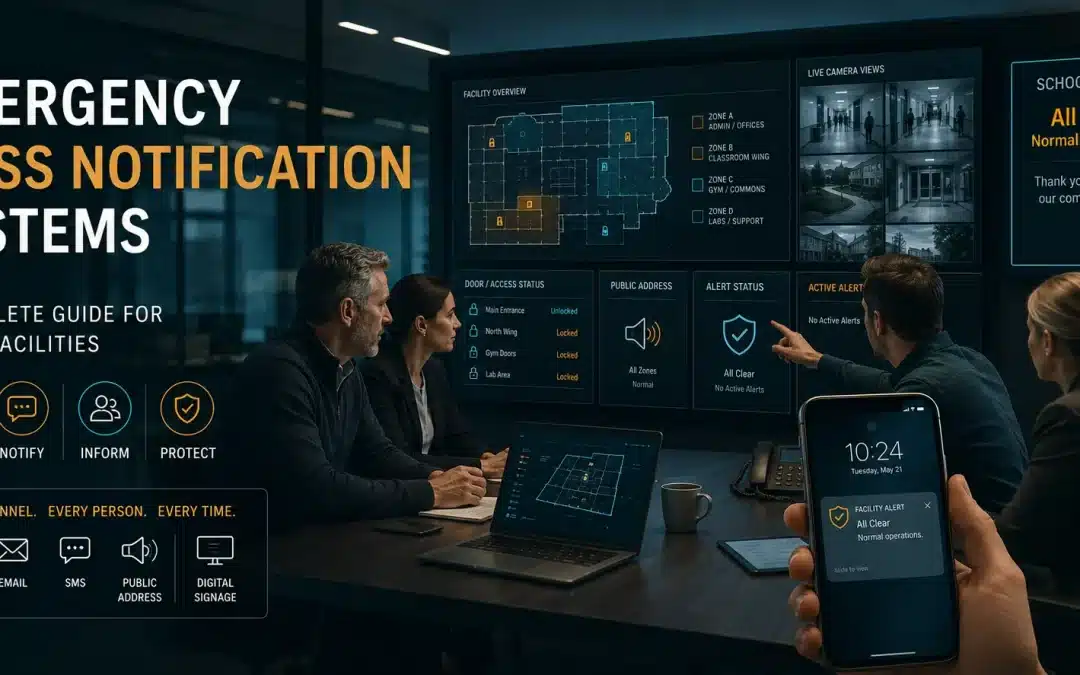
When a crisis hits, confusion is the enemy. During a critical event, your ability to communicate clearly and instantly can be the single most important factor in keeping people safe. A simple fire alarm or siren only signals danger; it doesn’t provide the specific, actionable instructions people need to respond effectively. This is where an emergency mass notification system (EMNS) becomes essential. It’s a powerful platform designed to cut through the chaos, delivering targeted alerts across multiple channels—from text messages to desktop pop-ups—to ensure everyone gets the right information at the right time. This article will cover what these systems are, how to choose the right one, and how to implement it to build a more resilient and prepared organization.
Key Takeaways
- Define Your Needs Before You Shop: The best EMNS is one that fits your specific environment. Before looking at providers, map out your audience, potential risks, and must-have features to create a clear blueprint for what you actually need.
- A Great Plan Beats Great Tech Every Time: A powerful system is useless without a solid strategy. Your success hinges on developing clear protocols, creating pre-written message templates, and running regular drills so your team can act with confidence during a real crisis.
- Your System Requires Constant Care: An EMNS is not a “set it and forget it” tool. Ensure its reliability by committing to regular system-wide tests, keeping your contact database updated, and integrating it with your other security systems to create a truly responsive safety net.
What Is an Emergency Mass Notification System (EMNS)?
When a crisis hits, clear and immediate communication can make all the difference. An emergency mass notification system, or EMNS, is a powerful tool designed to send critical alerts to large groups of people instantly. Think of it as your organization’s direct line to every employee, student, or community member during an emergency, ensuring they get the right information at the right time, no matter where they are. The core purpose of an EMNS is to cut through the noise of a chaotic situation, providing timely instructions that protect people and property. It’s about moving from awareness to action.
For any organization—from a school district to a manufacturing plant or a hospital—managing critical events effectively is a top priority. An EMNS is a foundational piece of a modern safety and security strategy. It moves beyond simple alarms by delivering specific, actionable guidance. Instead of just a siren, your people receive a text message with evacuation routes or an email detailing shelter-in-place procedures. This capability is essential for handling everything from severe weather warnings to active security threats, making emergency mass notification systems a non-negotiable tool for responsible leadership. When planning emergency mass notification systems, organizations should consider who needs to receive alerts, how messages are triggered, which channels are used, and how the system integrates with security workflows. By integrating this technology, you create a more resilient and prepared organization ready to face unexpected challenges with confidence.
How Does an EMNS Work?
At its heart, an EMNS works by broadcasting a single message across multiple channels simultaneously. When an administrator triggers an alert, the system instantly sends it out to a pre-defined list of contacts. The primary function is to quickly inform people of a potential threat and give them clear directions on how to respond. For example, in the event of a fire, the system can send a text, email, and automated voice call to everyone in the building with instructions to evacuate. This multi-pronged approach ensures your message has the best possible chance of reaching everyone, overcoming obstacles like poor cell service or people being away from their desks.
Key Components and Features
When you start looking at different systems, you’ll notice a few key features that separate the best from the rest. A reliable EMNS must be scalable, meaning it can grow with your organization and handle contact lists of any size. It also needs to be fast and dependable, because a message that arrives late is often useless. The ability to communicate through multiple channels is also critical. Look for a system that supports SMS texts, emails, voice calls, and mobile app push notifications. These core components ensure your critical event management is robust and effective when you need it most.
What Types of Emergencies Does It Cover?
The versatility of an EMNS is one of its greatest strengths. These systems are designed to handle a wide spectrum of events, far beyond just active threats or natural disasters. Local governments can use them to alert residents about road closures or boil water advisories. A university might use its system to notify students of a campus closure due to a snowstorm. In a corporate setting, an EMNS can alert employees to IT outages, building maintenance issues, or supply chain disruptions. This flexibility allows you to use a single platform for all your critical communications, keeping your people informed and safe in any situation.
Explore Common Communication Channels
A successful notification strategy relies on reaching people where they are. That’s why a strong EMNS uses a multi-channel approach. The most common channels include SMS text messages, emails, automated voice calls, and push notifications through a dedicated mobile app. However, a truly comprehensive system can also integrate with other communication tools. This might include posting alerts to social media accounts, displaying messages on digital road signs or indoor screens, and even activating audible sirens or public address systems. By layering these communication channels, you create a redundant network that ensures your message gets through.
How to Choose the Right EMNS for Your Organization
Selecting an mass notification system naperville il is a major decision, and it’s definitely not a one-size-fits-all purchase. The right system for a sprawling university campus will have different requirements than one for a single-site manufacturing plant or a downtown hospital. The key is to find a solution that fits your organization’s specific environment, potential threats, and operational structure. Think of it less like buying off-the-shelf software and more like designing a custom safety net.
To make the right choice, you need to look beyond the flashy features and focus on the core capabilities that will serve you when it matters most. This means taking a clear-eyed look at your unique needs, planning for future growth, and ensuring the system is both secure and reliable. By breaking the selection process down into manageable steps, you can confidently choose a system that protects your people and property. We’ll walk through the essential factors to consider, from assessing your environment to verifying the technical details that ensure your alerts are delivered instantly.

Assess Your Unique Needs
Before you even look at providers, start with a thorough assessment of your own organization. Who are you trying to protect? Your audience could include employees, on-site contractors, students, patients, or the general public. Where are they located? An effective EMNS for a single building is very different from one needed to cover multiple sites across the city. Mass notification systems are designed to broadcast alerts to a wide audience, which is critical for large organizations like schools and corporate campuses. Consider your most likely emergency scenarios—is it a severe weather event, an active threat, a chemical spill, or a building-wide power failure? Mapping out these details will give you a clear blueprint of your specific requirements.
Identify Must-Have Features
Once you know what you need, you can start building a list of essential features. This list will be your guide when evaluating different systems. Key features to consider include multi-channel delivery (SMS, email, voice calls, desktop pop-ups, digital signage) to ensure you can reach everyone, regardless of their location or device. Look for two-way communication capabilities that allow recipients to respond to alerts, confirming their safety or providing critical information. Other vital features are geo-targeting to send location-specific messages and pre-built templates that save precious time during a crisis. Having a clear list of key requirements helps ensure you get stakeholder buy-in and choose a system that truly meets your needs.
Plan for Integration and Scalability
Your EMNS shouldn’t operate in a vacuum. For maximum effectiveness, it needs to integrate seamlessly with your existing technology stack. This could include connecting to your HR database to automatically update contact lists, or linking with your access control systems to trigger lockdowns. Integration with physical security devices like air and sound detection sensors can also automate alerts. Furthermore, your organization will change over time. Scalability is essential, so choose a system that can grow with you, whether you’re adding new buildings, expanding your team, or adopting new communication technologies. A scalable system ensures you’re prepared for future growth and evolving needs.
Verify Security and Compliance Requirements
When you’re handling sensitive employee data and critical communications, security is non-negotiable. You need to be sure the EMNS provider has robust measures to protect your data from breaches and prevent unauthorized access that could lead to false alarms. It’s important to anticipate potential pitfalls and understand how to avoid them, especially regarding security. Beyond general data protection, consider any industry-specific regulations you must follow. For example, educational institutions have Clery Act reporting requirements, while healthcare organizations must adhere to HIPAA. A reputable provider will understand these compliance needs and offer a platform that helps you meet them.
What Impacts System Reliability and Speed?
In an emergency, every second counts. A message that arrives a few minutes too late can have serious consequences, making system reliability and speed critical factors in your decision. Ask potential providers about their uptime guarantees, system redundancies, and server infrastructure. A reliable system will have multiple backups to ensure it’s always operational, even during widespread power or network outages. Speed is about more than just a fast internet connection; it’s about the provider’s capacity to process and send thousands of messages simultaneously across multiple channels. A robust underlying infrastructure, like a dedicated fiber network, can significantly improve the speed and reliability of message delivery.
A Look at Top EMNS Providers
Once you’ve assessed your needs and identified key features, the next step is finding the right provider. The market is full of strong options, each with a slightly different approach. To help you get started, here’s a look at some of the top EMNS providers and what they offer. This isn’t an exhaustive list, but it covers the major players you’ll likely encounter in your research. Choosing the right partner is about more than just technology; it’s about finding a system that fits your organization’s unique operational and safety goals.
Everbridge
Everbridge offers a mass notification system designed to quickly alert employees and the public during emergencies. Its platform is trusted by over 6,500 organizations worldwide, from large corporations to public sector entities. This wide adoption speaks to its scalability and ability to handle complex communication needs across diverse environments. The system focuses on delivering critical information swiftly to keep people safe and informed, whether they’re on-site or remote. For businesses looking for a proven, enterprise-grade solution with a global reach, Everbridge is a prominent name in the emergency communications space.
AlertMedia
AlertMedia provides an emergency mass notification system that helps businesses communicate effectively during a crisis. Their core focus is on speed and precision—ensuring the right message reaches the right people without delay. This is crucial for situations where different groups need different instructions. The platform is designed to be intuitive, allowing administrators to send multi-channel alerts quickly, even under pressure. For organizations that prioritize targeted, two-way communication to confirm safety and manage events in real-time, AlertMedia offers a powerful and user-friendly solution to keep their teams connected and secure.
Rave Mobile Safety
Rave Mobile Safety delivers a comprehensive mass notification system that stands out for its ability to integrate with your existing safety protocols. This means it doesn’t just add another layer of technology; it works with the safety plans and tools you already have in place. This approach helps create a more cohesive and effective emergency response. By connecting disparate systems and ensuring seamless communication, Rave helps organizations streamline their critical communications. It’s a strong choice for businesses, schools, and government agencies that need a platform to unify their entire safety ecosystem.
OnSolve
OnSolve offers a robust emergency mass notification system built to help organizations manage critical events. The platform allows you to communicate vital information quickly and reliably when it matters most. OnSolve emphasizes the importance of getting alerts out through multiple channels to maximize reach and ensure no one is left uninformed. Their solutions are designed to handle everything from severe weather warnings to active security threats, providing a dependable backbone for any organization’s crisis communication plan. For those seeking a powerful and resilient platform to manage the full lifecycle of a critical event, OnSolve provides the necessary tools.
Singlewire Software
Singlewire Software focuses on helping organizations keep people safe and informed with its mass notification systems. What makes their approach interesting is their emphasis on helping clients avoid the common pitfalls that can cause these systems to fail. They understand that technology alone isn’t enough; successful implementation and usage are key. Their platform is designed to be reliable and easy to use, ensuring that alerts are sent and received without issue during high-stress situations. This is a great option for organizations that want not just a tool, but a partner in building a resilient and effective emergency communication strategy.
Regroup Mass Notification
Regroup Mass Notification is known for its user-friendly platform and versatile messaging capabilities. It allows administrators to quickly send alerts across numerous channels, including text, email, voice calls, and social media. This multi-channel approach ensures your message has the best chance of reaching everyone, regardless of their location or preferred device. The platform’s intuitive interface is a major plus, as it reduces the learning curve and allows for confident use during a real emergency. For organizations that need a straightforward yet powerful mass notification system, Regroup offers a reliable and easy-to-manage solution.
Omnilert
Omnilert specializes in providing emergency notification systems that give organizations the tools they need to communicate during critical incidents. Their platform is built with a singular focus on emergency response, offering features designed for speed and reliability. Omnilert is often recognized for its AI-powered threat detection capabilities, which can automatically identify potential dangers and initiate alerts, saving precious seconds. This proactive approach to safety makes it a compelling choice for campuses and corporations that want to get ahead of threats and automate their initial response, ensuring a faster and more effective reaction.
Alertus Technologies
Alertus Technologies provides a mass notification system that excels at integrating with an organization’s existing infrastructure. This includes everything from desktop computers and IP phones to digital signage and fire alarm panels. By leveraging the technology you already own, Alertus creates a unified and comprehensive alerting network that ensures no one is missed. This facility-based approach is ideal for organizations like universities, hospitals, and large corporate campuses that need to reach people across a wide variety of devices and locations. If your goal is to create a seamless, wall-to-wall notification bubble, Alertus offers a powerful solution.
BlackBerry AtHoc
BlackBerry AtHoc offers a secure mass notification system that enables organizations to communicate with their people during emergencies. Coming from BlackBerry, a company known for its focus on security, it’s no surprise that AtHoc prioritizes protecting communications. This makes it a leading choice for government agencies and large enterprises that handle sensitive information and operate in high-stakes environments. The platform allows for secure, two-way communication, helping organizations account for their personnel and manage incidents with confidence. For those where data security and communication integrity are non-negotiable, BlackBerry AtHoc provides a trusted solution.
Umbrella Security Systems
At Umbrella Security Systems, we provide a comprehensive emergency notification solution tailored for businesses and government clients right here in the Chicago area. Our approach is different because we don’t just sell you a system; we integrate it with your entire security infrastructure, including access control and video surveillance. This creates a smarter, more responsive safety ecosystem. We focus on ensuring your system is not only powerful but also practical for your specific environment. As your local security partner, we’re here to help you design, implement, and maintain a system that ensures clear and effective communication during any critical event.
How to Implement Your Emergency Mass Notification System
Once you’ve selected the right EMNS for your organization, the next step is implementation. This process is much more than just installing software; it’s about building a resilient communication framework that your team can rely on during a crisis. A thoughtful rollout ensures your system will perform as expected when every second counts. Let’s walk through the key steps to get your system up and running effectively.
Develop Your Implementation Strategy
A powerful tool is only effective with a clear plan. Before you go live, map out your implementation strategy. This means defining who has the authority to send alerts, what specific events will trigger a notification, and the exact protocols to follow for each scenario. An emergency mass notification system is a core part of any modern critical event management plan, so it’s vital to treat its implementation with the same level of strategic planning. Documenting these procedures ensures everyone understands their role and acts decisively during an emergency, removing guesswork when it matters most.
Train Your Team and Run Drills
The best technology can fall short if your team isn’t prepared to use it under pressure. Comprehensive training is essential for anyone who will manage or send alerts. Go beyond a simple software tutorial and focus on real-world application. The best way to build confidence and competence is to run regular drills and simulations. These exercises help your team practice the protocols you’ve developed, identify any gaps in your plan, and become comfortable with the system’s workflow. When a real crisis occurs, their response will be second nature instead of a scramble to remember what to do.
Test and Maintain Your System Regularly
An emergency notification system is not a “set it and forget it” solution. To ensure it works when you need it, you have to commit to regular testing and maintenance. Schedule routine system-wide tests—monthly or quarterly—to confirm that messages are being delivered across all channels. Just as important is maintaining your contact database. People come and go, so regularly updating employee and stakeholder information is critical for successful delivery. Proactive maintenance helps you avoid common system failures and ensures your investment provides reliable protection for your organization and its people.
Optimize Message Creation and Delivery
During an emergency, clarity is kindness. The content of your alert is just as important as its speed. To save precious time and reduce the risk of error, create pre-written message templates for a variety of potential scenarios, from severe weather warnings to building evacuations. These messages should be clear, concise, and, most importantly, actionable. Tell recipients exactly what is happening, where it is happening, and what they need to do to stay safe. Having these templates ready to go allows your team to focus on managing the situation instead of struggling to write a message from scratch.
Integrate with Your Existing Technology
Your EMNS becomes exponentially more powerful when it works in concert with your other security infrastructure. Integrating your notification system creates a cohesive and automated safety net for your facility. For instance, you can configure your system so that a signal from an air and sound detection sensor or a fire alarm automatically triggers an evacuation alert and message. You can also link it to your access control systems to secure doors instantly during a lockdown. This level of integration builds a smarter, faster response mechanism that protects your people and property without requiring manual intervention for every step.
Get the Most from Your EMNS and Prepare for Challenges
Installing an emergency mass notification system is a critical first step, but the real work lies in making sure it performs flawlessly when you need it most. A system is only as good as the strategy behind it. To truly protect your people and property, you need a proactive approach to managing your EMNS and preparing for potential challenges. Simply having the technology isn’t enough; you must anticipate points of failure, encourage user participation, and establish clear protocols. By focusing on these key areas, you can move from having a tool to having a reliable, life-saving solution.
Encourage User Adoption and Engagement
An EMNS can’t alert people who aren’t in the system. One of the biggest hurdles is simply getting everyone to sign up and keep their information current. To get buy-in, you need to clearly communicate why the system is important and how it works. Make the opt-in process as simple as possible, and for employees, consider making it a mandatory part of onboarding. You should also send periodic reminders for users to verify their contact details. When people understand what to expect—and that they’ll only receive critical alerts—they are far more likely to engage with your emergency mass notification system and trust it during a crisis.
Manage Multi-Channel Communications
In an emergency, you can’t assume a single message will reach everyone. Relying only on SMS or email leaves gaps in your coverage. A robust strategy uses multiple channels to broadcast alerts, ensuring you connect with people wherever they are. Your system should be able to send a single, unified message to SMS, email, voice calls, desktop pop-ups, and even digital signage simultaneously. This layered approach is essential for large facilities like corporate campuses or hospitals. Integrating your EMNS with other building systems, like air, light, and sound detection sensors, can also trigger automated alerts, creating a more responsive and comprehensive safety net.
Address Potential System Limitations
Even the most advanced notification systems can have vulnerabilities. It’s crucial to identify and address these potential limitations before an emergency strikes. Common points of failure include outdated contact lists, network congestion during a crisis, or a lack of backup power. The best way to prevent these issues is through rigorous and regular testing of your entire system—not just individual components. Maintaining your system with the latest software updates is also essential. For maximum reliability, consider the underlying infrastructure. A resilient network, such as one built on fiber network technology, can help ensure your critical alerts are delivered without delay.
Balance Speed with Accuracy in Your Alerts
When a crisis unfolds, every second counts. The goal is to send alerts quickly to minimize risk, but speed should never come at the cost of accuracy. Sending incorrect or unclear information can create confusion and panic, making a bad situation worse. To strike the right balance, prepare pre-written message templates for various foreseeable scenarios. This allows your team to act fast without having to write messages from scratch. You should also designate a small, well-trained group of individuals with the authority to send notifications. By establishing a clear protocol for verifying information, you can ensure your emergency notification systems deliver messages that are both swift and trustworthy.
Follow Best Practices During an Emergency
Your response during a crisis should be guided by a clear, pre-defined plan. A single alert at the beginning of an event is not enough. You should provide regular updates as the situation develops and, just as importantly, send a final “all-clear” message once the threat has passed. Use simple, direct language and avoid jargon that could be misunderstood in a high-stress moment. Directing people to a central source of information, like a dedicated webpage or hotline, can also help manage the flow of communication. Afterward, it’s vital to review every aspect of the response to see what worked and what can be improved. This commitment to continuous improvement is the hallmark of a truly effective security strategy from experts like Umbrella Security Systems.
Related Articles
- Emergency Notification Systems for Commercial or Government
- Mass Emergency Notification Systems During The Coronavirus (COVID-19) Crisis – Umbrella Security Systems
- A Layered Approach to Mass Notification Systems in an Academic Setting – Umbrella Security Systems
- NOW Is the Time to Re-Assess Your School’s Security System
- The Essential Guide to Business Security System Installation: Safeguarding Your Company’s Assets – Umbrella Security Systems
Frequently Asked Questions
What’s the difference between an EMNS and a standard fire alarm? Think of it as the difference between a warning and a conversation. A traditional fire alarm is a one-way signal that tells you something is wrong, but it doesn’t provide any context. An emergency mass notification system gives you specific, actionable instructions. Instead of just a loud noise, it can send a text message detailing evacuation routes, a voice call explaining a shelter-in-place order, or a desktop alert about a non-fire emergency like a security threat. It’s a much smarter and more dynamic communication tool.
We’re a smaller organization. Is a system like this overkill for us? Not at all. The need to communicate clearly during a crisis is universal, regardless of your organization’s size. Modern EMNS platforms are highly scalable, meaning they can be tailored to fit the specific needs and budget of a smaller business or a single-site facility. The core goal remains the same: protecting your people. A properly configured system provides immense value by ensuring you can deliver the right information to your team instantly, which is just as critical for a team of 50 as it is for a campus of 5,000.
Can these systems send alerts automatically, or does someone always have to trigger them? They can absolutely be automated, which is one of their most powerful features. While you will always have the ability for an authorized person to send manual alerts, integrating your EMNS with other security systems creates a faster, more responsive safety net. For example, you can connect it to smoke detectors, advanced sensors, or access control systems. When a specific event is detected—like a door being forced open after hours—the system can automatically trigger a pre-defined alert and lockdown procedure without waiting for human intervention.
How do we ensure our employee contact information stays current? This is a common and critical challenge. An out-of-date contact list makes even the best system ineffective. The most successful approach is to build data maintenance into your regular business operations. You can make it a required step during employee onboarding and a part of the annual performance review process. Some organizations also run quarterly “contact information drills,” where they send a non-emergency test message asking employees to verify their details, sometimes with a small incentive like a coffee shop gift card for participating.
Why should we work with a local integrator instead of buying directly from a large provider? Working with a security integrator gives you a partner, not just a product. A large national provider sells you their software, but a local integrator like Umbrella Security Systems helps you build a complete solution. We focus on how the notification system fits into your entire security plan, ensuring it works seamlessly with your existing video surveillance, access control, and other infrastructure. We provide hands-on, local support for design, installation, and maintenance, tailoring the system to the unique challenges of your Chicago-area facility.
When you’re ready to evaluate options, see our breakdown of notification system vendors.